
The need to upload bank statement files has become a routine task for businesses, accountants, and financial professionals in 2026. Whether you're reconciling accounts, applying for loans, verifying income, or maintaining financial records, understanding how to properly prepare, secure, and upload bank statement documents is essential for efficient financial management. This comprehensive guide covers everything from file format requirements to security considerations, helping you streamline your financial documentation processes while protecting sensitive information.
Understanding Bank Statement Upload Requirements
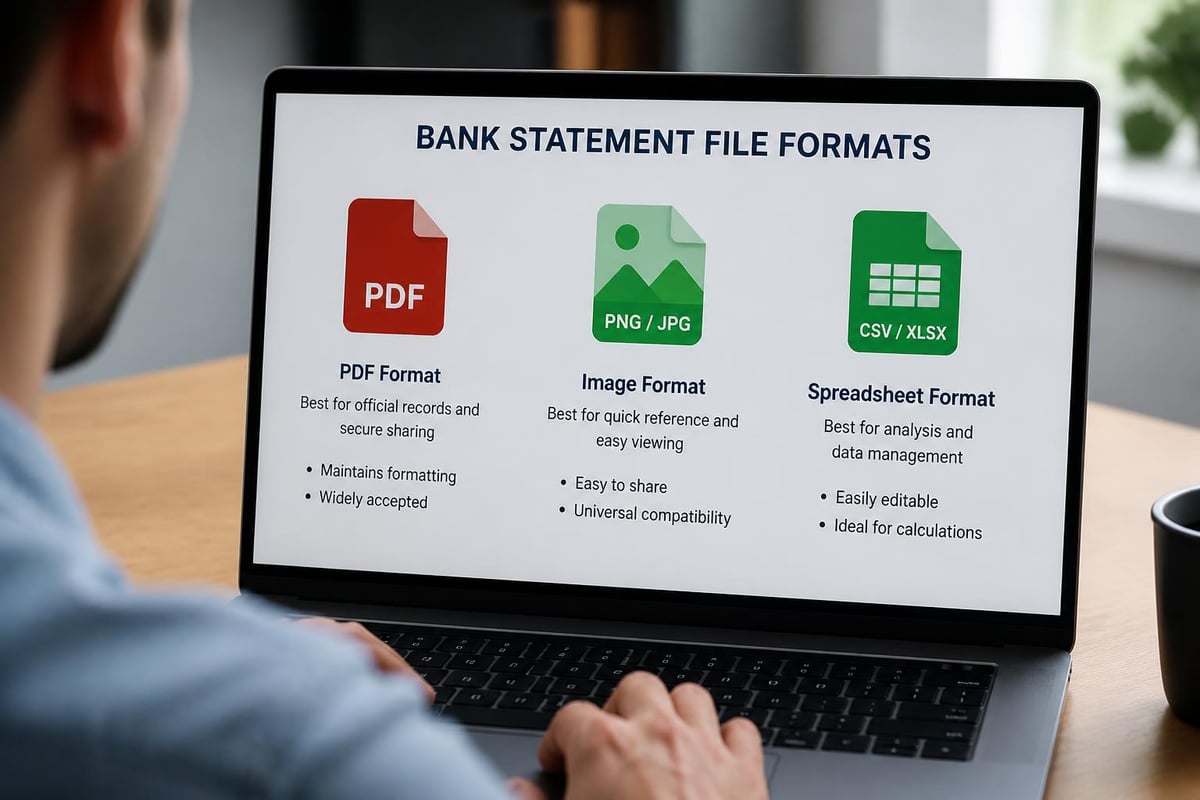
When you need to upload bank statement files, the first step is understanding what different platforms and institutions require. Most systems accept PDF files as the standard format, though some also support images, CSV files, or direct bank connections.
Common File Format Standards
Financial platforms typically specify their accepted file formats to ensure data integrity. Here's what you need to know:
- PDF documents remain the most widely accepted format across banking and accounting systems
- Image files (JPG, PNG) work for some verification processes but limit data extraction capabilities
- CSV or Excel files may be required for direct import into accounting software
- File size limits typically range from 5MB to 25MB per document
Many organizations now require statements spanning specific time periods, usually three to six months of continuous transaction history. When you upload bank statement files for loan applications or financial verification, ensure you have the complete date range requested without gaps in coverage.
Statement Preparation Best Practices
Before you upload bank statement documents, proper preparation saves time and prevents rejections. Start by reviewing each statement for completeness, ensuring all pages are included and clearly legible. Understanding bank statement format requirements helps you identify what information must be visible and complete.
Key preparation steps include:
- Verify all pages are present and in sequential order
- Ensure account numbers and transaction details are clearly readable
- Confirm the statement includes official bank branding and headers
- Check that dates align with requested timeframes
- Remove password protection if present (unless specifically required)
For businesses managing multiple accounts, organizing statements by account type and date range creates efficiency. Consider establishing a naming convention such as "BankName_AccountLast4Digits_MMYYYY" to maintain clarity when you upload bank statement files across different platforms.
Security Considerations When Uploading Financial Documents
Security remains paramount when you upload bank statement information containing sensitive financial data. In 2026, with increasing cyber threats, understanding data security for bank statements has become more critical than ever.
Encryption and Secure Transmission
Financial institutions and reputable platforms use multiple layers of security when handling uploaded statements. Look for these essential security features:
| Security Feature | What It Protects | Industry Standard |
|---|---|---|
| SSL/TLS Encryption | Data during transmission | 256-bit encryption |
| At-rest Encryption | Stored files on servers | AES-256 encryption |
| Multi-factor Authentication | Account access | SMS, app, or hardware tokens |
| Audit Logs | Track document access | Timestamped activity records |
When selecting a platform to upload bank statement files, verify their security certifications and compliance standards. Bank-level security protocols, similar to those implemented by Bank Statement Boss, ensure your financial data receives protection equivalent to what your banking institution provides.
Information Redaction and Privacy
Not every recipient needs access to all information on your bank statements. Before you upload bank statement documents, consider what data you can safely redact. Privacy and redaction best practices offer guidance on protecting personal information while maintaining document validity.
Information you might redact includes:
- Specific transaction descriptions unrelated to the verification purpose
- Account numbers beyond the last four digits (when permitted)
- Personal identification numbers or reference codes
- Balances in unrelated accounts
However, never redact information that recipients explicitly require for verification purposes. Many financial institutions reject over-redacted statements, creating delays in approval processes.
Automated Conversion and Processing Solutions
Modern technology has transformed how businesses handle statement uploads. Rather than manually entering transaction data, automated systems now extract and convert information with remarkable accuracy.
AI-Powered Statement Processing
When you upload bank statement PDFs to modern conversion platforms, artificial intelligence technology recognizes transaction patterns, account details, and financial data structures. These systems process documents in seconds, eliminating hours of manual data entry.
PDF bank statement conversion services utilize advanced AI to transform locked PDF files into editable spreadsheets with 99% accuracy. This technology recognizes various bank formats, from major national institutions to regional credit unions, adapting to different statement layouts and structures.
The conversion process typically follows this workflow:
- Upload your PDF bank statement to the secure platform
- Processing where AI scans and identifies data fields
- Extraction of transactions, dates, amounts, and descriptions
- Formatting data into structured spreadsheet columns
- Export in formats compatible with your accounting software

Integration with Accounting Platforms
After you upload bank statement files and convert them to spreadsheets, the next step often involves importing data into accounting software. Modern conversion tools format outputs specifically for platforms like QuickBooks, Xero, FreshBooks, and other popular accounting systems.
| Accounting Platform | Supported Import Format | Matching Capability |
|---|---|---|
| QuickBooks Online | CSV, Excel, QBO | Rule-based transaction matching |
| Xero | CSV, MT940 | Bank feed reconciliation |
| Sage | CSV, Excel | Chart of accounts mapping |
| Wave | CSV | Automatic categorization |
This compatibility eliminates reformatting work and reduces errors that occur when manually transferring financial data between systems. Bank statement to Excel conversion creates clean, organized data that imports seamlessly into your existing workflows.
Common Upload Scenarios and Solutions
Different situations require different approaches when you upload bank statement documents. Understanding specific use cases helps you prepare appropriately and avoid common pitfalls.
Loan and Mortgage Applications
Lenders require comprehensive financial documentation to assess creditworthiness. When you upload bank statement files for loan applications, expect scrutiny of both income deposits and spending patterns.
Lender requirements typically include:
- Three to six months of consecutive statements
- All pages, including blank pages with footers
- Clear display of account holder name and address
- Sufficient documentation of income sources
- Explanation letters for unusual transactions or large deposits
Many applicants encounter delays because they upload incomplete statements or mix documents from different time periods. Organize your files chronologically and verify completeness before submission.
Income Verification Processes
Freelancers, contractors, and self-employed professionals often need to upload bank statement records as proof of income. Proper download and upload procedures ensure verification platforms can accurately assess financial stability.
For income verification:
- Highlight or annotate regular income deposits if required
- Provide statements showing consistent deposit patterns
- Include explanations for seasonal income variations
- Ensure statements cover peak and slow business periods
Accounting Reconciliation
Monthly reconciliation requires you to upload bank statement data into accounting systems regularly. Checking statements against recorded transactions identifies discrepancies, prevents fraud, and maintains accurate financial records.
Establishing a consistent reconciliation schedule creates accountability. Many businesses upload statements on the first business day of each month, immediately reconciling the previous month's transactions while details remain fresh.

Technical Troubleshooting and Best Practices
Even with proper preparation, technical issues sometimes arise when you upload bank statement files. Understanding common problems and solutions prevents frustration and delays.
File Upload Failures
Upload failures typically stem from a few common causes:
- File size exceeds platform limits - Compress PDFs or split large statements into smaller files
- Unsupported file format - Convert images to PDF or check platform specifications
- Corrupted files - Re-download statements from your bank portal
- Browser compatibility issues - Try different browsers or disable extensions
- Network interruptions - Use stable connections for large file uploads
When experiencing persistent upload problems, clear your browser cache, disable VPN connections temporarily, or contact the platform's support team for assistance.
Quality and Readability Issues
Poor scan quality prevents accurate data extraction when you upload bank statement documents. Banks sometimes generate low-resolution PDFs that create problems for both human reviewers and AI processing systems.
Quality checklist before upload:
- Text is sharp and readable at 100% zoom
- No shadows or dark spots obscure information
- Pages are properly oriented (not sideways or upside down)
- Color contrast makes text easily distinguishable
- All margins are visible without cutoff
If your bank provides poor quality downloads, contact them to request higher resolution versions. Most institutions can regenerate statements with improved clarity.
Password-Protected Documents
Many banks issue password-protected PDFs for security. While this protects statements during email transmission, it creates complications when you upload bank statement files to processing platforms. Understanding bank PDF statements helps you work with various document protections.
Most platforms require unlocked PDFs for processing. Use PDF editing software to remove passwords before upload, or check if the platform supports password submission alongside the file. Always delete unprotected versions from your computer after successful upload to maintain security.
Organizing Multi-Account Statement Management
Businesses and individuals with multiple bank accounts face unique challenges organizing and uploading statements efficiently. Systematic approaches prevent confusion and ensure complete record-keeping.
Developing a Statement Organization System
Create a digital filing structure that mirrors your account hierarchy:
- Primary folder for the year (2026)
- Subfolders for each financial institution
- Account-specific folders using last four digits
- Month-by-month statement files with consistent naming
This structure allows quick location of specific statements when you need to upload bank statement documents for various purposes. Cloud storage with automatic backup protects against data loss while enabling access from multiple devices.
Batch Processing Capabilities
For businesses managing numerous accounts, batch processing saves substantial time. Some platforms allow you to upload bank statement files in bulk, processing multiple documents simultaneously.
Batch upload benefits include:
- Process an entire month's statements in one session
- Maintain consistency across multiple account conversions
- Reduce total time spent on statement management
- Minimize repetitive upload tasks
When using batch processing, maintain careful file naming to ensure proper matching after conversion. Include account identifiers and date ranges that help you quickly verify each processed statement.
Managing Credit Card Statements
Credit card statements require the same careful handling as bank statements but often serve different analytical purposes. When you upload bank statement and credit card files together, keep them organized separately to facilitate specific expense tracking and reconciliation.
Credit card statements frequently show more transaction detail, making them valuable for expense categorization and business deduction documentation. Convert these statements to spreadsheets for easier filtering and analysis of spending patterns across categories.
Compliance and Record Retention Requirements
Understanding legal requirements influences how long you maintain uploaded statements and who can access them. Compliance varies by industry, business type, and geographical location.
Standard Retention Periods
Different organizations recommend varying retention periods for bank statements:
| Entity Type | Minimum Retention | Recommended Retention |
|---|---|---|
| Individuals | 1 year | 3-7 years |
| Small Businesses | 3 years | 7 years |
| Corporations | 7 years | 10+ years |
| Tax Documentation | 3 years | 7 years |
These timeframes guide how long you should maintain access to uploaded statements. Many professionals keep statements indefinitely in digital format since storage costs remain minimal compared to physical document retention.
Platform Data Retention Policies
When you upload bank statement files to third-party platforms, understand their data retention and deletion policies. Reputable services clearly communicate how long they store your documents and whether you can request permanent deletion.
Key policy questions to ask:
- How long does the platform retain uploaded files?
- Can you request immediate deletion after processing?
- What happens to your data if you cancel your subscription?
- Does the platform comply with GDPR, CCPA, or other privacy regulations?
Platforms with transparent data handling policies demonstrate commitment to user privacy and regulatory compliance. Review these policies before uploading sensitive financial documents to any new service.
Successfully managing the upload bank statement process requires attention to security, format requirements, and organizational systems. Modern AI-powered conversion solutions have transformed what was once a tedious manual process into an efficient automated workflow. Whether you're reconciling accounts, applying for financing, or maintaining compliance records, proper statement handling protects your financial data while streamlining administrative tasks. Bank Statement Boss offers the security, accuracy, and compatibility you need to convert PDF statements into actionable spreadsheet data, saving hours of manual entry while maintaining bank-level protection for your sensitive financial information.