
Modern banking has transformed how individuals and businesses manage their financial records. The ability to access bank statement information quickly and securely has become essential for everything from tax preparation to loan applications. Whether you need a single month's transactions or years of historical data, understanding the various methods to retrieve your banking documents ensures you maintain control over your financial information while meeting compliance requirements and tracking business expenses effectively.
Understanding Bank Statement Access Options
Financial institutions now offer multiple channels to retrieve your banking documents, each with distinct advantages depending on your immediate needs and technical comfort level.
Online Banking Portals
Most major banks provide web-based platforms where account holders can view and download statements dating back several years. These portals typically allow you to access bank statement files in PDF format with a few clicks. Wells Fargo's online banking platform exemplifies this approach, offering customers immediate access to their financial documents without phone calls or branch visits.
The online portal method delivers several benefits:
- 24/7 availability regardless of business hours or holidays
- Multi-year archives often spanning five to seven years
- Instant downloads in standardized PDF formats
- Search functionality to locate specific transactions or time periods
- Environmental benefits through paperless document management
To navigate these systems effectively, log into your bank's website, locate the statements or documents section, select your account type, choose the date range, and download the files. Most institutions organize statements chronologically and allow bulk downloads for multiple months simultaneously.
Mobile Banking Applications
Smartphone apps have revolutionized how customers interact with their financial institutions. Capital One enables users to view up to seven years of statements through their mobile application, providing unprecedented convenience for on-the-go financial management.
Mobile access offers unique advantages for busy professionals:
- Quick verification during business meetings or while traveling
- Biometric security through fingerprint or facial recognition
- Push notifications for new statement availability
- Seamless sharing capabilities for accountants or financial advisors
The mobile experience typically mirrors desktop functionality but optimizes for smaller screens with touch-friendly interfaces and simplified navigation paths.

Traditional Methods to Access Bank Statement Records
Despite digital advancement, conventional channels remain valuable for specific situations and customer preferences.
Branch Visits
Physical bank locations continue serving customers who prefer in-person assistance or require certified copies for legal proceedings. Branch representatives can print statements, provide official stamps or seals, and explain complex transactions face-to-face.
When visiting a branch to access bank statement documents, bring valid identification and account information. Tellers can typically retrieve records for current and previous years, though older archives may require advance notice or special requests.
Telephone Banking
Automated phone systems and customer service representatives offer another avenue for statement requests. While you cannot immediately download files through phone channels, representatives can mail physical copies or guide you through online access setup.
| Access Method | Speed | Cost | Best For |
|---|---|---|---|
| Online Portal | Instant | Free | Regular users, bulk downloads |
| Mobile App | Instant | Free | Quick checks, travel access |
| Branch Visit | Same day | Usually free | Certified copies, assistance |
| Phone Request | 3-7 days | May vary | Technical support, mailed copies |
| Mailed Statements | Monthly | Often free | Automatic delivery, record keeping |
Digital Statement Formats and Compatibility
Understanding file formats becomes crucial when you need to manipulate or integrate banking data into accounting systems or financial analysis tools.
PDF Statement Limitations
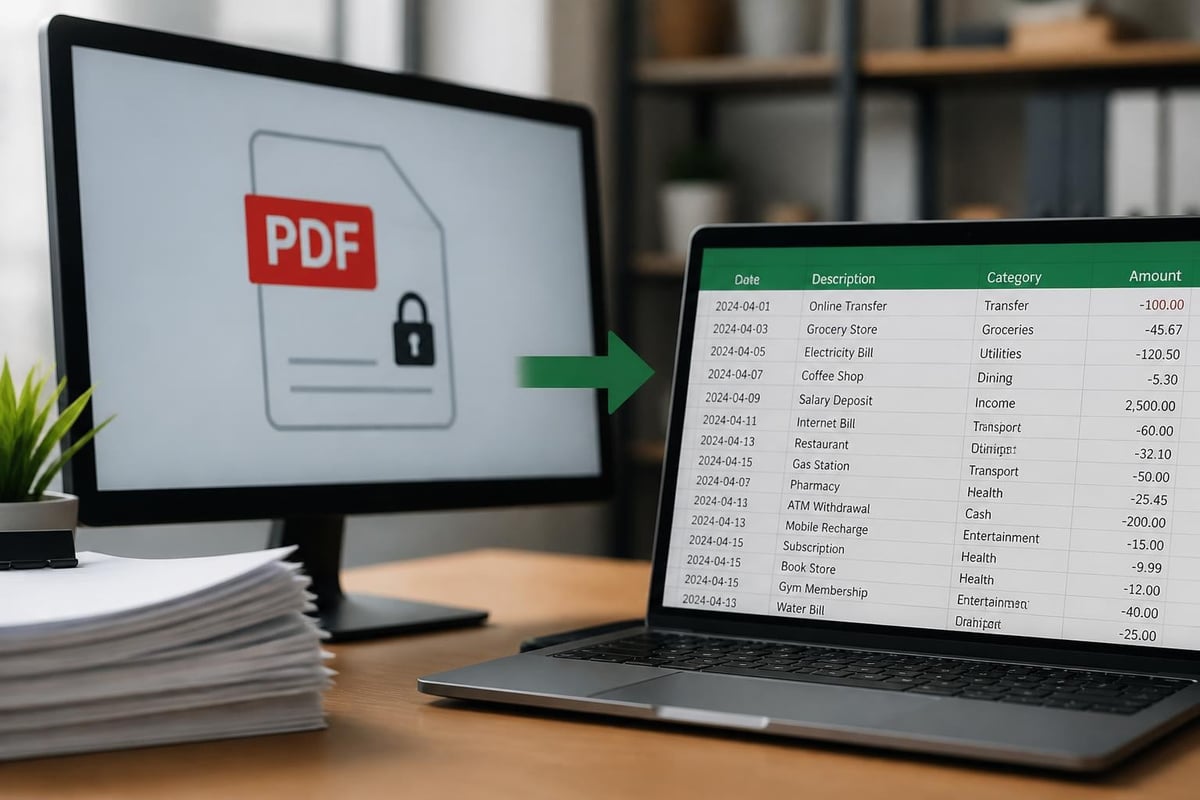
Banks universally distribute statements as PDF files for security and consistency. These documents preserve formatting and prevent unauthorized alterations, but they create challenges for data analysis. PDF bank statements contain transaction details in fixed layouts that resist easy extraction or manipulation without specialized software.
Financial professionals frequently encounter these PDF challenges:
- Inability to sort transactions by category or amount
- Difficulty calculating subtotals for specific vendors or time periods
- Manual re-entry requirements for accounting software
- Limited search capabilities across multiple statement periods
- Complex reconciliation processes when comparing multiple accounts
Converting to Usable Formats
Many businesses require transaction data in spreadsheet format for budgeting, forecasting, and financial reporting. The PDF Bank Statement to Spreadsheet service addresses this need by using AI technology to convert PDF bank and credit card statements into spreadsheets with 99% accuracy, maintaining compatibility with major accounting platforms while ensuring bank-level security for sensitive financial data.
Security Considerations When You Access Bank Statement Data
Protecting financial information requires vigilance across all access methods and storage solutions.
Authentication and Encryption
Modern banking platforms employ multi-layered security protocols. When you access bank statement files online, expect these protective measures:
- Two-factor authentication requiring passwords plus verification codes
- Encryption standards protecting data transmission between servers and devices
- Session timeouts automatically logging out inactive users
- Device recognition flagging logins from unfamiliar locations
- Secure socket layers encrypting all communication channels
Regions Bank's security protocols demonstrate industry standards for protecting customer data during online statement retrieval.
Safe Storage Practices
After downloading statements, implement proper digital hygiene:
- Store files in encrypted folders using built-in operating system features or third-party encryption software
- Create secure backups on external drives or cloud services with strong password protection
- Use descriptive file names that organize statements by institution, account, and date without revealing sensitive details in the filename itself
- Set appropriate access permissions limiting who can view, edit, or share these documents on shared computers or networks
- Regularly update passwords for banking portals and any systems storing financial documents
- Enable automatic logout features on banking apps and websites to prevent unauthorized access on shared devices
Accessing Historical Statements and Archives
Long-term record retention serves multiple purposes from tax audits to mortgage applications.
Standard Retention Periods
Most financial institutions maintain digital archives for specific durations. Republic Bank's online statements and similar services typically offer:
- Current year plus six previous years for checking and savings accounts
- Extended periods for loan accounts matching the loan term duration
- Unlimited access to enrolled months for customers who opted into e-statements
- Limited retroactive access for customers switching from paper to electronic delivery
Understanding your bank's specific retention policy helps plan for documentation needs well in advance of deadlines.
Requesting Older Records
When you need to access bank statement files beyond standard retention periods, contact your institution's customer service department. Older records may incur research fees, particularly for statements predating digital systems that require physical archive retrieval.
| Statement Age | Typical Access Method | Expected Timeframe | Potential Costs |
|---|---|---|---|
| 0-12 months | Online/App | Instant | Free |
| 1-7 years | Online/App | Instant | Free |
| 7-10 years | Special request | 5-10 business days | $5-25 per statement |
| 10+ years | Archive retrieval | 2-4 weeks | $25-50+ per statement |
Statement Access for Different Account Types
Various banking products require tailored approaches for accessing their documentation.
Checking and Savings Statements
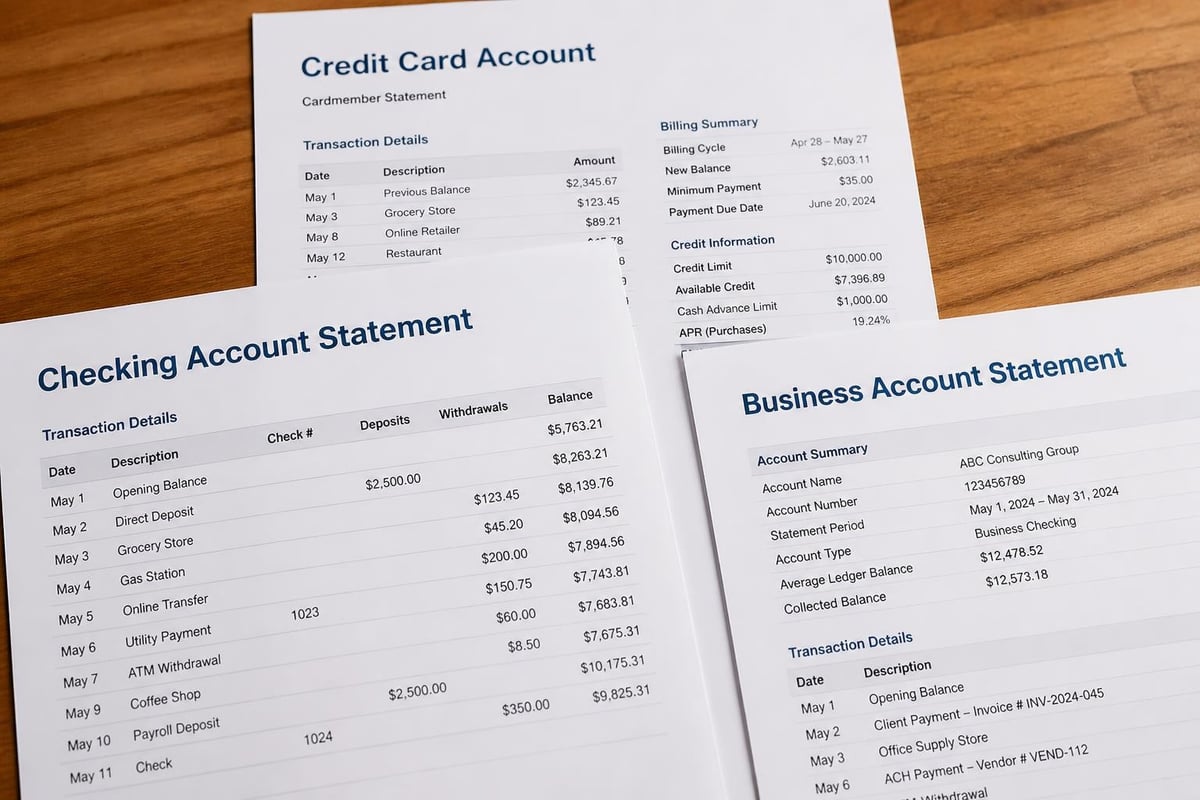
Checking statements remain the most frequently accessed banking documents. These accounts generate monthly statements regardless of activity levels, documenting deposits, withdrawals, fees, and interest accrual. Most banks allow you to access bank statement records for these core accounts through all available channels with minimal restrictions.
Credit Card Statements
Credit card documentation follows similar access patterns but includes additional information like credit limits, payment due dates, and minimum payment calculations. Bank statements for credit cards often provide more detailed merchant information and category coding compared to checking account records.
Business Account Documentation
Commercial banking relationships typically offer enhanced statement access features:
- Multi-user permissions allowing different team members varying access levels
- Customizable date ranges for reporting periods matching fiscal calendars
- Detailed transaction coding supporting expense categorization
- Export options in multiple formats for accounting integration
- Consolidated views across multiple accounts and subsidiaries
Optimizing Statement Access for Business Needs
Organizations managing multiple accounts or processing high transaction volumes require efficient workflows.
Automated Retrieval Systems
Some businesses implement automated systems that connect to banking APIs, retrieving statements on predetermined schedules. This approach ensures consistent documentation without manual intervention, though it requires technical setup and ongoing maintenance.
Standardizing Statement Formats
When working with bank statement formats from multiple institutions, inconsistencies create reconciliation challenges. Converting all statements to a uniform spreadsheet structure streamlines accounting processes and enables cross-bank analysis.
The conversion from PDF to spreadsheet involves several considerations:
- Maintaining transaction integrity during format transformation
- Preserving date formats across international banking systems
- Accurately capturing positive and negative values
- Retaining merchant names and transaction descriptions
- Organizing data into standardized column headers
Converting bank statements to Excel enables advanced filtering, pivot tables, and formula-based analysis that PDF formats cannot support.
Regulatory and Compliance Requirements
Various industries and situations mandate specific statement retention and access practices.
Tax Documentation
The Internal Revenue Service recommends retaining financial records for at least three years from the filing date, though certain circumstances extend this to six or seven years. Regular access to bank statement archives ensures you can substantiate deductions, verify income reporting, and respond to audit inquiries.
Loan Applications
Mortgage lenders, auto financers, and business loan officers typically require two to three months of recent bank statements to verify income, assess spending patterns, and evaluate financial stability. The ability to quickly access bank statement files significantly accelerates application processing.
Legal Proceedings
Divorce settlements, estate administration, and litigation often demand comprehensive financial documentation spanning multiple years. PayPal's explanation of bank statement importance highlights how these documents serve as official records of financial activity during specific periods.
Troubleshooting Common Access Issues
Technical difficulties occasionally prevent smooth statement retrieval.
Login Problems
When you cannot access bank statement portals, first verify:
- Correct username and password entry
- Caps lock status and keyboard language settings
- Browser compatibility and updated versions
- Cleared cookies and cache
- Disabled browser extensions that might interfere with banking sites
Most banks offer password reset options through email or text message verification, though some require phone authentication for security purposes.
Missing Statements
If expected statements do not appear in your online archives:
- Confirm the statement period has closed and processing time has elapsed
- Verify account enrollment in electronic statement delivery
- Check spam folders for email notifications about new statement availability
- Review account status ensuring no holds or restrictions prevent document access
- Contact customer service to investigate system-level issues or processing delays
Download or Display Errors
PDF viewing problems often stem from outdated software or browser restrictions. Update your PDF reader application, enable pop-ups for your banking website, and ensure adequate device storage for file downloads.
Maximizing the Value of Statement Access
Beyond basic retrieval, strategic statement management enhances financial decision-making.
Regular Review Habits
Establishing consistent statement review schedules helps identify unauthorized transactions, track spending trends, and catch errors promptly. Royal Bank emphasizes these benefits when promoting electronic statement enrollment.
Monthly reviews should include:
- Verifying all transactions match personal or business records
- Identifying recurring charges that may no longer provide value
- Monitoring for fraudulent activity or identity theft indicators
- Calculating actual spending against budget projections
- Noting fee assessments and considering account structure changes
Integration with Financial Planning
When you access bank statement data regularly and convert it to analyzable formats, you enable sophisticated financial planning. Spreadsheet-based transaction data supports:
- Category-based spending analysis revealing where money actually goes
- Year-over-year comparisons highlighting growth or concerning trends
- Seasonal pattern identification for better cash flow forecasting
- Vendor spending consolidation identifying negotiation opportunities
- Tax preparation streamlining through organized business expense documentation
Efficient access to banking documentation forms the foundation of sound financial management, whether you're tracking personal expenses or managing complex business accounts. Understanding the multiple channels for retrieving statements, the security considerations involved, and the potential for converting static PDFs into analytical tools positions you to make better-informed financial decisions. Bank Statement Boss simplifies the critical step between accessing your statements and actually using the data, transforming PDF documents into spreadsheets with the accuracy and security your financial operations demand.