
Managing business finances efficiently requires seamless integration between banking institutions and accounting software. Xero banking capabilities have transformed how businesses handle their financial data, offering automated connections that eliminate manual entry and reduce errors. Understanding how to leverage these features can save countless hours while improving accuracy and providing real-time visibility into your financial position.
Understanding Xero Banking Fundamentals
Xero banking refers to the comprehensive suite of features that enable businesses to connect their financial institutions directly to their Xero accounting platform. This connection facilitates automatic transaction imports, real-time balance updates, and streamlined reconciliation processes.
The foundation of xero banking lies in bank feeds, which automatically pull transaction data from your bank accounts into Xero. This automation eliminates the need for manual data entry, reducing both time investment and the potential for human error. Bank feeds refresh daily, ensuring your financial records remain current without constant oversight.
How Bank Feeds Work
When you connect your bank account to Xero, the platform establishes a secure connection with your financial institution. This connection operates through either direct integration with the bank or through third-party aggregation services.
The process involves several key components:
- Authentication: You provide credentials to verify account ownership
- Authorization: You grant Xero permission to access transaction data
- Data transmission: Transactions flow securely from your bank to Xero
- Automatic updates: New transactions appear daily without manual intervention

Benefits of Automated Banking Connections
The advantages of implementing xero banking extend beyond simple convenience. Businesses experience measurable improvements across multiple operational areas.
| Benefit | Impact | Time Savings |
|---|---|---|
| Reduced manual entry | 95% fewer data entry errors | 10-15 hours monthly |
| Real-time visibility | Current financial position always available | Immediate access |
| Faster reconciliation | Automated matching suggestions | 70% faster processing |
| Improved accuracy | Bank-verified transaction data | Near-zero error rate |
Organizations utilizing automated xero banking features report significant productivity gains. The time previously spent on data entry and verification can be redirected toward strategic financial analysis and business development activities.
Setting Up Xero Banking Features
Implementing xero banking requires careful planning and execution to ensure smooth operation. The setup process varies depending on your financial institution and account types.
Initial Connection Process
Most U.S. banks now support direct connections with Xero, a capability that has expanded significantly through technological partnerships. The initial setup typically takes 15-30 minutes per account.
Begin by navigating to the Banking section within your Xero organization. Select "Add Bank Account" and search for your financial institution by name. When you find your bank, follow the prompted authentication steps, which typically involve:
- Entering your online banking credentials
- Completing any two-factor authentication required by your bank
- Selecting which accounts you want to connect
- Confirming permissions for data sharing
- Verifying the connection was successful
Alternative Methods for Data Import
Not all financial institutions support direct bank feeds. When direct connections aren't available, Xero provides several alternative methods for importing banking data.
Manual statement upload allows you to import transaction files downloaded from your bank. Most banks provide exports in formats compatible with Xero, such as CSV, OFX, or QIF files. While this method requires more manual intervention than automatic feeds, it still saves considerable time compared to line-by-line data entry.
For businesses dealing with PDF statements from banks that don't offer digital exports, converting these documents to spreadsheet format becomes necessary. Services like PDF Bank Statement to Spreadsheet can transform PDF statements into properly formatted files that import cleanly into Xero, maintaining the benefits of automated data processing even when direct feeds aren't available.
Common Setup Challenges
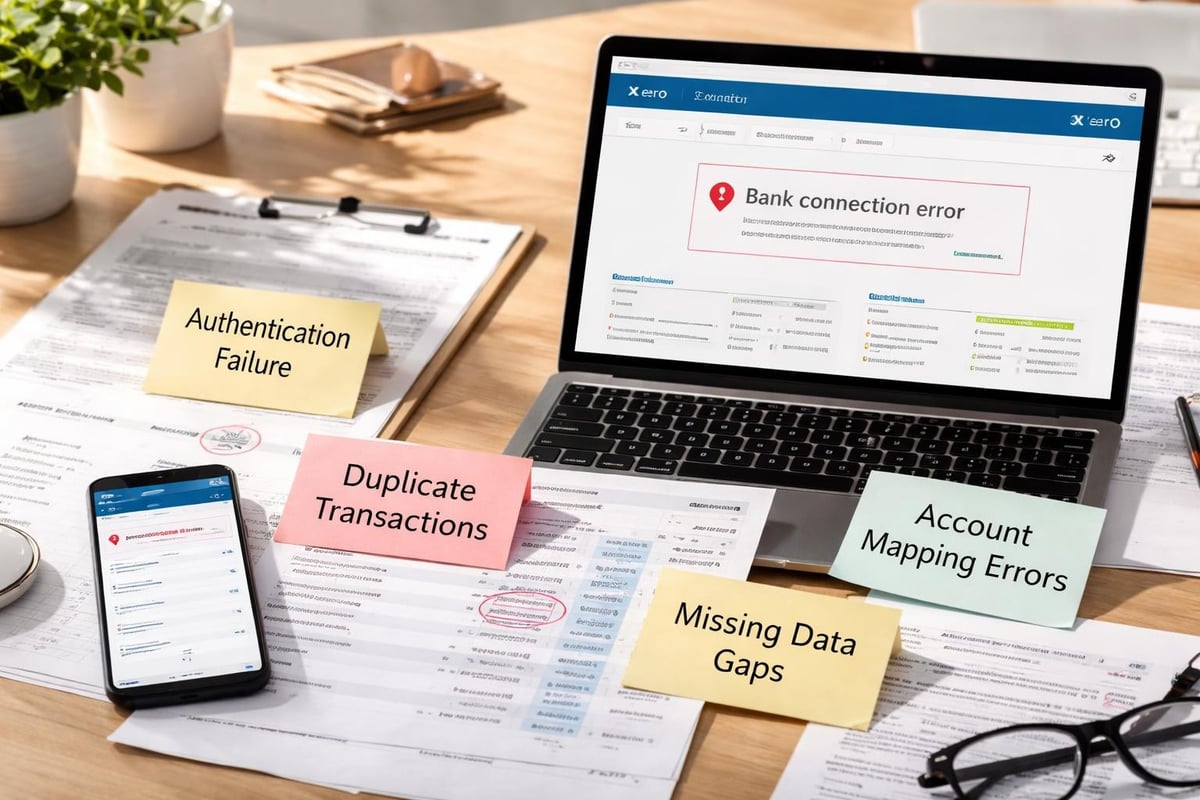
Even with straightforward processes, businesses occasionally encounter obstacles when establishing xero banking connections. Understanding common setup mistakes helps prevent gaps in transaction data and ensures accurate opening balances.
Timing issues frequently cause confusion. When you first connect a bank feed, Xero typically imports transactions from the past 90 days. If your accounting records already include some of these transactions through manual entry, you'll need to identify and remove duplicates during initial reconciliation.
Authentication failures can interrupt bank feed connections. Banks periodically require re-authentication for security purposes, especially after password changes or extended periods of inactivity. Regular monitoring ensures you catch and resolve these interruptions quickly.
Optimizing Your Xero Banking Workflow
Successful xero banking implementation extends beyond initial setup. Developing efficient workflows around your bank feeds maximizes their value and ensures ongoing accuracy.
Daily Reconciliation Practices
The true power of xero banking emerges through consistent reconciliation habits. Rather than allowing transactions to accumulate, establish a routine for regular review and matching.
Xero's reconciliation interface presents unmatched transactions and suggests potential matches based on amount, date, and payee information. Smart matching algorithms learn from your previous decisions, becoming more accurate over time.
Consider these best practices for efficient reconciliation:
- Review bank feeds at least weekly to prevent backlogs
- Use bank rules to automatically categorize recurring transactions
- Address uncertain matches immediately rather than leaving them pending
- Verify opening balances match your bank statements exactly
- Monitor for missing transactions that might indicate feed interruptions
Creating Effective Bank Rules
Bank rules automate transaction categorization based on criteria you define. A well-configured set of rules can handle 60-80% of transactions automatically, dramatically reducing manual reconciliation time.
Each rule contains conditions (what to look for) and actions (how to categorize). For example, you might create a rule that automatically categorizes any transaction containing "Amazon Web Services" in the description as "Cloud Computing" expense under your Technology account.
| Rule Type | Use Case | Example |
|---|---|---|
| Exact match | Specific vendors | Monthly software subscriptions |
| Contains text | Variable amounts | Utility companies with changing bills |
| Amount range | Regular payments | Rent or lease payments |
| Multiple conditions | Complex scenarios | Specific vendor AND amount range |
Managing Multiple Bank Accounts
Businesses with multiple accounts benefit from strategic organization within xero banking. Proper account structure prevents confusion and ensures accurate financial reporting.
When setting up multiple bank feeds, establish clear naming conventions that immediately identify each account's purpose. Rather than generic names like "Checking 1" and "Checking 2," use descriptive labels such as "Operating Account" and "Payroll Account."
Consider creating separate Xero accounts for different business entities or profit centers when appropriate. This separation maintains clean financial boundaries and simplifies reporting at both consolidated and individual levels.
Advanced Xero Banking Capabilities
Beyond basic transaction imports, xero banking offers sophisticated features that enhance financial management and decision-making capabilities.
Real-Time Cash Position Monitoring
One of the most valuable aspects of xero banking is the ability to view your current cash position at any moment. Unlike traditional accounting that requires manual updates, automated bank feeds ensure your dashboard reflects actual bank balances.
This real-time visibility enables:
- Informed decision-making about expenditures and investments
- Cash flow forecasting based on current positions and pending transactions
- Early warning systems for potential overdrafts or cash shortages
- Opportunity identification for excess cash deployment
Integration with Payment Processing
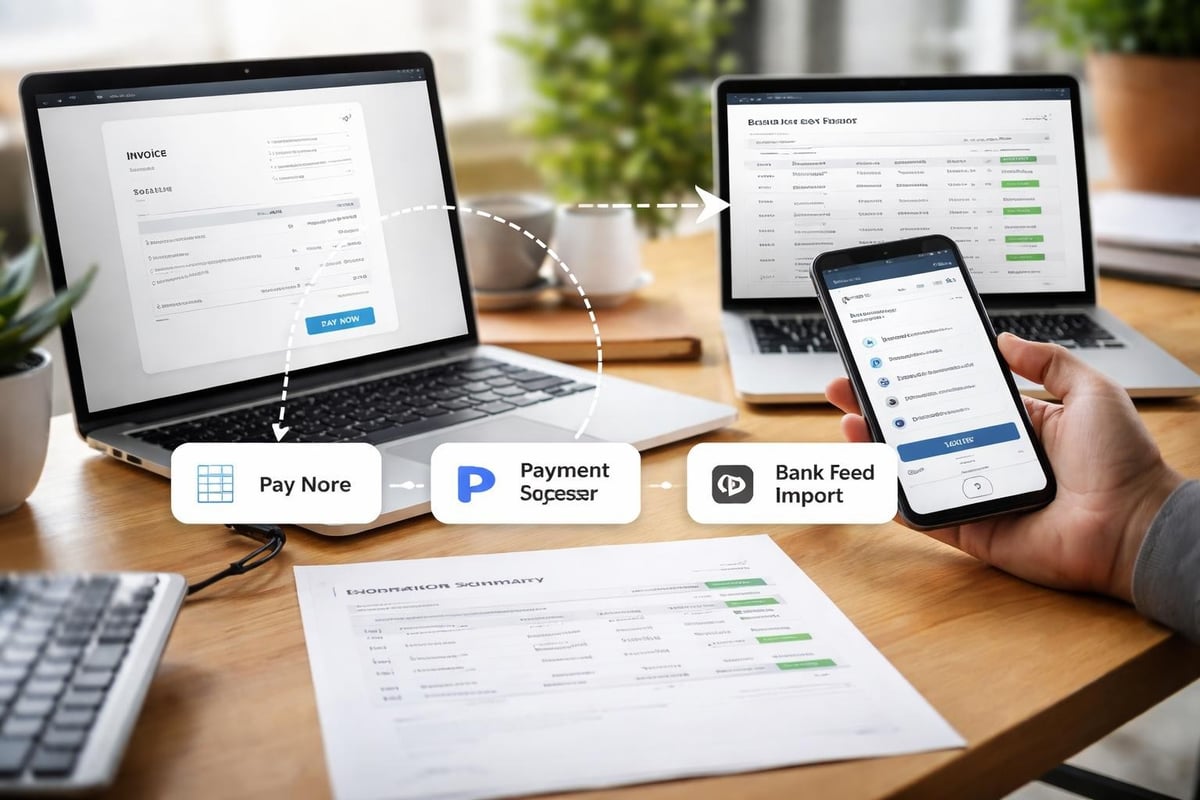
Modern xero banking extends beyond passive transaction monitoring to active payment processing. Xero Payments and integrated third-party solutions enable businesses to handle invoicing, payment collection, and disbursements within a unified system.
When customers pay invoices through integrated payment processors, those transactions flow directly into your bank feed and automatically reconcile against outstanding invoices. This closed-loop system eliminates reconciliation gaps between your accounts receivable and actual cash receipts.
Multi-Currency Banking
Businesses operating internationally face additional complexity in xero banking. Multi-currency support allows you to maintain bank accounts in different currencies while reporting in your base currency.
Xero automatically handles currency conversion using daily exchange rates, tracking both the original transaction amount and the converted value. This dual-tracking ensures accurate reconciliation with foreign bank statements while maintaining proper reporting in your primary currency.
Realized and unrealized gains or losses from currency fluctuations appear in your financial statements, providing complete visibility into the impact of exchange rate movements on your business.
Security and Compliance in Xero Banking
Financial data security represents a critical concern when implementing xero banking connections. Understanding the security measures protecting your information helps ensure compliance and builds confidence in automated systems.
Data Transmission Security
Xero employs bank-level encryption for all data transmitted between financial institutions and their servers. This encryption uses the same protocols that banks themselves use for online banking, ensuring your credentials and transaction data remain protected during transmission.
The platform never stores your banking passwords. Instead, authentication tokens provide temporary access that can be revoked at any time. If you ever need to disconnect a bank feed, revoking access prevents any future data pulls without requiring password changes at your bank.
For businesses with heightened security requirements, understanding Xero's security infrastructure provides additional confidence in their data protection measures.
Audit Trails and Compliance
Xero banking automatically maintains comprehensive audit trails for all transactions and modifications. These trails document when transactions were imported, who reconciled them, and any subsequent changes made to categorization or coding.
This documentation proves invaluable during:
- Internal audits and financial reviews
- External audits by CPAs or regulatory authorities
- Tax preparation and substantiation
- Dispute resolution with vendors or customers
- Historical analysis of financial decisions
Access Control and Permissions
Effective xero banking security extends beyond technical measures to include proper user access management. Xero's granular permission system allows you to control which team members can view, edit, or reconcile banking transactions.
Consider implementing these access control practices:
- Limit bank feed access to essential personnel only
- Use the principle of least privilege when assigning permissions
- Regularly review and update user access as roles change
- Enable two-factor authentication for all users with banking access
- Monitor login activity for suspicious patterns
Troubleshooting Xero Banking Issues
Even well-configured xero banking systems occasionally encounter problems. Recognizing and resolving these issues quickly maintains data accuracy and workflow efficiency.
Connection Interruptions
Bank feed connections may break due to various factors including bank security updates, credential changes, or temporary technical issues. When a feed stops working, Xero typically displays a notification in your dashboard.
Resolution steps for interrupted connections:
- Check for notification messages about required re-authentication
- Verify your bank hasn't changed its online banking system
- Confirm your bank login credentials still work on the bank's website
- Disconnect and reconnect the feed if simple re-authentication fails
- Contact Xero support if the issue persists beyond 48 hours
Missing or Duplicate Transactions
Transaction discrepancies require careful investigation to determine root causes. Missing transactions might indicate feed interruptions, while duplicates often result from manual entries combined with automatic imports.
When you identify missing transactions, first verify whether the feed was connected during the relevant period. If the connection was active but transactions are missing, check whether they fall outside the transaction types your bank includes in feeds. Some banks exclude certain transaction categories like internal transfers or pending items.
For duplicates, Xero's built-in duplicate detection usually flags potential matches, but manual entries before feed setup can slip through. Systematically reviewing transactions during the overlap period between manual and automated entry prevents double-counting.
Reconciliation Discrepancies
When your Xero banking balance doesn't match your bank statement, systematic investigation identifies the source of discrepancy.
| Issue Type | Likely Cause | Resolution |
|---|---|---|
| Balance too high | Missing expense transactions | Check feed date range |
| Balance too low | Missing deposit transactions | Verify all accounts connected |
| Specific amount off | Single transaction error | Review recent reconciliations |
| Gradually increasing gap | Recurring missed transaction | Check bank rules and filters |
Start by comparing the statement end date with your last reconciled transaction in Xero. Then verify that all transactions from your bank statement appear in your xero banking feed. Finally, ensure every transaction has been properly reconciled and categorized.
Maximizing Efficiency with Xero Banking
Organizations that fully leverage xero banking capabilities achieve significant competitive advantages through improved financial visibility and reduced administrative burden.
Workflow Automation Strategies
Beyond basic bank feeds, combining xero banking with other automation features multiplies efficiency gains. Invoice reminders, automatic payment matching, and scheduled reporting create a largely self-managing financial system.
Automated workflows might include sending invoices immediately upon delivery confirmation, automatically applying payments when bank feeds show deposits, and generating weekly cash flow reports for management review. These interconnected automations reduce the touch points required for financial management from dozens to just a few critical review moments.
Performance Metrics to Monitor
Tracking key performance indicators related to your xero banking usage helps identify optimization opportunities and measure improvement over time.
Monitor these metrics monthly:
- Average time from transaction to reconciliation
- Percentage of transactions auto-matched by bank rules
- Number of unreconciled transactions older than 30 days
- Frequency of bank feed connection interruptions
- Time spent on banking and reconciliation activities
Training and Team Development
Successful xero banking implementation requires proper team training. Even intuitive systems benefit from structured onboarding that covers both technical procedures and best practices.
Develop training materials that address your specific workflows and bank configurations. Include screenshots of your actual Xero setup rather than generic examples, making the training immediately applicable to daily tasks.
Regular refresher sessions help teams stay current with new Xero features and refine their techniques based on accumulated experience. Consider designating a xero banking champion within your organization who maintains deep expertise and serves as the first point of contact for questions.
Implementing robust xero banking practices transforms financial management from a time-consuming necessity into a streamlined competitive advantage. The combination of automated bank feeds, intelligent reconciliation, and real-time visibility empowers businesses to make faster, better-informed decisions while reducing administrative overhead. When you encounter statements from banks without direct feed capabilities, Bank Statement Boss converts those PDF documents into properly formatted spreadsheets that integrate seamlessly with Xero's import features, ensuring no account remains outside your automated workflow. This comprehensive approach to banking data management positions your business for scalable growth without proportionally increasing back-office complexity.