
Managing business finances requires robust tools that connect banking operations with accounting workflows. The xero bank functionality stands as a cornerstone feature within the Xero accounting platform, offering businesses automated transaction processing, real-time bank feeds, and intelligent reconciliation capabilities. Understanding how to leverage these banking features effectively can transform financial management from a time-consuming chore into a streamlined, accurate process that supports business growth.
Understanding Xero Bank Connectivity
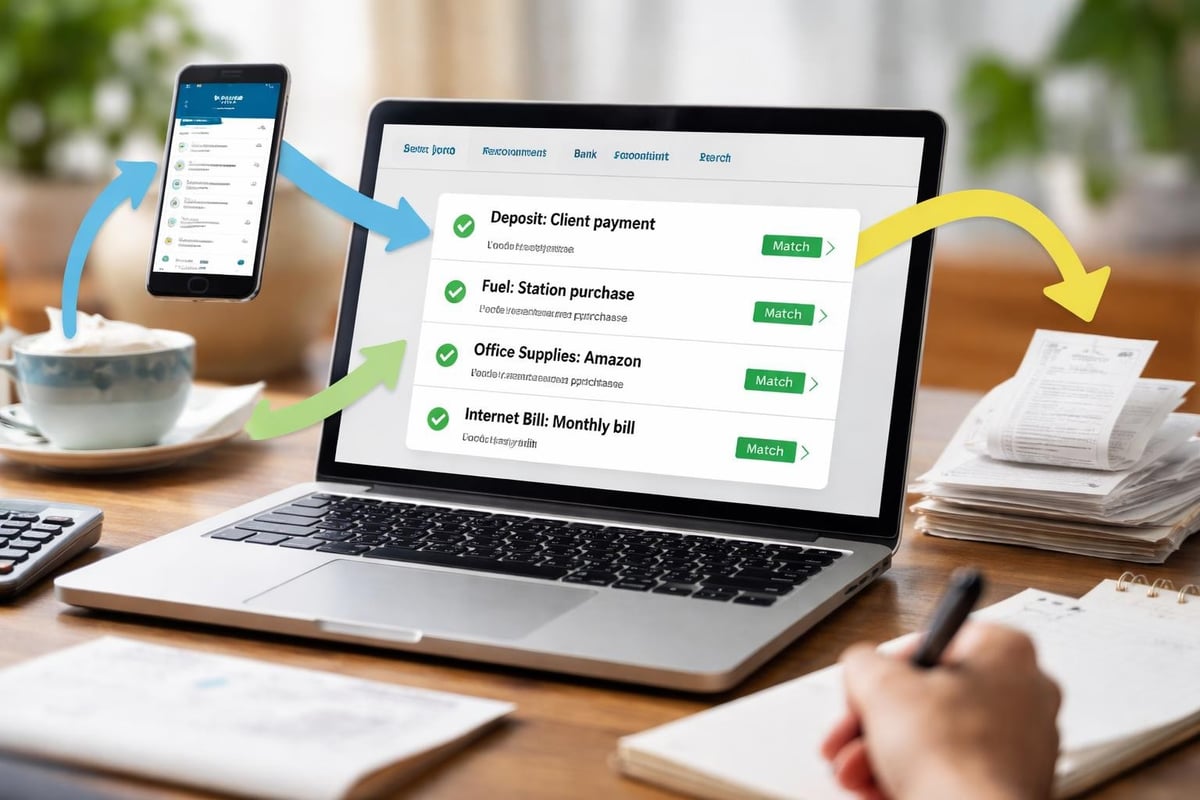
The xero bank connection system enables businesses to link their financial accounts directly to their accounting software. This direct integration eliminates manual data entry and creates a continuous flow of financial information from bank accounts into accounting records.
How Bank Feeds Work
Bank feeds automatically import transactions from connected financial institutions into Xero. The system retrieves transaction data multiple times daily, ensuring that business owners have access to current financial information. This real-time visibility allows for better cash flow management and faster decision-making.
Key benefits of automated bank feeds include:
- Reduced manual data entry and associated errors
- Current financial position visibility
- Faster month-end closing processes
- Improved accuracy in financial reporting
- Enhanced fraud detection capabilities
The technology behind xero bank feeds uses secure API connections established between Xero and financial institutions. These connections follow bank-level security protocols to protect sensitive financial data during transmission and storage.
Setting Up Xero Bank Connections
Establishing bank connections within Xero requires following specific steps to ensure secure, reliable data transmission. The setup process varies slightly depending on the financial institution, but the core principles remain consistent across different banks.
Connection Configuration Steps
- Navigate to the Banking section within your Xero account
- Select "Add Bank Account" and search for your financial institution
- Authenticate using your online banking credentials
- Grant Xero permission to access transaction data
- Configure feed preferences and starting dates
- Verify the connection and initial transaction import
Most financial institutions support direct connections through Xero's banking integrations, though some smaller banks may require alternative methods. When direct feeds aren't available, businesses often need to convert their bank statement data manually or through specialized services.
| Connection Type | Setup Time | Update Frequency | Security Level |
|---|---|---|---|
| Direct Bank Feed | 5-10 minutes | Multiple daily | Highest |
| Bank File Import | 2-3 minutes | Manual | High |
| Third-Party Integration | 10-15 minutes | Varies | High |
Security Considerations
The xero bank connection process implements multiple security layers to protect financial data. Authentication occurs through encrypted channels, and Xero never stores bank login credentials. Instead, the platform uses secure tokens that allow read-only access to transaction information.
For businesses requiring additional security documentation, comprehensive information about data protection measures can be found through security documentation that outlines industry-standard practices.
Bank Reconciliation in Xero
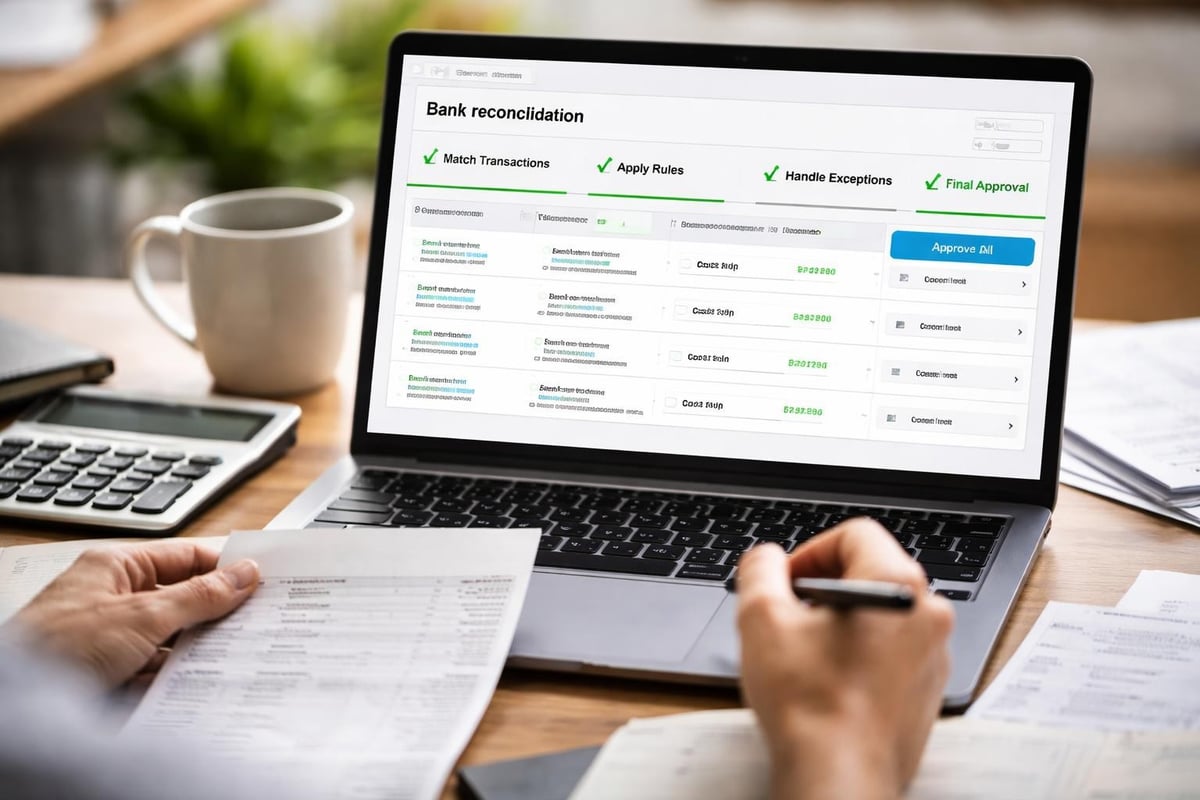
Bank reconciliation represents one of the most powerful applications of xero bank functionality. The platform has recently introduced enhanced bank reconciliation features that leverage artificial intelligence to improve matching accuracy and speed.
Automated Matching Technology
The reconciliation engine analyzes transaction patterns and learns from user behavior to suggest matches between bank feed transactions and accounting records. This intelligent matching considers multiple data points:
- Transaction amounts and dates
- Payee names and historical patterns
- Invoice numbers and reference codes
- Previous categorization decisions
- Custom reconciliation rules
When Xero identifies a potential match with high confidence, it automatically proposes the reconciliation. Users can review these suggestions and approve them with a single click, dramatically reducing the time spent on this critical accounting task.
Creating Bank Rules
Bank rules automate the categorization and coding of recurring transactions. Once established, these rules apply automatically whenever matching transactions appear in the xero bank feed.
Effective bank rules should:
- Target specific transaction patterns or payees
- Assign appropriate account codes
- Set correct tax rates
- Include relevant tracking categories
- Apply consistent descriptions
Rules can range from simple (always categorize transactions from a specific vendor to office supplies) to complex (apply different treatment based on transaction amounts or dates). Well-configured rules can automate 60-80% of transaction processing for businesses with regular, predictable expenses.
Managing Multiple Bank Accounts
Businesses often maintain multiple bank accounts for different purposes: operating accounts, savings accounts, merchant accounts, and credit cards. The xero bank system accommodates unlimited account connections, allowing comprehensive financial oversight from a single dashboard.
Account Organization Strategies
Organizing multiple accounts requires thoughtful structure to maintain clarity in financial reporting. Each connected account should have a distinct purpose and clear naming convention that reflects its function.
Consider this organizational approach:
- Operating Account - Daily business transactions and bill payments
- Payroll Account - Employee compensation and tax deposits
- Savings Account - Emergency reserves and planned expenses
- Merchant Account - Customer payment processing
- Credit Card Accounts - Business expenses and rewards optimization
The dashboard view displays balances and recent transactions across all connected accounts, providing a complete picture of business liquidity and financial position.
Handling Bank Feed Disconnections
Despite robust technology, xero bank feeds occasionally experience interruptions. Understanding common issues and solutions helps maintain continuous financial data flow. The resource on managing Xero bank feeds issues provides detailed troubleshooting guidance.
Common Disconnection Causes
Bank feed interruptions typically stem from several sources. Financial institutions periodically update their security protocols, requiring re-authentication. Online banking password changes also break the connection between Xero and the bank. System maintenance on either the bank's or Xero's end can temporarily suspend feeds.
When disconnections occur, Xero displays clear notification messages indicating which accounts need attention. Resolving most issues requires simply re-authenticating the connection through the banking section.
| Issue Type | Frequency | Resolution Time | Prevention Method |
|---|---|---|---|
| Password Change | Common | 5 minutes | Update immediately |
| Bank System Update | Occasional | 10 minutes | Monitor notifications |
| Security Token Expiry | Rare | 5 minutes | Automatic refresh |
| Bank Maintenance | Rare | Hours to days | None required |
Integration with Payment Systems
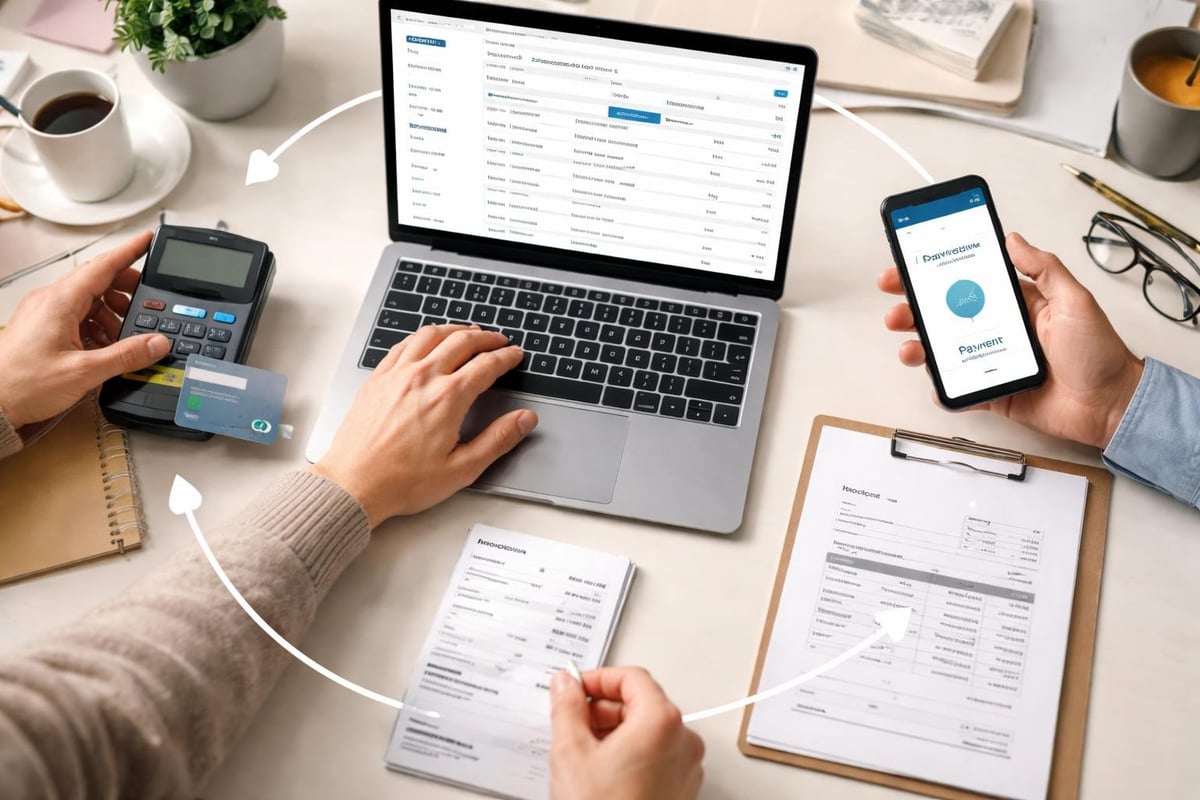
The xero bank functionality extends beyond simple transaction imports. Payment processing integrations create seamless workflows that automatically record payments in both the banking system and accounting records. For instance, GoCardless integration with Xero enables direct debit collection with automatic reconciliation.
Payment Automation Benefits
Integrating payment processing with xero bank features eliminates double-handling of financial data. When customers pay invoices through integrated payment gateways, the system:
- Records the payment against the correct invoice
- Updates customer account balances
- Imports the bank transaction through the feed
- Matches the transaction to the recorded payment
- Completes reconciliation automatically
This end-to-end automation reduces processing time from minutes per transaction to seconds, while eliminating reconciliation errors that occur when manually matching payments to invoices.
Bank Statement Imports for Unsupported Institutions
Not every financial institution offers direct connectivity with Xero. Smaller regional banks, credit unions, and international institutions may lack the infrastructure for automated feeds. In these situations, businesses must import bank statements manually to maintain accurate records.
Manual Import Process
When direct feeds aren't available, Xero accepts bank statement imports in several formats. Most banks provide downloadable statements in CSV, OFX, or QIF formats. For institutions that only provide PDF statements, PDF Bank Statement to Spreadsheet conversion services transform these documents into formats compatible with Xero, maintaining the same workflow efficiency as direct feeds.
The manual import process involves downloading statements from the bank's website, converting them if necessary, and uploading the file through Xero's banking interface. While not as seamless as automated feeds, this approach still provides significant advantages over manual data entry.
Bank Feed Security and Privacy
Financial data security remains paramount when connecting banking systems to accounting software. The xero bank connection architecture implements multiple security measures that protect sensitive information throughout the data lifecycle. Understanding these protections helps businesses make informed decisions about financial technology adoption.
Data Protection Mechanisms
Xero employs bank-level encryption for all data transmission between financial institutions and their servers. The platform never stores bank login credentials, instead using secure tokens that provide read-only access to transaction data. These tokens can be revoked instantly if security concerns arise.
Additional security features include two-factor authentication for Xero account access, IP address monitoring for unusual login patterns, and regular security audits by independent third parties. Many misconceptions about bank feed security are addressed in this article debunking common misconceptions about how the technology actually works.
Optimizing Bank Feed Workflows
Maximizing the value of xero bank functionality requires establishing efficient workflows that leverage automation while maintaining appropriate controls. The goal is to process transactions quickly and accurately without sacrificing oversight or compliance.
Daily Reconciliation Practices
Leading accounting professionals recommend daily reconciliation rather than waiting until month-end. This approach distributes workload evenly and identifies issues while they're still fresh and easily resolved.
Daily workflow checklist:
- Review imported transactions for accuracy
- Apply or create bank rules for recurring items
- Match transactions to existing invoices and bills
- Investigate and categorize unmatched transactions
- Flag unusual items for manager review
- Export reconciliation reports for documentation
This systematic approach typically requires 10-20 minutes daily for small businesses, compared to several hours of concentrated effort at month-end. The time savings and improved accuracy justify the daily commitment.
Advanced Bank Reconciliation Features
Recent updates to xero bank capabilities have introduced sophisticated features that further streamline financial management. Xero's comprehensive feature set now includes predictive matching, bulk reconciliation actions, and enhanced reporting tools that provide deeper insights into banking activity.
AI-Powered Transaction Categorization
Artificial intelligence analyzes transaction patterns across Xero's entire user base to suggest categorizations for ambiguous transactions. The system considers factors beyond simple payee matching, including transaction timing, amount patterns, and industry-specific behaviors.
This technology proves particularly valuable for businesses with complex expense structures or those operating in multiple locations. The learning algorithms improve over time, becoming more accurate as they process additional transactions from your specific business.
Bulk Processing Capabilities
For businesses processing hundreds or thousands of transactions monthly, bulk actions save substantial time. Xero allows users to select multiple similar transactions and apply the same categorization, tracking codes, and account assignments simultaneously.
Combined with well-configured bank rules, bulk processing enables experienced bookkeepers to reconcile months of transactions in hours rather than days. This efficiency gain becomes critical during audit preparation or when catching up on backlogged accounting work.
Xero Bank for E-Commerce Businesses
E-commerce operations present unique banking challenges due to high transaction volumes and multiple payment processors. Shopify's integration with Xero demonstrates how the xero bank system adapts to these specialized needs, automatically importing sales data alongside banking transactions.
Managing Payment Processor Complexity
Online retailers often use multiple payment processors: credit card gateways, PayPal, digital wallets, and buy-now-pay-later services. Each processor deposits funds to the business bank account on different schedules and with varying fee structures.
The xero bank reconciliation system handles this complexity by:
- Matching aggregated deposits to detailed sales records
- Tracking fees across multiple processors
- Reconciling refunds and chargebacks automatically
- Maintaining accurate accounts receivable despite payment timing differences
This specialized handling ensures e-commerce businesses maintain accurate financial records despite the complexity of modern payment ecosystems.
International Banking Considerations
Businesses operating across borders face additional banking complexities that xero bank features address through multi-currency support and international bank connections. The platform supports connections to financial institutions in over 50 countries, each with region-specific regulations and data formats.
Multi-Currency Transaction Management
When businesses maintain bank accounts in multiple currencies, Xero tracks each account in its native currency while converting to the base reporting currency for consolidated financial statements. The system automatically applies exchange rates at transaction dates and updates revaluation calculations as rates fluctuate.
This functionality proves essential for businesses with international operations, whether they're exporting products, purchasing from overseas suppliers, or maintaining foreign subsidiary accounts. Independent financial advisors, such as Roling Advies, often recommend maintaining separate currency accounts to manage exchange rate risk effectively.
Compliance and Audit Support
The xero bank system maintains comprehensive audit trails that document every transaction, modification, and reconciliation action. This detailed history supports both internal controls and external audit requirements.
Documentation and Reporting
Xero automatically timestamps and attributes every action taken within the banking module. Auditors can trace any transaction from the original bank feed import through categorization, reconciliation, and final financial statement presentation.
For businesses facing tax compliance challenges, working with specialists like the Law Offices of Darrin T. Mish, P.A. often requires producing detailed banking records. The reporting capabilities within xero bank functionality generate the necessary documentation efficiently, reducing compliance burden and legal exposure.
Standard reports include reconciliation summaries, transaction detail exports, and exception reports highlighting unusual patterns that might indicate errors or fraud.
Future Developments in Xero Bank Technology
According to Accounting Today's coverage of recent Xero announcements, the platform continues evolving its banking capabilities. Upcoming enhancements focus on predictive analytics, automated compliance checking, and deeper integration with business intelligence tools.
Emerging Capabilities
Future updates will likely include real-time cash flow forecasting based on historical banking patterns, automated variance analysis comparing actual transactions to budgets, and enhanced fraud detection algorithms that identify suspicious transactions before they're reconciled.
These advancements position xero bank functionality as not just a data management tool, but a strategic financial intelligence platform that provides actionable insights for business decision-making.
Managing banking workflows efficiently requires combining powerful platform features with accurate data input. The xero bank system offers sophisticated automation and integration capabilities that transform financial management for businesses of all sizes. When direct feeds aren't available or historical data needs processing, Bank Statement Boss provides the bridge between PDF statements and Xero-compatible formats, ensuring your financial data flows seamlessly into your accounting system with the same accuracy and efficiency as automated feeds.