

Accountants who handle multiple clients know the drill: a stack of PDF bank statements lands in the inbox, and before any reconciliation or reporting can happen, someone has to turn those PDFs into usable spreadsheet data. For firms still doing this manually, it's one of the most time-consuming and error-prone parts of the monthly close. A dedicated PDF to Excel converter for accountants changes that equation entirely, and understanding how these tools work — and which one fits your workflow — can save dozens of billable hours every month.
This article breaks down why generic conversion tools fall short for financial documents, what features actually matter for accounting professionals, and how a purpose-built solution like Bank Statement Boss compares to manual entry and general-purpose converters.
Why Generic PDF Converters Fail Accountants
Most free or general-purpose PDF-to-Excel tools were built for simple documents like invoices or letters, not the dense, multi-column layout of a bank or credit card statement. When you run a bank statement through a generic converter, you typically end up with:
- Misaligned columns where transaction dates, descriptions, and amounts bleed into the wrong cells
- Merged or split rows that break running balances
- Loss of decimal precision or currency symbols
- No distinction between debits and credits
- Garbled text from scanned or image-based PDFs
For a bookkeeper reconciling dozens of accounts, these errors aren't just annoying — they're expensive. A misplaced decimal or a dropped transaction can throw off an entire reconciliation, and catching those errors after the fact takes far longer than doing the work correctly the first time. According to the American Institute of CPAs, data entry and reconciliation remain among the most time-intensive tasks for small accounting practices, particularly during peak filing seasons.
Purpose-built tools like Bank Statement Boss are trained specifically on bank and credit card statement formats, which means they recognize transaction tables, running balances, and standard bank layouts far more reliably than a general OCR tool.
What Accountants Actually Need From a Conversion Tool
Before choosing a PDF to Excel converter, it helps to define what "good" looks like for accounting work specifically. Unlike general document conversion, financial statement conversion has a few non-negotiable requirements.
Accuracy on Financial Data
Every transaction, date, and balance needs to match the source document exactly. Even a 98% accuracy rate can mean dozens of errors across a year of statements for an active business account.
Compatibility With Accounting Software
Raw spreadsheet output isn't enough. The converted file should be structured in a way that imports cleanly into platforms like QuickBooks, Xero, or Sage, with consistent column headers and date formats.
Support for Multiple Banks and Formats
Clients bank everywhere — from major national banks to regional credit unions — and each institution formats its statements differently. A converter needs to handle this variety without requiring manual template setup for every new client.
Data Security
Bank statements contain sensitive financial information, including account numbers and transaction histories. Any tool handling this data should offer encryption in transit and at rest, and ideally a clear data retention policy.
Speed and Batch Processing
Accountants rarely convert one statement at a time. Bulk upload and batch processing capabilities are essential for firms managing multiple clients or a year's worth of statements at once.
Manual Entry vs. Generic Tools vs. Purpose-Built Converters
To put the time and cost differences into perspective, here's how the three common approaches compare for a firm processing a moderate volume of statements each month.
| Factor | Manual Data Entry | Generic PDF Converter | Purpose-Built Converter (e.g., Bank Statement Boss) |
|---|---|---|---|
| Time per 10-page statement | 30–45 minutes | 15–20 minutes (plus cleanup) | 2–5 minutes |
| Accuracy on financial data | High, but labor-intensive | Moderate, frequent formatting errors | High, tuned for bank statement layouts |
| Accounting software compatibility | Manual formatting required | Rarely formatted correctly | Pre-formatted for QuickBooks, Xero, Sage |
| Handles scanned/image PDFs | Yes, manually | Poor to moderate | Yes, via AI-based OCR |
| Batch processing | Not practical | Limited | Yes |
| Data security controls | Depends on internal process | Often unclear | Encrypted, documented policies |
| Cost at scale | High (labor cost) | Low upfront, high hidden cost | Predictable subscription/API pricing |
The pattern is consistent across the industry: tools built specifically for financial documents outperform general-purpose alternatives on every metric that matters for accounting work, not just speed.
How AI-Powered Conversion Actually Works
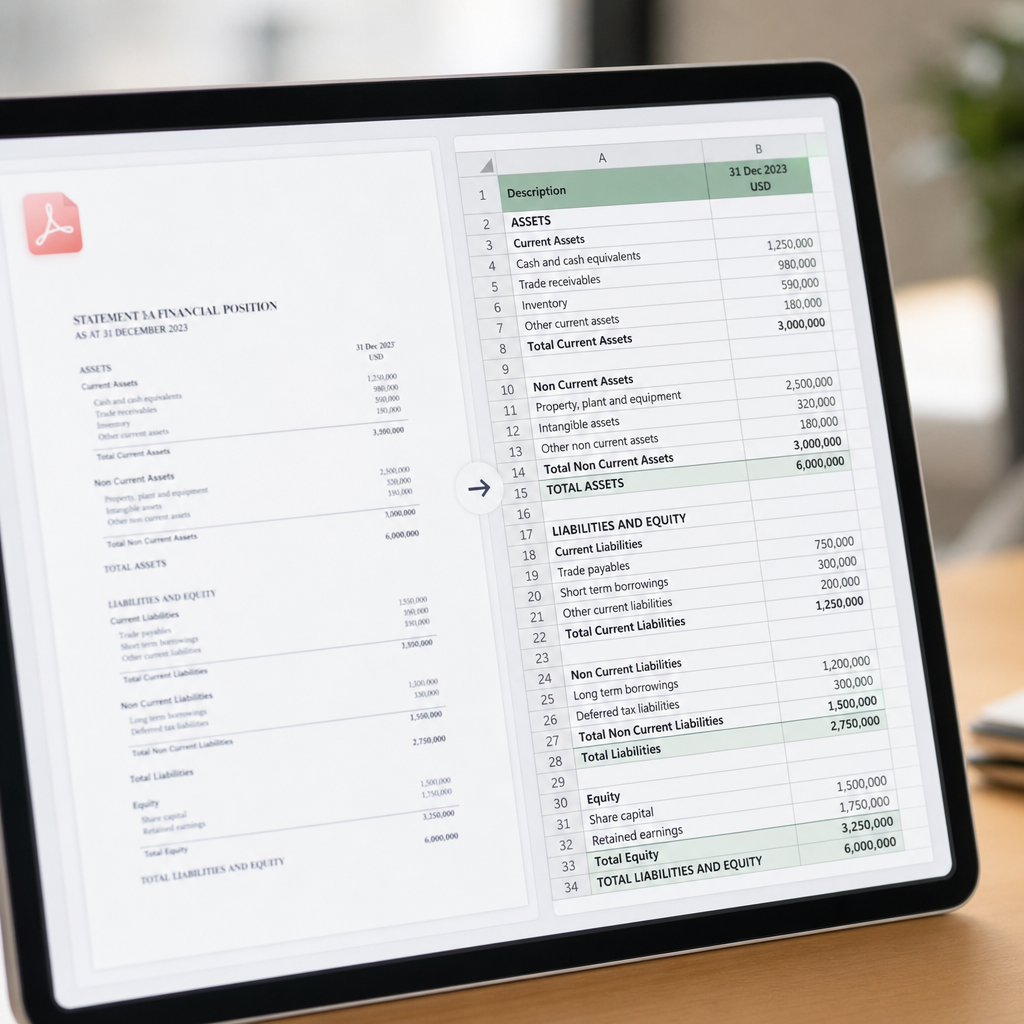
Understanding the mechanics behind a tool like Bank Statement Boss helps explain why it performs better than a basic OCR scanner. The process generally follows these steps:
- Upload — The user uploads one or more PDF bank or credit card statements, either through the web interface or via API for automated workflows.
- Document recognition — The system identifies the statement's bank, layout, and structure, distinguishing between transaction tables, headers, and summary sections.
- Data extraction — Machine learning models trained on thousands of statement formats extract dates, descriptions, debits, credits, and running balances.
- Validation — The extracted data is checked against internal logic (for example, verifying that running balances reconcile with transaction amounts) to catch extraction errors before output.
- Formatting — The cleaned data is exported into a structured spreadsheet, formatted for direct import into accounting platforms.
- Delivery — Files are made available for download or pushed via API directly into a firm's existing systems.
This is fundamentally different from simple text extraction. The Internal Revenue Service and most state boards of accountancy require accurate, auditable financial records, so the validation step matters as much as the extraction itself — it's what separates a usable spreadsheet from one that needs to be manually double-checked anyway.
Comparing Popular Conversion Approaches
Accountants have several options beyond a dedicated SaaS tool, each with tradeoffs worth understanding before committing to a workflow.
| Approach | Best For | Limitations |
|---|---|---|
| In-house Excel templates + manual entry | Very low volume, one-off statements | Time-intensive, error-prone, doesn't scale |
| Free online PDF converters | Occasional, non-sensitive documents | Poor accuracy on tables, security concerns, no accounting formatting |
| Accounting software's built-in bank feeds | Ongoing live bank connections | Doesn't handle historical PDFs, requires bank API support, can miss closed accounts |
| Outsourced data entry services | Firms wanting to offload the task entirely | Slower turnaround, recurring labor cost, data privacy considerations |
| Dedicated PDF to Excel converter (Bank Statement Boss) | Recurring statement conversion at any volume | Requires a subscription or per-use cost, though typically far cheaper than labor |
Bank feeds within QuickBooks or Xero work well for live, ongoing transactions, but they're not a substitute for converting historical statements — something every accountant eventually needs when onboarding a new client, preparing for an audit, or reconstructing records for a prior year. This is where a tool like Bank Statement Boss fills a specific and persistent gap in the accounting workflow.
Key Features to Evaluate Before Choosing a Converter
When comparing PDF to Excel converters for accounting use, look beyond the marketing claims and evaluate these specific capabilities:
- Multi-bank support — Can it handle statements from major banks, credit unions, and credit card issuers without manual template configuration?
- Output formatting options — Does it export in formats compatible with QuickBooks, Xero, and Sage, or only generic CSV/XLSX?
- Batch and bulk processing — Can you upload dozens of statements at once, ideally with client-level organization?
- API access — For firms wanting to embed conversion directly into internal tools or client portals, is there a documented API?
- Security certifications and policies — Look for encryption standards and clear statements on data retention and deletion, similar to guidance outlined by the National Institute of Standards and Technology for handling sensitive data.
- Accuracy guarantees or review tools — Does the platform provide a way to spot-check extracted data before final export?
- Pricing transparency — Is pricing based on pages, statements, or a flat monthly rate, and does it scale sensibly with your firm's volume?
Bank Statement Boss addresses each of these points directly, offering formatting tailored to major accounting platforms alongside secure handling practices and API access for firms on higher-tier plans — making it a practical fit whether you're a solo bookkeeper or a multi-client firm.
Pricing Considerations for Accounting Firms
Cost is naturally a major factor, especially for freelance accountants and small firms operating on tight margins. When evaluating pricing for a PDF to Excel converter, consider the total cost of ownership rather than just the sticker price.
| Pricing Model | Typical Use Case | Watch Out For |
|---|---|---|
| Free tier / pay-per-page | Occasional or trial use | Page limits, lower accuracy on complex statements |
| Flat monthly subscription | Firms with consistent monthly volume | Overage fees if volume spikes |
| Tiered plans by volume | Growing firms with variable client load | Jumping tiers unexpectedly during busy season |
| API-based / usage billing | Firms integrating conversion into internal systems | Requires technical setup, billed per call or document |
A useful exercise is calculating your effective hourly cost of manual entry — factoring in staff wages, error correction time, and opportunity cost — and comparing that against a subscription price. For most firms converting even a modest number of statements monthly, the math favors automation quickly. The Journal of Accountancy has covered similar automation cost-benefit analyses across bookkeeping tasks, generally finding that even modest volume justifies the switch from manual processes.

Common Concerns Accountants Raise About Automated Conversion
It's reasonable to be cautious about handing sensitive financial data to a third-party tool, and most accountants have similar questions before adopting new software.
Is client data safe? Reputable converters use encryption both during upload and storage, and reputable providers publish clear data retention and deletion policies. Ask any vendor directly how long statement data is stored and whether it's used to train models beyond your own account.
Will it work with older or scanned statements? AI-based OCR has improved significantly and can typically handle scanned or lower-quality PDFs, though very poor scan quality can still reduce accuracy. It's worth testing a sample statement before committing to bulk conversion.
Does it replace a bookkeeper? No — it replaces the manual data entry portion of bookkeeping, freeing up time for reconciliation, analysis, and client advisory work, which is where accountants add the most value anyway.
What about compliance requirements? Firms subject to regulatory recordkeeping requirements should confirm that any conversion tool maintains audit trails and doesn't alter source data in ways that would complicate compliance reviews.
Getting Started: A Practical Workflow
For accountants ready to adopt a PDF to Excel converter, a simple rollout process minimizes disruption:
- Start with a small batch of statements from a single client to evaluate accuracy and formatting.
- Compare the converted spreadsheet line-by-line against the original PDF for a handful of transactions.
- Import the output into your accounting platform of choice to confirm compatibility.
- Scale up to bulk processing once you've validated accuracy and formatting.
- Set up recurring workflows or API integration if converting statements is a monthly or weekly need.
This staged approach lets firms build confidence in the tool before relying on it for larger client volumes, which matters when reputational and compliance stakes are high.
Final Thoughts
Converting PDF bank statements into clean, usable spreadsheets shouldn't require hours of manual retyping or wrestling with generic converters that scramble transaction tables. For freelance accountants, bookkeepers, and small finance teams, a purpose-built solution designed around the realities of financial documents makes a measurable difference in both time saved and accuracy achieved. Bank Statement Boss was built specifically to solve this problem — offering accurate, AI-powered extraction, formatting compatible with QuickBooks, Xero, and Sage, and secure handling of sensitive financial data, with API access available for firms ready to automate at scale. Whether you're closing the books for a single client or managing statements across dozens of accounts, it's a tool designed to give accountants back the hours that manual data entry quietly consumes.
Article written by FrontRank