

Financial teams that still rely on manual re-keying of bank statement data are losing hours every week to a problem that modern software has already solved. A PDF bank statement converter API lets developers, bookkeepers, and finance platforms automatically extract transaction data from PDF statements and output it as clean, structured formats like CSV, XLS, or JSON — ready to drop into QuickBooks, Xero, Sage, or a custom ledger system. As of 2026, this technology has matured well beyond basic OCR, incorporating AI models that understand bank-specific layouts, multi-currency accounts, and even handwritten annotations.
This article breaks down how these APIs work, what separates a good one from a mediocre one, and how to evaluate the right solution for your business, whether you're a solo bookkeeper or a fintech platform processing thousands of statements a day.
What Is a PDF Bank Statement Converter API?
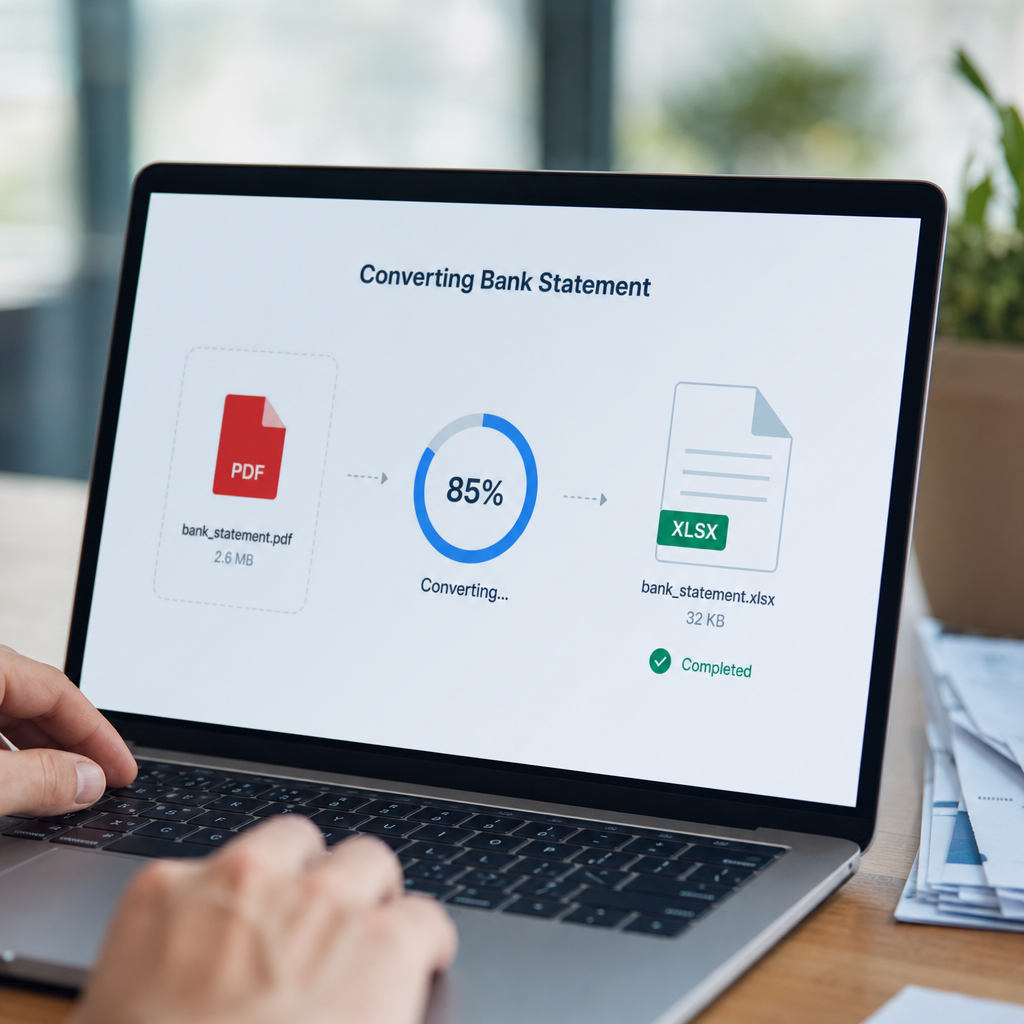
A PDF bank statement converter API is a programmatic interface that accepts a bank or credit card statement in PDF form and returns the extracted data in a structured, machine-readable format. Instead of manually copying transaction rows into a spreadsheet, developers send a file to an API endpoint and receive back clean data: dates, descriptions, amounts, running balances, and often categorized transaction types.
These APIs typically use a combination of:
- Optical Character Recognition (OCR) to read scanned or image-based PDFs
- Machine learning models trained to recognize statement layouts across hundreds of banks
- Natural language processing to parse inconsistent transaction descriptions
- Validation logic to catch OCR errors, such as mismatched running balances
The output is usually delivered as CSV, Excel, JSON, or directly formatted for accounting software imports. For teams already using a conversion tool manually, platforms like Bank Statement Boss offer this same functionality through an API, allowing the conversion process to be embedded directly into existing bookkeeping workflows or client-facing applications.
Why Businesses Are Moving From Manual Entry to API-Based Conversion
Manual transaction entry is slow, error-prone, and difficult to scale. According to research from the American Institute of CPAs, bookkeeping and data entry remain among the most time-consuming tasks for small accounting practices, often consuming 20-30% of staff hours during peak periods like tax season.
An API-based approach changes the economics of this work in several ways:
- Speed at scale — A single API call can process a 50-page statement in seconds, versus the 20-30 minutes a human might need.
- Consistency — Automated extraction doesn't get tired or skip rows during a long data-entry session.
- Integration — APIs plug directly into existing software, eliminating the "download, open, copy, paste" cycle entirely.
- Auditability — Structured outputs create a clear, timestamped data trail that's easier to review than manually entered spreadsheets.
- Cost reduction — Firms processing high volumes of statements can redirect staff time toward advisory work instead of transcription.
For bookkeepers managing multiple clients, or fintech apps that need to ingest financial documents from users, this shift from manual to automated processing isn't a convenience — it's becoming a competitive requirement.
Key Features to Look for in a PDF Bank Statement Converter API
Not all converter APIs are built the same. Before integrating one into your product or workflow, evaluate these criteria carefully.
Accuracy and Format Coverage
The API should reliably handle statements from a wide range of banks, including different layouts, currencies, and date formats. Look for documented accuracy rates and the ability to handle both digital PDFs and scanned image-based documents.
Output Flexibility
Your conversion tool should output data in the formats your downstream systems actually need. Common requirements include:
- CSV for general spreadsheet use
- XLSX formatted for direct Excel import
- QBO or IIF formats for QuickBooks
- JSON for custom application integration
Security and Compliance
Because bank statements contain sensitive financial data, the API provider's security posture matters enormously. Look for encryption in transit and at rest, clear data retention policies, and compliance alignment with standards referenced by organizations like the National Institute of Standards and Technology for data handling practices.
Developer Experience
A well-documented API with clear authentication, predictable rate limits, and sample code in common languages (Python, Node.js, PHP) will save significant integration time. Look for sandbox environments to test before committing to production use.
Error Handling and Validation
The best APIs flag low-confidence extractions or balance mismatches rather than silently returning incorrect data. This is especially important for accounting use cases, where a single misread digit can cascade into reconciliation problems.
Comparing Conversion Approaches: Manual, In-House OCR, and Dedicated APIs
Many businesses face a build-versus-buy decision when it comes to statement processing. Here's how the three common approaches stack up.
| Approach | Setup Time | Accuracy | Ongoing Maintenance | Best For |
|---|---|---|---|---|
| Manual data entry | None | Variable, human error risk | High (ongoing labor cost) | Very low volume, occasional use |
| In-house OCR build | Weeks to months | Depends on engineering investment | High (model retraining, bank format updates) | Large enterprises with dedicated dev teams |
| Dedicated conversion API | Hours to days | High, continuously improved by vendor | Low (vendor-managed) | SMBs, accounting firms, SaaS platforms |
Building an in-house OCR pipeline might seem appealing for companies with engineering resources, but bank statement formats change frequently, and maintaining parsing accuracy across hundreds of institutions is a full-time job in itself. This is why most small and mid-sized businesses — and even many software companies — choose to integrate a specialized third-party API rather than reinventing this infrastructure.
How Pricing Typically Works for Statement Conversion APIs
Pricing models in this space generally fall into a few categories. Understanding these helps you forecast costs accurately as your usage scales.
| Pricing Model | How It Works | Good Fit For |
|---|---|---|
| Per-page or per-document | Pay a set rate per statement or page processed | Variable or seasonal volume |
| Monthly subscription tiers | Fixed monthly fee includes a set number of conversions | Predictable, recurring usage |
| Usage-based API credits | Pre-purchase credits, draw down as you process documents | Developers building custom applications |
| Enterprise/custom contracts | Negotiated volume pricing with SLAs | High-volume platforms, large accounting firms |
Bank Statement Boss, for example, structures its pricing around tiered plans, with API access unlocked at higher tiers — a model that lets smaller firms start with manual uploads and graduate to full API integration as their volume and technical needs grow.
Common Use Cases for a Statement Conversion API
Bookkeeping and Accounting Firms
Firms managing dozens or hundreds of clients can automate the ingestion of client bank statements directly into their practice management or accounting software, removing the single biggest bottleneck in monthly close processes.
Fintech and Lending Platforms
Loan underwriting and cash flow analysis tools often require applicants to upload bank statements. An API allows these platforms to instantly parse income and spending patterns instead of requiring manual document review.
Expense Management Software
Apps that reconcile corporate card spending can use statement conversion APIs to cross-check transactions against receipts and expense reports automatically.
Personal Finance and Budgeting Apps
Some consumer-facing apps still require users to upload statements directly (rather than relying solely on bank-linking services), especially for institutions without open banking support. A conversion API fills that gap reliably.
Tax Preparation Services
During tax season, firms need to reconstruct a full year of transaction history quickly. Automated conversion dramatically shortens document preparation time, a point also explored in guidance from the IRS on recordkeeping requirements for small businesses.

Evaluating Security When You Connect Financial Data to an API
Because statement conversion involves highly sensitive financial information, security diligence should be non-negotiable. When assessing any provider, ask these questions:
- Where is data processed and stored? Some vendors process files in memory and delete them immediately after conversion; others retain data temporarily for support purposes.
- Is data encrypted in transit and at rest? Look for TLS 1.2+ for transmission and AES-256 or equivalent for storage.
- What certifications or frameworks does the vendor follow? References to SOC 2 principles or alignment with guidance from bodies like the Federal Trade Commission's data security guidance are good signs of a mature security program.
- Can you delete data on demand? Especially relevant for firms handling client data under confidentiality agreements.
- Is there a clear data processing agreement? This matters for firms operating under GDPR, CCPA, or similar frameworks.
Bank Statement Boss addresses these concerns directly by combining AI-based extraction with secure handling practices designed specifically for financial documents, which is particularly important for bookkeepers and accountants bound by client confidentiality obligations.
Step-by-Step: What Integration Typically Looks Like
For teams considering API integration for the first time, the general workflow looks like this:
- Sign up and generate API credentials — Most providers issue an API key or token tied to your account tier.
- Review documentation and sample requests — Good providers offer sample payloads in multiple languages.
- Test in a sandbox environment — Upload sample statements to confirm output formatting matches your needs.
- Map output fields to your system — Align the API's returned fields (date, description, amount, balance) with your accounting software's import requirements.
- Set up error handling — Build logic to flag low-confidence extractions for manual review rather than blind acceptance.
- Monitor usage and costs — Track API calls against your plan's limits to avoid unexpected overage charges.
- Scale gradually — Start with a subset of clients or document types before rolling out full-scale automation.
This phased approach reduces risk and lets teams validate accuracy before fully replacing manual processes.
Comparing Export Format Compatibility
One of the most practical considerations when choosing a converter API is whether its output actually works with the accounting software your clients or company already use.
| Accounting Platform | Preferred Import Format | Notes |
|---|---|---|
| QuickBooks Online | CSV or QBO | Field mapping required for CSV imports |
| Xero | CSV | Column headers must match Xero's bank statement template |
| Sage | CSV or OFX | Varies by Sage product version |
| Excel/Google Sheets | XLSX or CSV | Most flexible, no mapping required |
| Custom/in-house systems | JSON | Best for developers building proprietary tools |
Choosing a converter that natively formats output for your specific platform — rather than generic CSV requiring manual remapping — saves additional setup time. This is one reason tools built specifically around accounting workflows, such as Bank Statement Boss, focus heavily on QuickBooks, Xero, and Sage-ready formatting rather than offering only generic exports.
Questions to Ask Before Choosing a Provider
Before committing to a long-term integration, it's worth running through a short diligence checklist:
- Does the API support the specific banks and document types your clients use?
- What is the documented or guaranteed accuracy rate?
- How are low-confidence extractions handled — flagged, rejected, or silently passed through?
- What happens to uploaded files after processing?
- Is pricing predictable at your expected volume, including seasonal spikes?
- Does the provider offer human support for integration issues, not just documentation?
- Can the API handle multi-page, multi-account, or multi-currency statements?
Providers who answer these questions transparently — ideally in public documentation rather than only in sales calls — tend to be more reliable long-term partners.
Final Thoughts
Choosing the right PDF bank statement converter API comes down to balancing accuracy, security, integration ease, and cost against your actual volume and workflow needs. For firms just starting to explore automation, a manual upload tool with the option to graduate to API access offers a practical, low-risk entry point. For software platforms and high-volume accounting practices, direct API integration quickly pays for itself in reclaimed staff hours and reduced reconciliation errors.
Bank Statement Boss was built to serve both ends of that spectrum — offering AI-powered conversion that's accurate enough for professional bookkeeping, formatted for QuickBooks, Xero, and Sage out of the box, with secure handling practices suited to sensitive financial data, and API access available for teams ready to fully automate their document pipeline. Whether you're processing a handful of statements a month or scaling into the thousands, it's a conversion solution built to grow with your workflow rather than force you to rebuild it later.
Article written by FrontRank