

Bookkeeping has a reputation for eating up hours that small business owners, freelance accountants, and finance teams simply don't have to spare. Between manual data entry, chasing down missing statements, and reconciling accounts line by line, bookkeeping can quietly become one of the most time-consuming parts of running a business. The good news is that most of this time loss is avoidable. With the right systems, tools, and habits, bookkeeping can shift from a weekly time sink into a fast, predictable process.
This article walks through practical, proven strategies for how to save time on bookkeeping tasks — from automating data entry to choosing software that actually fits your workflow. Whether you're a solo freelancer managing your own books or an accountant juggling dozens of clients, these approaches will help you reclaim hours every month.
Why Bookkeeping Takes So Long in the First Place
Before fixing the problem, it helps to understand where the time actually goes. Most bookkeeping delays come from a handful of repetitive, low-value tasks rather than complex accounting decisions.
Common time drains include:
- Manual data entry from paper or PDF bank statements into spreadsheets or accounting software
- Reconciliation errors caused by typos or mismatched formatting
- Searching for missing documents like receipts, invoices, or statements
- Re-categorizing transactions every month instead of automating the process
- Switching between disconnected tools that don't talk to each other
- Waiting on clients to send financial documents in usable formats
According to the Small Business Administration, poor financial record-keeping is one of the top reasons small businesses struggle to make informed decisions. When bookkeeping takes too long, it often gets deprioritized — which creates bigger problems down the line, including inaccurate tax filings and cash flow blind spots.
The goal isn't to work harder during bookkeeping sessions. It's to eliminate the repetitive manual steps that don't require human judgment in the first place.
Audit Your Current Bookkeeping Workflow
You can't save time on a process you haven't mapped out. Start by writing down every step involved in your current bookkeeping routine, from the moment a bank statement arrives to the moment it's reflected in your financial reports.
A simple workflow audit might look like this:
- Download PDF bank statements from each account
- Manually type transactions into a spreadsheet or accounting software
- Categorize each transaction by hand
- Cross-check totals against the original statement
- Fix formatting errors or typos
- Upload the finished sheet to QuickBooks, Xero, or Sage
- Repeat for every account, every month
Once you see the full process laid out, it becomes obvious which steps are consuming the most time. In most cases, steps 2 and 3 — manual entry and categorization — are the biggest offenders. This is exactly where automation tools can have the largest impact.
Automate Data Entry With Statement Conversion Tools
Manually transcribing bank and credit card statements is one of the most time-consuming bookkeeping tasks there is, and it's also one of the easiest to eliminate. Instead of retyping every transaction line by line, modern conversion tools can extract the data automatically and format it for your accounting software.
This is where Bank Statement Boss comes in. It's built specifically to convert PDF bank and credit card statements into clean, structured spreadsheets — formatted to drop directly into QuickBooks, Xero, or Sage. Instead of spending hours re-typing transactions, you can upload a statement and get a ready-to-use file in minutes.
Key benefits of using a dedicated statement conversion tool include:
- Speed: Convert dozens of pages of transactions in seconds rather than hours
- Accuracy: Reduce manual entry errors that cause reconciliation headaches
- Compatibility: Export directly in formats accepted by major accounting platforms
- Security: Handle sensitive financial data with encryption and secure processing
- Scalability: Process multiple statements or clients without hiring extra staff
For bookkeepers and accountants managing multiple clients, this kind of automation isn't just a convenience — it's often the difference between taking on new clients or turning them away due to capacity limits.
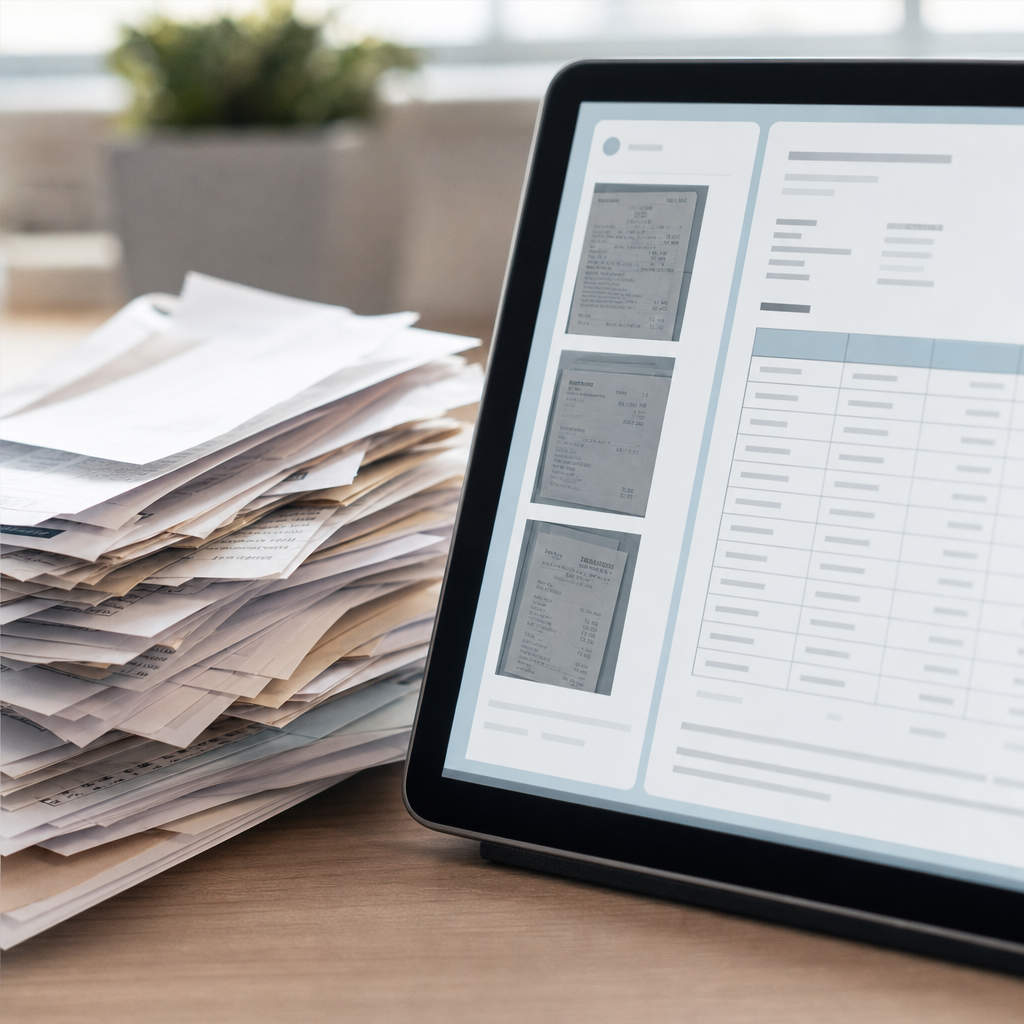
Comparing Manual vs. Automated Bookkeeping Workflows
To put the time savings in perspective, here's a side-by-side comparison of a typical manual bookkeeping workflow versus one that uses automated statement conversion.
| Task | Manual Process (Avg. Time) | Automated Process (Avg. Time) |
|---|---|---|
| Downloading statements | 5–10 minutes | 5–10 minutes |
| Data entry (per 50 transactions) | 45–60 minutes | 2–5 minutes |
| Categorization | 20–30 minutes | 5–10 minutes (AI-assisted) |
| Error checking/reconciliation | 15–25 minutes | 5 minutes |
| Formatting for accounting software | 10–15 minutes | Instant (pre-formatted export) |
| Total time per statement | 95–140 minutes | 17–30 minutes |
These numbers will vary depending on statement length and account complexity, but the pattern holds true across most small businesses and bookkeeping practices: automation can cut bookkeeping time by 70–85% per statement. Multiply that across multiple clients or accounts each month, and the time savings become substantial.
Choose Software That Fits Your Workflow, Not the Other Way Around
One of the biggest time-wasters in bookkeeping isn't the lack of tools — it's using tools that don't integrate well with each other. Many small business owners and accountants cobble together a mix of spreadsheets, accounting software, and manual processes that require constant re-formatting and double-checking.
When evaluating bookkeeping software, prioritize these factors:
- Compatibility with your existing accounting platform (QuickBooks, Xero, Sage, etc.)
- Export formats that match what your software accepts (CSV, XLSX, OFX, QBO)
- Security standards, including encryption and data handling policies
- Scalability, especially if you manage multiple clients or accounts
- API access, which allows you to connect tools directly into your existing systems without manual uploads
For example, bookkeepers managing high volumes of statements often benefit from API access that lets them automate the entire conversion pipeline — uploading statements programmatically and receiving structured data back without manual intervention. This is particularly valuable for firms that process statements for dozens of clients each month.
The American Institute of CPAs has noted that technology adoption is increasingly becoming a differentiator for accounting firms, not just a convenience. Firms that automate repetitive tasks free up staff time for higher-value advisory work.
Comparison of Common Bookkeeping Tools and Their Time-Saving Features
| Tool Type | Primary Function | Time-Saving Feature | Best For |
|---|---|---|---|
| Traditional spreadsheets | Manual data tracking | Templates, formulas | Very small businesses with few transactions |
| Accounting software (QuickBooks, Xero, Sage) | Full bookkeeping and reporting | Bank feeds, automatic categorization | Ongoing financial management |
| OCR/scanning tools | Document digitization | Text extraction from scanned documents | Paper-based record digitization |
| AI statement converters (e.g., Bank Statement Boss) | PDF-to-spreadsheet conversion | Automated formatting for accounting platforms | Bookkeepers and firms handling high statement volume |
| Receipt management apps | Expense tracking | Mobile capture and categorization | Expense-heavy businesses |
Notice that these tools often work best together rather than as replacements for one another. A statement conversion tool like Bank Statement Boss, for instance, complements accounting software by handling the tedious data entry step before the information ever reaches QuickBooks or Xero.
Build Repeatable Systems and Routines
Automation handles the technical side of saving time, but workflow habits matter just as much. Bookkeeping tends to balloon in complexity when it's done inconsistently — batching a quarter's worth of statements at once is far more time-consuming than processing them weekly or monthly.
Here are a few scheduling and process habits that consistently save time:
- Set a fixed bookkeeping day each week or month rather than doing it reactively
- Standardize your chart of accounts so categorization is consistent and automatable
- Use templates for recurring reports, invoices, and reconciliation checklists
- Batch similar tasks together — for example, convert all statements first, then categorize, then reconcile
- Automate recurring transactions like subscriptions or payroll instead of re-entering them manually
- Store documents in a centralized, cloud-based system to avoid searching through emails or folders
The Harvard Business Review has published extensively on how batching similar tasks reduces cognitive switching costs — the mental energy lost when jumping between different types of work. Bookkeeping is a prime example: switching between data entry, categorization, and reconciliation repeatedly throughout the day is far less efficient than handling each task in a dedicated block.
Outsource or Delegate Where It Makes Sense
Not every bookkeeping task needs to be done in-house, and not every task needs a human at all. A hybrid approach — automating repetitive data processing while delegating judgment-based tasks to a bookkeeper or accountant — tends to produce the best results for growing businesses.
Consider this breakdown:
| Task Type | Best Handled By |
|---|---|
| Converting statements to spreadsheets | Automation (e.g., Bank Statement Boss) |
| Categorizing routine transactions | Automation with AI assistance |
| Reviewing unusual transactions | Human bookkeeper or accountant |
| Tax strategy and planning | CPA or tax professional |
| Financial forecasting | Finance team or fractional CFO |
| Client communication | Bookkeeper or business owner |
This division of labor allows skilled professionals to focus on judgment calls and advisory work rather than data transcription. According to Investopedia, bookkeeping has traditionally been distinguished from accounting precisely because it's a more mechanical, process-driven function — which makes it an ideal candidate for automation.
For freelance accountants and bookkeeping firms, this shift also changes the economics of the business. Instead of billing hours for manual data entry, time can be reallocated toward advisory services, which typically carry higher value and better margins.
Reduce Errors to Avoid Rework
Time lost to bookkeeping doesn't only come from the initial data entry — it also comes from fixing mistakes. A single transcription error can cascade into hours of reconciliation work later, especially if it isn't caught until month-end or tax season.
Common sources of bookkeeping errors include:
- Mistyped transaction amounts
- Misclassified expense categories
- Duplicate entries from manual re-uploads
- Inconsistent date formats across statements
- Missing transactions from incomplete manual entry
Automated conversion tools reduce these errors significantly because they pull data directly from the source document rather than relying on manual retyping. When paired with a consistent categorization system, this creates a much cleaner, audit-ready set of books with far less rework.

Measuring the ROI of Time-Saving Bookkeeping Tools
For business owners weighing whether to invest in bookkeeping automation, it helps to think in terms of return on investment rather than just subscription cost. If a tool saves even three hours per month on statement processing, and your time (or your bookkeeper's billable rate) is worth $40–$75 per hour, that's $120–$225 in recovered value every month — often far more than the cost of the software itself.
To calculate your own potential ROI:
- Estimate your current monthly hours spent on manual data entry and reconciliation
- Multiply that by your hourly rate (or your staff's hourly rate)
- Compare that figure to the monthly cost of an automation tool
- Factor in reduced error-correction time as an added benefit
For firms processing statements across multiple clients, the time savings — and therefore the ROI — compound quickly. This is especially true when using tools with API access, since the entire conversion process can be integrated into existing systems without manual uploads at all.
Bringing It All Together
Saving time on bookkeeping tasks isn't about working faster through the same manual process — it's about removing unnecessary manual steps entirely. By auditing your workflow, automating statement conversion, choosing compatible software, and building consistent routines, bookkeeping can shift from a dreaded monthly chore to a fast, predictable part of running a business.
Tools like Bank Statement Boss are built exactly for this purpose: converting PDF bank and credit card statements into clean, structured spreadsheets that are ready for QuickBooks, Xero, or Sage, with secure data handling and API access for teams that need to scale. For small business owners, freelance accountants, and finance teams alike, automating this single step often delivers the biggest time savings of any change you can make to your bookkeeping process.
If you're ready to stop losing hours to manual data entry, bankstatementboss.com offers a straightforward way to digitize your financial documents and get back to the work that actually requires your expertise.
Article written by FrontRank