

Finance teams lose hours every week to a task that computers should have solved years ago: manually transcribing numbers from PDF bank statements into spreadsheets or accounting software. As transaction volumes grow and compliance expectations tighten, this manual bottleneck becomes a real liability. Finance team document automation software exists precisely to close this gap — converting static financial documents into structured, usable data in minutes instead of hours.
This article walks through what document automation software actually does, how to evaluate your options, and how to roll it out across a finance team without creating new headaches. Along the way, we'll look at practical comparisons, implementation steps, and the specific role that tools like Bank Statement Boss play in streamlining bank statement conversion for accounting purposes.
What Finance Team Document Automation Software Actually Does
At its core, document automation software for finance teams takes unstructured or semi-structured documents — PDFs, scanned images, exported statements — and converts them into structured, machine-readable formats like CSV, XLSX, or direct accounting-platform imports. This isn't simple file conversion; modern tools use optical character recognition (OCR) combined with machine learning models trained to recognize transaction tables, dates, descriptions, and amounts across wildly different bank statement layouts.
For finance teams specifically, this typically covers:
- Bank and credit card statement parsing — turning PDF statements into clean transaction rows
- Invoice and receipt digitization — extracting vendor, line-item, and tax data
- Reconciliation prep — formatting data so it matches general ledger categories
- Multi-format export — producing files compatible with QuickBooks, Xero, Sage, or NetSuite
- API-driven automation — feeding extracted data directly into internal systems without human intervention
The goal isn't just speed. It's accuracy and consistency at scale. A single analyst manually re-keying 40 pages of bank statements will eventually make transposition errors. Software that extracts the same data programmatically does it the same way every time, which matters enormously when auditors or tax authorities come calling.
Why Manual Data Entry Is No Longer Sustainable
It's worth pausing on why this problem has become urgent rather than just annoying. A few forces are converging:
- Transaction volume is rising. Even small businesses now generate thousands of monthly transactions across multiple accounts, cards, and payment processors.
- Remote and distributed finance teams need shared, standardized data rather than someone's personal spreadsheet formatting conventions.
- Client expectations have shifted. Freelance bookkeepers and accounting firms serving multiple clients can't afford to spend a full day per client just on data entry.
- Error costs are higher. A single misplaced decimal or miscategorized transaction can cascade into inaccurate financial statements, which affects tax filings, loan applications, and investor reporting.
According to research summarized by the American Institute of CPAs, firms that automate repetitive bookkeeping tasks report measurable gains in capacity to take on advisory work rather than pure data processing. Similarly, the Association for Financial Professionals has highlighted automation as a top priority for treasury and finance departments trying to reduce operational risk.
Manual entry isn't just slow — it actively limits how much value a finance team can deliver. Every hour spent re-typing numbers from a PDF is an hour not spent on forecasting, variance analysis, or client advisory work.
Core Features to Look For
Not all document automation tools are built the same way, and finance teams have specific requirements that generic "PDF to Excel" converters don't always meet. When evaluating software, prioritize these capabilities:
- High extraction accuracy on financial tables specifically — not just generic text extraction, but recognition of transaction-level data (date, description, debit/credit, running balance)
- Compatibility with accounting platforms — native formatting for QuickBooks, Xero, and Sage saves an extra manual mapping step
- Security and compliance — encryption in transit and at rest, clear data retention policies, and SOC 2 or equivalent certifications
- Batch processing — the ability to upload dozens of statements at once rather than one at a time
- API access — essential for teams that want to embed conversion directly into their existing workflow or client portal
- Multi-bank and multi-format support — statements from different banks vary wildly in layout, and software needs to handle that variability without manual template setup
Bank Statement Boss was built around exactly this use case: converting PDF bank and credit card statements into clean, structured spreadsheets formatted for direct import into QuickBooks, Xero, and Sage. For small business owners and bookkeepers who deal with statements from multiple banks, that cross-format compatibility removes one of the most tedious parts of monthly reconciliation.
Comparing Document Automation Approaches
Finance teams generally choose between three broad approaches to handling statement and document data. Each has tradeoffs worth understanding before you commit budget or process changes.
| Approach | Speed | Accuracy | Cost | Best For |
|---|---|---|---|---|
| Manual data entry | Slow | Error-prone, inconsistent | Low software cost, high labor cost | Very low volume, one-off needs |
| Generic PDF/Excel converters | Moderate | Inconsistent on financial tables | Low to moderate | Simple, single-format documents |
| Purpose-built financial document automation (e.g., Bank Statement Boss) | Fast | High, tuned for bank statement structures | Subscription-based, scales with volume | Recurring bookkeeping, multi-client firms, finance teams |
The middle option — generic converters — often looks appealing because it's cheap or free, but it frequently fails on the specific structure of bank statements: multi-column layouts, running balances, transaction codes, and varying date formats across banks. Purpose-built tools are trained specifically on these patterns, which is why accuracy rates differ so significantly in practice.
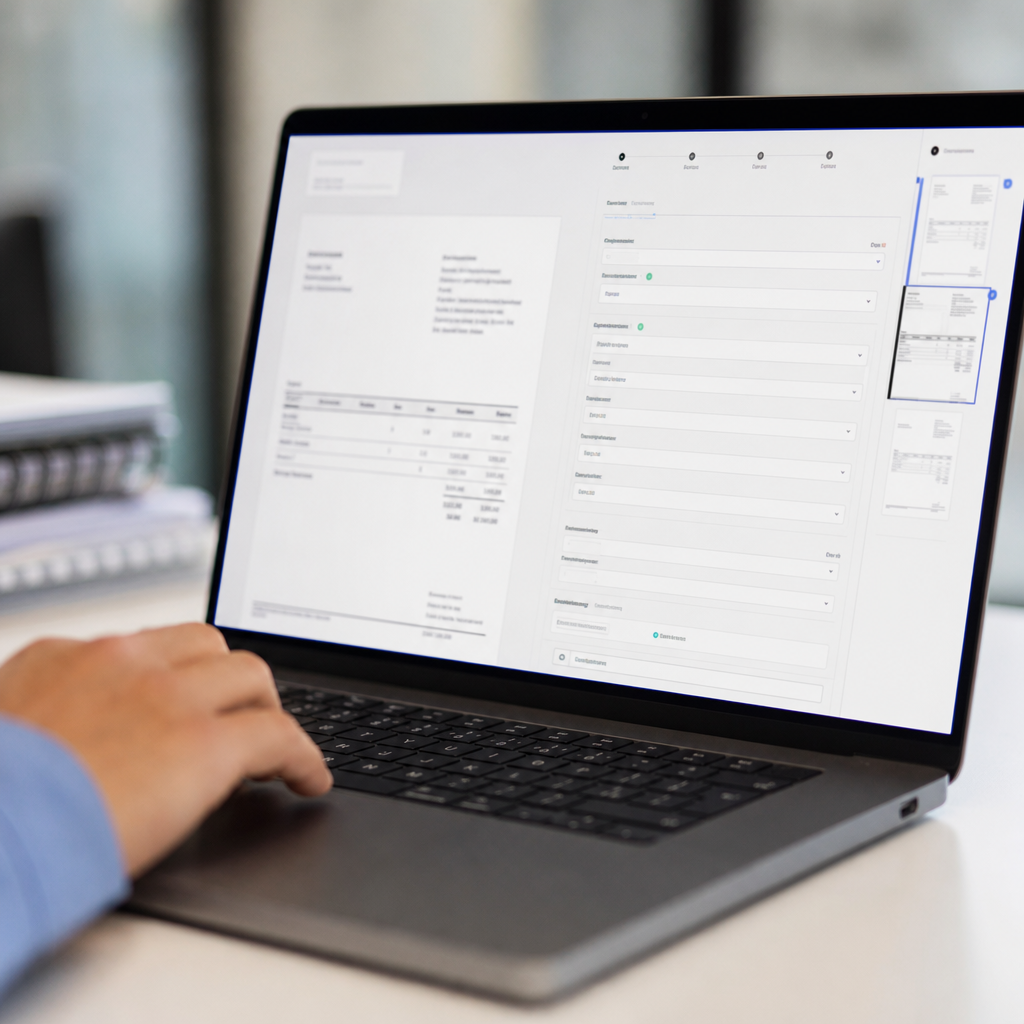
Step-by-Step: Implementing Document Automation on a Finance Team
Rolling out new software across a finance team requires more than just picking a vendor. Here's a practical sequence that minimizes disruption:
- Audit current document volume and sources. Identify how many bank statements, invoices, or receipts your team processes monthly, and from how many different institutions or formats.
- Define your target output format. Decide whether you need raw CSV exports, direct QuickBooks/Xero/Sage-compatible files, or API-delivered JSON for internal systems.
- Run a pilot with real documents. Don't trust marketing claims — upload actual statements from your most common banks and check extraction accuracy against the source PDF.
- Check security and compliance documentation. Ask vendors directly about encryption standards, data retention, and whether statements are stored or deleted after processing.
- Map the new workflow into existing processes. Determine who uploads documents, who reviews the output, and how exceptions (unreadable scans, unusual formats) get handled.
- Train the team on the new tool. Even intuitive software needs a short onboarding session so staff understand edge cases and quality-control steps.
- Monitor accuracy over the first few cycles. Spot-check converted statements against originals for the first month or two before fully trusting the automated output.
- Scale to API integration if needed. Once the manual upload workflow is validated, higher-volume teams often move to API access to remove the upload step entirely.
This phased approach lets a finance team validate accuracy and build trust in the tool before it becomes load-bearing for monthly close processes.
Security and Compliance Considerations
Bank statements and financial documents are sensitive by definition — they contain account numbers, transaction histories, and sometimes personally identifiable information. Any finance team adopting document automation software needs to treat data security as a non-negotiable evaluation criterion, not an afterthought.
Key questions to ask any vendor:
- Is data encrypted both in transit (TLS) and at rest?
- How long are uploaded documents retained, and can retention be configured or disabled?
- Is the platform compliant with relevant standards such as SOC 2, GDPR, or industry-specific regulations?
- Does the vendor have a documented incident response process?
- Can access be restricted by user role, especially important for firms managing multiple clients?
The National Institute of Standards and Technology publishes widely referenced guidance on data security frameworks that many SaaS vendors align their practices to, and it's reasonable to ask a vendor directly whether their infrastructure follows NIST-aligned controls. Similarly, the Federal Trade Commission's data security guidance is a useful baseline for understanding what responsible handling of financial data looks like from a regulatory perspective.
Bank Statement Boss addresses this by emphasizing secure data handling throughout its conversion pipeline, which matters particularly for freelance accountants and bookkeeping firms who are custodians of client financial data and carry professional liability for how that data is handled.
Measuring ROI: Time and Cost Savings
One of the more persuasive arguments for adopting document automation software is the sheer time math. Consider a bookkeeper managing statements for 15 small business clients, each with an average of two bank accounts and one credit card statement per month.
| Task | Manual Process | Automated Process |
|---|---|---|
| Time per statement | 15–25 minutes | 1–3 minutes |
| Statements per month (15 clients × 3 accounts) | 45 | 45 |
| Total monthly time | ~15 hours | ~2 hours |
| Error rate (industry estimates) | 1–4% of entries | Below 1% with review |
| Capacity freed for advisory work | Minimal | Significant |
These figures are illustrative, but they align with the kind of efficiency gains widely reported in industry discussions about bookkeeping automation trends. The time savings compound monthly, and for firms billing by value rather than by hour, that freed-up time translates directly into either more client capacity or more time spent on higher-margin advisory services.
It's also worth factoring in the "hidden" cost of manual entry: the review and correction cycle. When a junior staff member keys in data manually, a senior accountant often has to re-check it before it's trusted for financial statements. Automated extraction with a built-in review step removes much of that back-and-forth, since the software applies the same extraction logic consistently rather than introducing the variability of different staff members' manual habits.
Choosing Between Spreadsheet Export and Direct Accounting Integration
A practical decision point for most finance teams is whether to export converted bank statement data as a spreadsheet for manual review before import, or to push it directly into an accounting platform via API or direct integration.
Spreadsheet export makes sense when:
- Your team wants a manual review step before data touches the books
- You're reconciling statements against multiple internal systems, not just one accounting platform
- Your client relationships require you to deliver a standalone deliverable (e.g., a cleaned-up statement file) separate from the accounting system itself
Direct integration or API access makes sense when:
- Your volume is high enough that a manual review step becomes the new bottleneck
- You're a multi-client firm needing to standardize the pipeline across many accounts
- Your team has the technical capacity to build around an API and wants full control over the automation sequence
Bank Statement Boss supports both patterns — structured spreadsheet exports formatted for QuickBooks, Xero, and Sage for teams that want a review step, and API access on higher-tier plans for teams ready to automate the pipeline end-to-end. This flexibility matters because most finance teams don't jump straight to full automation; they start with spreadsheet-based conversion, build confidence in accuracy, and then graduate to deeper integration once the process is proven.

Common Pitfalls When Adopting Document Automation
Even well-chosen software can underdeliver if the rollout is handled poorly. Watch for these common mistakes:
- Skipping the pilot phase. Teams that commit to a tool without testing it on their actual, messiest documents often discover accuracy gaps too late.
- Ignoring exception handling. No tool achieves 100% extraction accuracy on every scanned or low-quality PDF. Build a process for flagging and manually handling exceptions rather than assuming full automation from day one.
- Underestimating change management. Staff accustomed to manual entry may resist a new tool unless they understand how it reduces their workload rather than threatens their role.
- Overlooking format compatibility. Confirm that exported files actually map cleanly into your accounting platform's import fields — mismatched column headers or date formats can create as much rework as manual entry did.
- Neglecting security review. Choosing a tool based purely on speed or price without vetting its data handling practices creates compliance risk down the line.
Avoiding these pitfalls is largely a matter of discipline during the evaluation and rollout phase — the technology itself is mature enough to deliver results when implemented thoughtfully.
Final Thoughts
Finance team document automation software has moved from a nice-to-have to a practical necessity for any team handling recurring bank statement reconciliation, multi-client bookkeeping, or high-volume financial document processing. The combination of rising transaction volumes, tighter margins, and growing client expectations makes manual data entry an increasingly expensive habit to maintain.
The right approach is methodical: audit your document volume, pilot a tool against your real statements, verify security practices, and scale from spreadsheet export toward deeper API integration as your confidence and volume grow. Bank Statement Boss fits neatly into this progression, offering AI-powered conversion of PDF bank and credit card statements into clean, QuickBooks-, Xero-, and Sage-compatible spreadsheets, with secure data handling and API access available for teams ready to automate further. For finance teams and bookkeepers looking to reclaim the hours lost to manual transcription, it offers a practical, low-friction starting point that scales alongside your workflow.
Article written by FrontRank