

Manual data entry is quietly draining hours from every bookkeeping team that still retypes numbers from PDF bank statements into spreadsheets. Whether you're a solo freelance accountant juggling a dozen clients or a finance team closing the books for a growing company, the process of digitizing bank statements has a direct impact on how fast — and how accurately — you can deliver financial reports.
This article breaks down what it actually means to digitize bank statements for accounting, why the traditional approach falls short, and how modern tools like Bank Statement Boss are changing the workflow for small business owners, bookkeepers, and accounting professionals alike.
What It Means to Digitize Bank Statements for Accounting
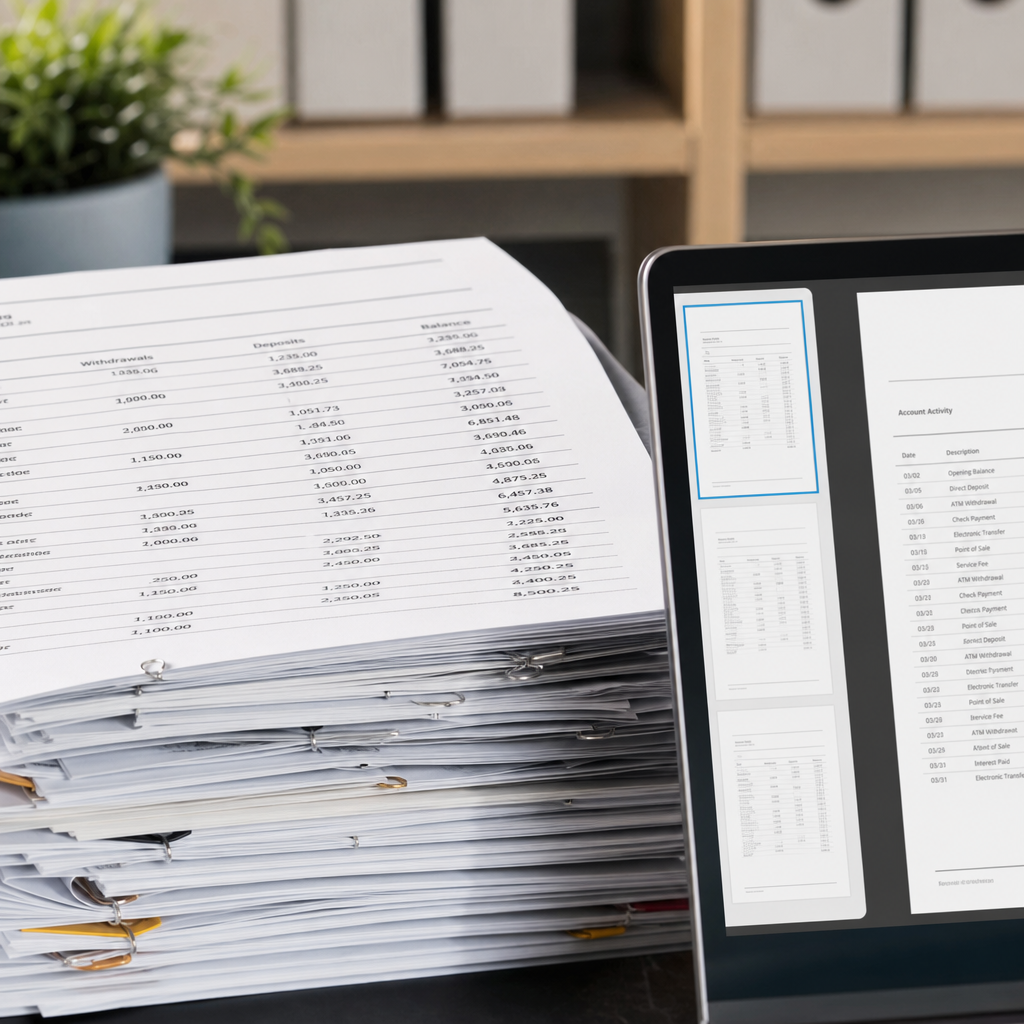
Digitizing a bank statement means converting a static document — usually a PDF, but sometimes a scanned image — into structured, editable data that accounting software can actually use. This isn't the same as simply "making a PDF searchable." True digitization for accounting purposes involves:
- Extracting transaction-level details (date, description, amount, running balance)
- Categorizing debits and credits correctly
- Formatting the output so it maps cleanly to ledger accounts
- Producing a file type (CSV, XLSX, or OFX) that accounting platforms can import without manual cleanup
Banks generate statements as PDFs because they're easy to read and hard to tamper with — but that same rigidity makes them terrible for reconciliation work. A PDF is a visual layout, not a database. Every time someone manually retypes transactions from a PDF into Excel or directly into QuickBooks, there's a risk of transposition errors, missed line items, or inconsistent formatting that breaks automated reconciliation rules later.
Why Manual Entry Still Costs You More Than You Think
Many small firms still rely on interns, junior bookkeepers, or the business owner themselves to manually copy transaction data. It feels manageable when volume is low, but the hidden costs add up quickly:
- Time drain — A single 10-page statement with 150+ transactions can take 30-60 minutes to transcribe accurately.
- Error rates — Studies on manual data entry consistently show error rates between 1% and 4%, which is significant when you're reconciling thousands of transactions a month.
- Opportunity cost — Every hour spent retyping numbers is an hour not spent on advisory work, tax planning, or client relationships.
- Compliance risk — Misclassified transactions can distort financial statements, which matters during audits or tax season.
According to the AICPA, practice efficiency and technology adoption are now top differentiators for accounting firms competing for clients. Firms that automate repetitive data entry tasks free up staff time for higher-value advisory services — a trend also emphasized in workflow research from the Journal of Accountancy.
Manual Entry vs. OCR Tools vs. AI-Powered Conversion
Not all digitization methods are created equal. Here's how the three most common approaches compare across the criteria that matter most to bookkeepers and finance teams.
| Method | Speed | Accuracy | Formatting for Accounting Software | Scalability |
|---|---|---|---|---|
| Manual data entry | Slow (30-60 min per statement) | Moderate (human error prone) | Requires manual formatting | Poor — doesn't scale with volume |
| Basic OCR software | Fast but inconsistent | Moderate — struggles with tables and multi-column layouts | Often needs cleanup before import | Limited — breaks on non-standard formats |
| AI-powered conversion (e.g., Bank Statement Boss) | Fast (seconds to minutes) | High — trained on bank statement layouts | Pre-formatted for QuickBooks, Xero, Sage | Strong — handles bulk uploads and API integration |
Traditional OCR (optical character recognition) tools were designed for general text extraction, not the specific column-based structure of bank statements. They frequently misread merged cells, split multi-line descriptions incorrectly, or fail entirely on scanned/rotated documents. AI-powered tools, by contrast, are trained specifically to recognize statement layouts across hundreds of bank formats, which is why they tend to produce far more reliable structured output.
Step-by-Step: How to Digitize Bank Statements Efficiently
If you're setting up a repeatable process for your firm or business, here's a practical workflow:
- Gather all statements in PDF format. Most banks allow you to download historical statements directly from their online portal.
- Choose a conversion method. Manual entry, generic OCR, or a purpose-built converter like Bank Statement Boss.
- Upload and convert. With AI-based tools, this step typically takes seconds per document, even for multi-page statements.
- Review the output. Spot-check a sample of transactions against the original PDF, especially for the first few conversions with a new tool.
- Format for your accounting platform. Ensure column headers, date formats, and debit/credit conventions match what QuickBooks, Xero, or Sage expects.
- Import and reconcile. Bring the structured file into your accounting software and reconcile against the general ledger.
- Archive the source documents. Keep the original PDFs for audit trail purposes, ideally in a secure, encrypted storage system.
What to Look for in a Bank Statement Digitization Tool
Not every conversion tool is built with accounting workflows in mind. When evaluating options, prioritize these features:
- Multi-bank format support — the tool should recognize statement layouts from major banks and credit unions, not just a handful of templates.
- Accounting software compatibility — direct formatting for QuickBooks, Xero, and Sage saves an extra manual step.
- Bulk processing — the ability to upload multiple statements at once matters enormously for firms managing several clients.
- Data security — look for encryption in transit and at rest, plus clear data retention policies, especially since bank statements contain sensitive financial information. The Federal Trade Commission publishes guidance on data security expectations that's worth reviewing when vetting any SaaS vendor.
- API access — for firms that want to embed conversion directly into their own internal tools or client portals.
- Accuracy guarantees or review workflows — some tools include a verification step to flag low-confidence extractions.
Comparing Popular Digitization Approaches by Business Need
Different users have different priorities. A freelance bookkeeper working with three clients has very different needs than a finance team processing hundreds of statements a month. Here's how to think about fit:
| User Type | Primary Need | Recommended Approach |
|---|---|---|
| Freelance bookkeeper | Fast turnaround, low cost per statement | AI conversion tool with pay-per-use or low-tier subscription |
| Small business owner | Simplicity, minimal learning curve | AI conversion tool with drag-and-drop upload |
| Bookkeeping firm (multiple clients) | Bulk processing, consistent formatting | AI conversion tool with batch upload and export templates |
| Finance team / enterprise | Integration with internal systems | AI conversion tool with API access and custom output formats |
This is where a platform like Bank Statement Boss is designed to flex across use cases — offering simple upload-and-convert functionality for individual users while also providing API access for teams that want to build digitization directly into their existing accounting stack.
Common Mistakes When Digitizing Bank Statements
Even with good tools, teams run into avoidable problems. Watch out for:
- Skipping the review step. Even highly accurate tools should have a spot-check process, particularly for statements with unusual formatting or handwritten annotations.
- Ignoring date format mismatches. US (MM/DD/YYYY) and international (DD/MM/YYYY) date formats can cause reconciliation errors if not standardized before import.
- Not separating debits and credits correctly. Some accounting platforms expect signed values; others expect separate columns. Mismatches here cause reconciliation headaches.
- Overlooking multi-currency statements. If your business operates internationally, make sure your conversion tool can handle currency symbols and exchange rate columns without breaking the structure.
- Failing to secure sensitive data. Bank statements often include account numbers and personal information. Confirm any tool you use meets recognized security standards — resources from the National Institute of Standards and Technology offer a useful benchmark for evaluating vendor security practices.

How Digitization Fits Into Month-End Close and Reconciliation
Digitizing bank statements isn't just about convenience — it's a foundational step in a broader financial close process. Once statement data is structured, it becomes far easier to:
- Match transactions automatically against invoices and bills using rules-based matching in QuickBooks or Xero
- Flag anomalies such as duplicate charges or unexpected fees
- Generate cash flow reports without waiting for manual reconciliation to finish
- Support audit readiness by maintaining a clean, timestamped digital trail from source document to ledger entry
Firms that build digitization into a standardized workflow typically see month-end close shrink from days to hours, particularly when they're managing multiple bank accounts or entities. This aligns with broader trends in accounting technology adoption, where the International Federation of Accountants has highlighted automation as a key driver of efficiency in small and mid-sized practices.
Security and Compliance Considerations
Because bank statements contain sensitive financial and personal data, any digitization workflow needs to account for data protection from the moment a file is uploaded. Key considerations include:
- Encryption — Files should be encrypted both during transfer (in transit) and while stored (at rest).
- Data retention policies — Understand how long a vendor stores your uploaded documents and whether you can request deletion.
- Access controls — For firms with multiple staff members, role-based access prevents unnecessary exposure of client data.
- Regulatory alignment — Depending on your jurisdiction, you may need to align with standards like SOC 2 or GDPR-equivalent frameworks, particularly if you handle client data across borders.
Bank Statement Boss addresses these concerns with secure data handling built into its core infrastructure, which is particularly important for bookkeepers and accounting firms that have a fiduciary responsibility to protect client financial information. You can review how the platform handles document processing directly on bankstatementboss.com.
Frequently Asked Questions
Does digitizing bank statements work for scanned or image-based PDFs? Yes, provided the tool uses AI-based recognition rather than basic text extraction. Scanned documents require more sophisticated processing since there's no embedded text layer to pull from directly.
Can digitized statements be imported directly into QuickBooks or Xero? With the right formatting, yes. Tools designed specifically for accounting workflows typically output CSV or XLSX files structured to match each platform's import requirements, minimizing manual cleanup.
Is it safe to upload bank statements to a third-party tool? It depends entirely on the vendor's security practices. Look for encryption, clear privacy policies, and transparency about data retention before uploading sensitive financial documents.
How long does it take to digitize a typical bank statement? With AI-powered conversion, most statements process in under a minute, compared to 30-60 minutes for manual transcription of a similarly sized document.
Final Thoughts
Digitizing bank statements for accounting is no longer a nice-to-have — it's a practical necessity for anyone trying to keep pace with client demands, audit requirements, and the sheer volume of financial documentation modern businesses generate. Manual entry and generic OCR tools simply weren't built for the structured, high-stakes nature of bank statement data, which is why purpose-built solutions have become the standard for serious accounting professionals.
Bank Statement Boss was built specifically to solve this problem: converting PDF bank and credit card statements into clean, structured spreadsheets that are ready for QuickBooks, Xero, or Sage, with secure handling of sensitive financial data and API access for teams that need deeper integration. Whether you're a freelance bookkeeper trying to save a few hours a week or a finance team processing hundreds of statements a month, the right digitization workflow can transform how quickly and accurately you close the books.
Article written by FrontRank