

Every small business owner, bookkeeper, or finance professional knows the tedium of manually re-typing transaction data from a PDF bank statement into a spreadsheet. It's slow, error-prone, and takes valuable time away from actual analysis and decision-making. That's why so many professionals are searching for a reliable way to convert bank statement to Excel formats that are clean, structured, and ready for accounting software.
This guide walks through everything you need to know: why conversion matters, the different methods available, how to choose the right tool, and best practices for keeping your financial data accurate and secure.
Why Convert Bank Statement to Excel in the First Place?
Bank statements are typically issued as PDFs — a format designed for readability, not data manipulation. While a PDF looks clean on screen or in print, it's essentially a locked container of text and images that spreadsheet software cannot natively interpret as rows and columns.
Converting a bank statement to Excel unlocks several capabilities:
- Reconciliation — matching transactions against your general ledger becomes far easier with sortable, filterable data.
- Categorization — you can quickly tag expenses by type, vendor, or project.
- Reporting — Excel formulas, pivot tables, and charts allow you to generate insights instantly.
- Integration — spreadsheet data can be imported directly into accounting platforms like QuickBooks, Xero, or Sage.
- Audit readiness — structured records are easier to review, export, and archive for compliance purposes.
For freelance accountants managing multiple clients, or finance teams closing the books each month, this conversion step is not optional — it's foundational to efficient bookkeeping.
Manual vs. Automated Conversion Methods
There are several ways to get data out of a bank statement PDF and into a spreadsheet. Each comes with tradeoffs in speed, accuracy, and cost.
- Manual data entry — Typing transactions line by line into Excel. Free but extremely time-consuming and prone to human error.
- Copy-paste from PDF — Selecting text in a PDF reader and pasting into Excel. Faster than typing but often produces jumbled columns, especially with multi-column statement layouts.
- Generic PDF-to-Excel converters — Tools built for general document conversion, not specifically for financial statements. They may misread columns or drop decimal points.
- Bank-provided CSV/OFX exports — Some banks allow direct export, but not all institutions support this, and formats vary widely.
- AI-powered bank statement converters — Purpose-built tools like Bank Statement Boss that use machine learning to recognize transaction fields (date, description, debit, credit, balance) regardless of the bank's layout.
The table below compares these approaches side by side.
| Method | Speed | Accuracy | Cost | Best For |
|---|---|---|---|---|
| Manual entry | Very slow | Low-medium (human error risk) | Free (time cost high) | Single-page statements |
| Copy-paste | Slow | Low (formatting issues) | Free | Quick one-off checks |
| Generic PDF converters | Medium | Medium | Low-moderate | Non-financial documents |
| Bank CSV/OFX export | Fast | High (if supported) | Free | Banks that support it |
| AI-powered converter (e.g., Bank Statement Boss) | Very fast | High | Subscription-based | Bulk statements, multiple banks, accounting workflows |
As the table shows, AI-powered converters strike the best balance between speed and accuracy, particularly when dealing with statements from multiple banks or high transaction volumes.
Step-by-Step: Converting a Bank Statement to Excel with an AI Tool
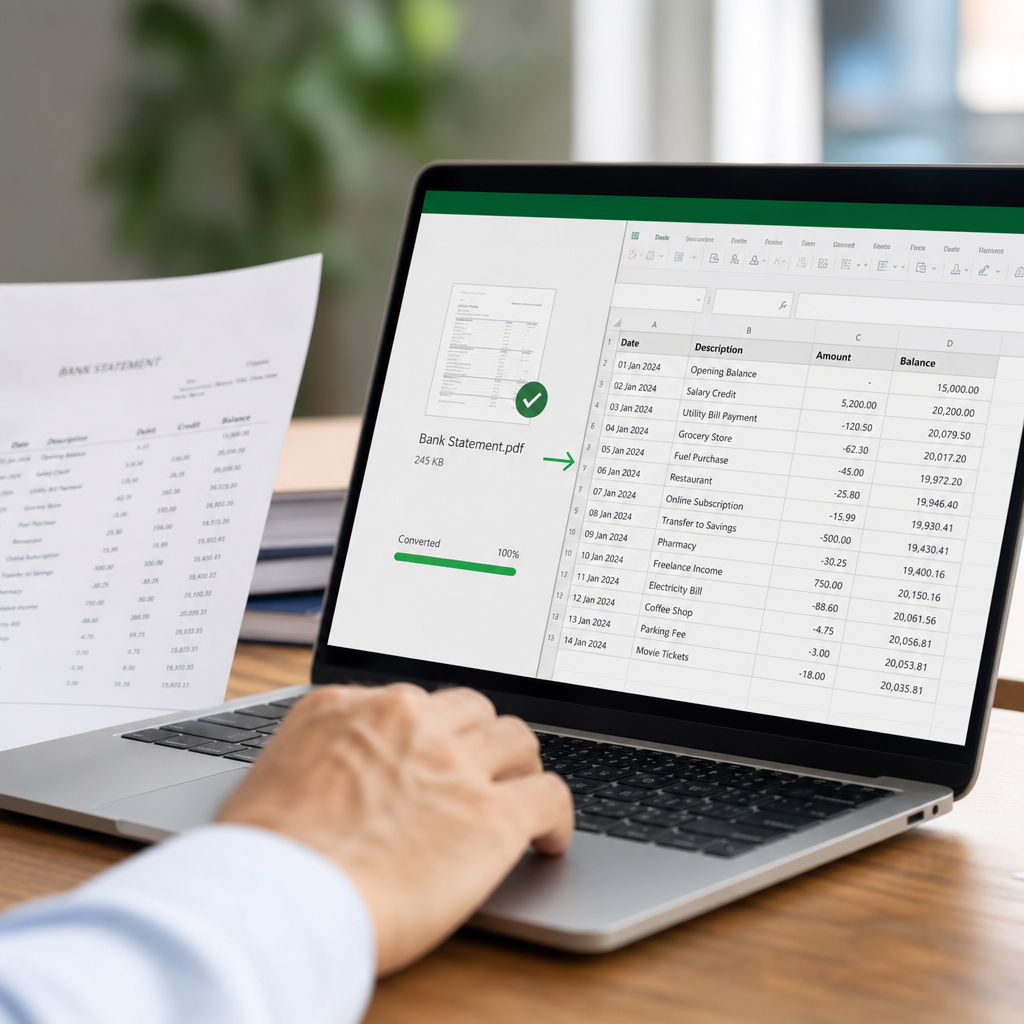
Using a dedicated conversion tool typically follows a simple workflow. Here's what the process looks like with a platform such as Bank Statement Boss:
- Upload the PDF statement — Drag and drop one or multiple statements, even from different banks, into the platform.
- Automatic field detection — The AI engine scans the document and identifies transaction dates, descriptions, debits, credits, and running balances.
- Review and validate — A preview screen lets you check extracted data against the original PDF before export.
- Choose your output format — Export as XLSX, CSV, or a format pre-formatted for QuickBooks, Xero, or Sage.
- Download or sync via API — Higher-tier plans allow direct API access, enabling automated pipelines for recurring statement processing.
This workflow typically takes under a minute per statement, compared to the 20-30 minutes it can take to manually transcribe a multi-page statement.
Key Features to Look For in a Conversion Tool
Not all bank statement converters are built the same. When evaluating options, consider the following criteria:
- Bank format coverage — Does the tool recognize statements from major banks and credit unions, including varying column layouts?
- Accounting software compatibility — Can it export directly in a format accepted by QuickBooks, Xero, or Sage without manual reformatting?
- Security and compliance — Look for encryption standards, data retention policies, and compliance with regulations like GDPR or SOC 2 practices.
- Batch processing — Can you upload multiple statements or months of data at once?
- API access — For finance teams that want to automate recurring statement ingestion into internal systems.
- Accuracy guarantees — Some providers offer confidence scores or manual review options for low-confidence extractions.
- Customer support — Especially important for bookkeepers managing sensitive client data under time pressure.
Bank Statement Boss was purpose-built around these criteria, offering formatting compatible with major accounting platforms alongside secure handling of sensitive financial data — a critical consideration given how much scrutiny financial institutions face over data protection, as outlined by resources like the Consumer Financial Protection Bureau.
Comparing Popular Bank Statement Conversion Tools
To help you evaluate your options, here's a general comparison of the types of tools available in the market today. (Specific pricing and features vary by provider and change over time, so always check current details before committing.)
| Tool Type | Multi-Bank Support | Accounting Software Export | API Access | Typical Use Case |
|---|---|---|---|---|
| Basic OCR software | Limited | Rare | Rare | Occasional single-document conversion |
| Spreadsheet add-ins | Moderate | Sometimes | No | Excel power users |
| Accounting-suite built-in importers | High (within ecosystem) | Native | Sometimes | Users already committed to one platform |
| Dedicated AI statement converters (e.g., Bank Statement Boss) | High | Native, multi-platform | Yes (higher tiers) | Bookkeepers, agencies, finance teams handling volume |
For professionals managing multiple clients or entities, dedicated converters tend to offer the most flexibility because they aren't locked into a single accounting ecosystem.
Common Challenges When Converting Bank Statements
Even with good tools, certain challenges recur across the industry. Understanding them helps you choose a solution — and workflow — that minimizes friction.
Inconsistent statement layouts. Banks format statements differently: some place debits and credits in separate columns, others use a single signed amount column. A robust converter needs to normalize these variations into a consistent spreadsheet structure.
Scanned or low-quality PDFs. Some statements are scanned images rather than digitally generated PDFs, requiring optical character recognition (OCR) that can struggle with skewed scans or low resolution.
Multi-currency and multi-account statements. Business accounts sometimes combine multiple currencies or sub-accounts on a single statement, complicating extraction logic.
Data security concerns. Bank statements contain highly sensitive information — account numbers, balances, and transaction histories. Any tool you use should have clear data handling policies. The Federal Trade Commission offers guidance on best practices for handling consumer financial data that's worth reviewing when vetting vendors.
Reconciliation errors. Even accurate extraction can lead to downstream errors if categorization or account mapping isn't handled carefully before import into accounting software.
Addressing these challenges is precisely why purpose-built tools like Bank Statement Boss have gained traction — they're designed from the ground up to handle the messiness of real-world bank statement formats rather than treating them as generic documents.
Best Practices for Accurate, Secure Conversions
Whether you're a solo bookkeeper or part of a larger finance team, following a consistent process reduces errors and protects sensitive data.
- Standardize your naming conventions for exported files (e.g., ClientName_Bank_Month_Year.xlsx) to keep records organized.
- Always review a sample of converted transactions against the original PDF, especially for the first statement from a new bank.
- Use secure upload channels — avoid emailing statements as attachments when a secure upload portal is available.
- Automate recurring imports where possible using API access, reducing the chance of forgotten manual steps each month.
- Back up original PDFs even after conversion, as some auditors may request source documents.
- Set a consistent chart of accounts before importing into QuickBooks, Xero, or Sage so categorization is easier to apply in bulk.
- Train your team on how to spot conversion anomalies, such as misaligned decimal points or duplicate transactions.
These habits, paired with a reliable conversion platform, create a workflow that scales whether you're processing five statements a month or five hundred.

Integrating Converted Data with Accounting Software
Once your bank statement has been converted into a clean spreadsheet, the next step is usually importing it into your accounting platform. Here's how the major platforms typically handle imports:
- QuickBooks — Accepts CSV or Excel files formatted with specific column headers; QuickBooks Online also supports direct bank feed connections, but manual imports remain useful for historical data or unsupported banks.
- Xero — Supports CSV imports with a mapping tool that lets you align spreadsheet columns to Xero's required fields.
- Sage — Offers import templates that require exact column ordering, making pre-formatted exports especially valuable.
Because formatting requirements differ across these platforms, using a converter that already outputs accounting-ready templates — rather than a generic spreadsheet — saves significant reformatting time. This is one of the core value propositions of Bank Statement Boss, which tailors output specifically for these platforms rather than leaving users to manually adjust columns and headers after every conversion.
For teams looking to deepen their broader financial operations knowledge, resources like leadmailbox.com and frontrank.com also publish useful articles on financial workflow optimization and business growth strategies that complement a solid document conversion process.
Frequently Asked Questions
Is it safe to upload bank statements to an online converter? Reputable tools use encryption in transit and at rest, and many offer clear data retention and deletion policies. Always review a provider's security documentation before uploading sensitive financial data.
Can I convert scanned paper statements, not just digital PDFs? Yes, though accuracy depends on scan quality. Tools with OCR capabilities can typically handle scanned documents, but blurry or skewed scans may require manual review.
Will the converted spreadsheet include running balances? Most quality converters preserve balance columns alongside transaction details, which is essential for reconciliation.
How many bank formats can a good converter handle? Leading tools are trained on hundreds of bank and credit card statement layouts, though obscure regional banks may occasionally require manual adjustment.
Can I convert multiple months or accounts at once? Yes — batch processing is a standard feature in AI-powered converters, letting you upload several statements simultaneously rather than one at a time.
Final Thoughts
Manually transcribing bank statement data is a bottleneck that modern bookkeeping and accounting workflows no longer need to tolerate. Whether you're reconciling a single business account or processing statements for dozens of clients, converting bank statement to Excel accurately and securely is now achievable in seconds rather than hours.
Bank Statement Boss was built specifically to solve this problem for small business owners, freelance accountants, bookkeepers, and finance teams — offering AI-powered extraction, formatting compatible with QuickBooks, Xero, and Sage, secure data handling, and API access for teams that need to scale their processing. If you're ready to eliminate manual data entry and get accurate, accounting-ready spreadsheets in minutes, explore what Bank Statement Boss can do for your workflow today.
Article written by FrontRank