

Every CPA knows the ritual: a client drops off a stack of PDF bank statements, and somewhere between the first download and the final reconciled ledger, hours vanish. Multiply that across dozens of clients every month, and client bank statement processing for CPAs quietly becomes one of the biggest hidden costs in public accounting. The question isn't whether there's a better way—it's which better way actually fits your firm's workflow, budget, and risk tolerance.
This article breaks down the three dominant approaches to processing client bank statements—manual entry, traditional OCR, and modern AI-powered extraction—and shows how each stacks up on speed, accuracy, cost, and scalability. Along the way, we'll look at where tools like Bank Statement Boss fit into a modern CPA workflow.
Why Bank Statement Processing Is Such a Bottleneck for CPAs
Bank statements arrive in dozens of formats, from hundreds of institutions, each with its own layout, date format, and transaction description style. For a CPA managing multiple clients, this creates a few recurring pain points:
- Inconsistent formatting across banks makes bulk processing difficult
- Scanned or image-based PDFs resist simple copy-paste extraction
- Multi-page statements with running balances are tedious to transcribe accurately
- Deadline pressure during tax season or month-end close leaves little room for manual rework
- Client expectations for faster turnaround have risen sharply in the last few years
According to the AICPA, firms increasingly cite document management and data entry as top drains on staff capacity, especially at small and mid-sized practices without dedicated operations teams. That reality is pushing firms to re-evaluate how they handle the influx of PDF statements every reconciliation cycle demands.
Method 1: Manual Entry — The Default That Costs the Most
Manual entry is still the most common method, largely because it requires no new software or training. A staff member opens the PDF, reads each line, and types the data into Excel or directly into the accounting platform.
Pros:
- No software investment required
- Full control over formatting and categorization
- Easy to spot obvious errors as you type
Cons:
- Extremely time-intensive—often 20 to 40 minutes per statement
- Prone to transposition errors and missed transactions
- Difficult to scale during busy season
- Creates bottlenecks when staff are out sick or overloaded
- Expensive when billed at staff or associate hourly rates
For a firm processing even 50 statements a month, manual entry alone can consume over 25 hours of staff time—time that could otherwise go toward advisory work or client communication, both of which carry far higher billing value.
Method 2: Traditional OCR — A Partial Fix With Real Limits
Optical character recognition (OCR) tools improved on pure manual entry by automating the "reading" step. Rule-based OCR scans a PDF, detects characters, and attempts to map them into rows and columns.
The problem is that traditional OCR is rigid. It relies on templates and fixed coordinates, so when a bank changes its statement layout—even slightly—extraction accuracy drops sharply. Scanned or low-resolution PDFs make things worse, often producing garbled numbers or misaligned columns that still require manual correction.
A well-known explainer from IBM notes that classic OCR performs best on clean, standardized documents, which bank statements frequently are not—especially when clients forward statements from mobile banking apps or third-party aggregators.
| Factor | Manual Entry | Traditional OCR |
|---|---|---|
| Setup time | None | Template configuration needed |
| Accuracy on standard PDFs | Depends on staff | Moderate |
| Accuracy on scanned/irregular PDFs | High (human judgment) | Low to moderate |
| Speed per statement | 20-40 minutes | 5-15 minutes + review |
| Scalability | Poor | Moderate |
| Error correction need | Ongoing | Frequent |
OCR is a genuine step up from pure manual work, but it still leaves CPAs doing significant review and cleanup—particularly for multi-column statements with running balances, fee schedules, or international formatting.
Method 3: AI-Powered Extraction — Built for the Way Statements Actually Look
AI-based extraction tools, including Bank Statement Boss, use machine learning models trained on thousands of statement layouts rather than fixed templates. Instead of expecting a document to match a predefined grid, the AI identifies transaction rows, dates, descriptions, and amounts contextually—similar to how a trained bookkeeper would read the page.
This matters enormously for client bank statement processing for CPAs, because client-submitted statements are never uniform. One client might upload a Chase statement, another a scanned PDF from a regional credit union, and another a mobile export from a neobank. AI extraction adapts to each without requiring a new template.
Key advantages of AI-powered processing:
- Handles varied bank formats without manual template setup
- Recognizes multi-page statements and merges them correctly
- Flags likely errors (duplicate transactions, broken totals) for review
- Outputs directly into spreadsheet formats matching QuickBooks, Xero, or Sage import requirements
- Reduces processing time from tens of minutes to typically under a minute per statement
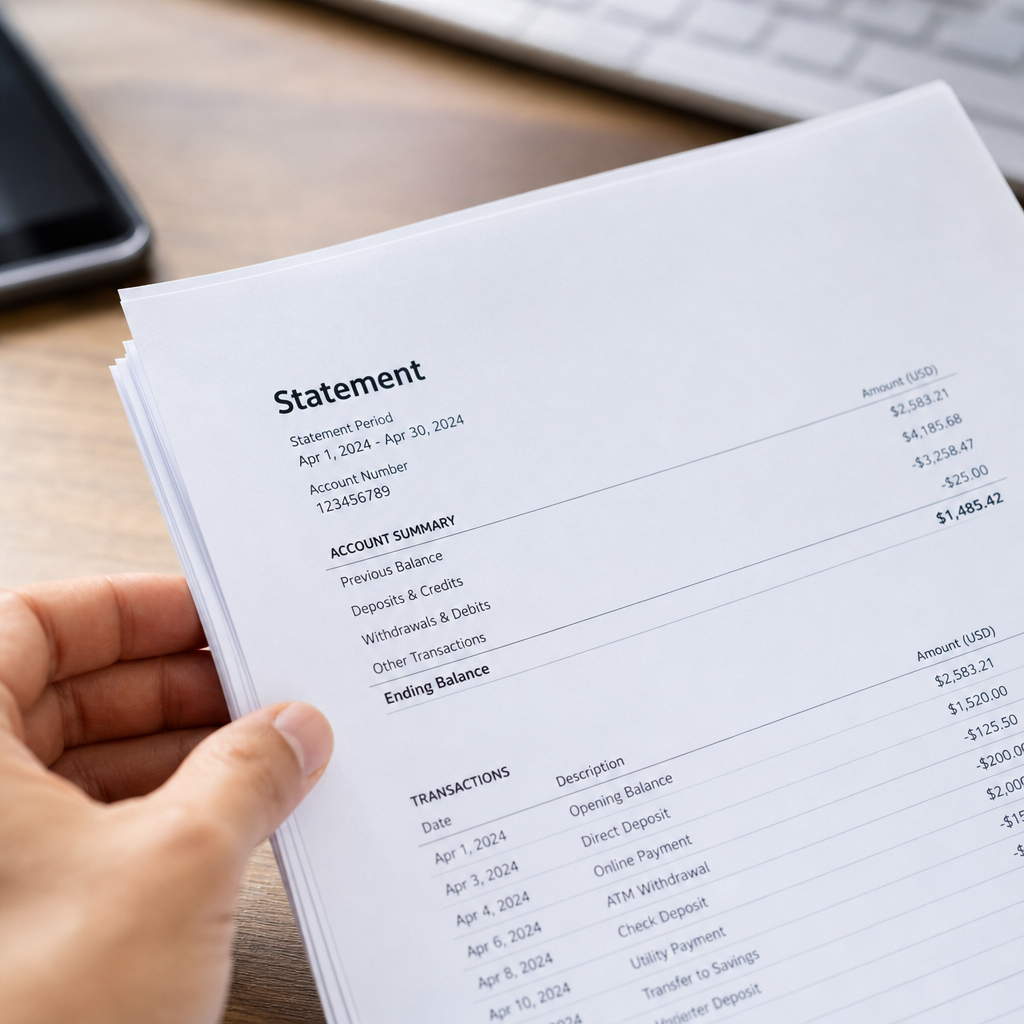
Side-by-Side Comparison: Manual vs. OCR vs. AI
| Criteria | Manual Entry | Traditional OCR | AI-Powered (e.g. Bank Statement Boss) |
|---|---|---|---|
| Average time per statement | 20-40 min | 10-20 min | 30-90 seconds |
| Accuracy on varied formats | Variable | Low-Moderate | High |
| Staff training required | Minimal | Moderate | Minimal |
| Handles scanned PDFs | Yes (slowly) | Poorly | Well |
| Export compatibility | Manual formatting | Manual formatting | Built-in (QuickBooks, Xero, Sage) |
| Scalability for busy season | Poor | Moderate | High |
| Typical cost structure | Staff hours | Software + staff hours | Subscription/per-document |
The time savings compound quickly. A firm processing 200 statements monthly could realistically cut 60-80 hours of labor by shifting from manual entry to AI-assisted extraction—time that translates directly into either cost savings or additional billable advisory capacity.
What CPAs Should Actually Look for in a Processing Tool
Not all automated tools are created equal, and CPAs have specific compliance and workflow needs that generic document scanners don't address. When evaluating a solution, prioritize:
- Format compatibility — Does the output map cleanly into QuickBooks, Xero, or Sage without extensive reformatting?
- Security and data handling — Is client financial data encrypted in transit and at rest, and is there a clear data retention policy?
- Accuracy on messy documents — Can it reliably handle scanned, rotated, or low-resolution statements?
- Batch processing — Can it handle multiple clients' statements in one session, or does it require one-by-one uploads?
- API access — For firms with existing practice management systems, can the tool integrate directly rather than requiring manual downloads and uploads?
- Audit trail — Does it preserve a record of what was extracted versus what was edited, which matters for engagement documentation?
Bank Statement Boss was built around these exact priorities, offering structured spreadsheet output formatted for direct import into major accounting platforms, along with secure handling practices appropriate for client financial data. For firms with higher volume needs, Bank Statement Boss also offers API access, letting developers or in-house IT teams wire statement conversion directly into existing practice management pipelines.
Security Considerations CPAs Can't Ignore
Client financial data carries obvious sensitivity, and any tool touching it should meet baseline expectations around encryption, access control, and retention. The National Institute of Standards and Technology (NIST) publishes widely referenced cybersecurity frameworks that many financial service providers use as a baseline, and it's reasonable to ask any vendor whether their practices align with these standards.
When vetting a statement processing tool, CPAs should ask:
- Is data encrypted both in transit and at rest?
- How long are uploaded documents retained, and can retention be shortened or disabled?
- Does the vendor have a documented incident response process?
- Are there role-based access controls for firms with multiple staff accounts?
- Is there a clear data processing agreement available for client engagement letters?
These aren't bureaucratic formalities—they directly affect whether a firm can confidently represent to clients that their financial data is being handled responsibly. The FTC's Safeguards Rule sets specific expectations for financial institutions and their service providers around data protection, and accounting firms handling client financial documents should treat these standards as a practical floor, not a ceiling.

Building a Practical Workflow Around Automated Extraction
Adopting a new tool only pays off if it's integrated into a workflow staff will actually follow. A practical rollout usually looks like this:
- Audit current volume — Tally how many statements your firm processes monthly and estimate current time spent per document.
- Pilot with one client segment — Start with a handful of straightforward clients before rolling out firm-wide.
- Standardize export settings — Configure output formatting once for QuickBooks, Xero, or Sage so every staff member uses the same template.
- Build in a review step — Even with high accuracy, a quick human review of extracted totals against statement summaries catches edge cases.
- Document the process — Add the new workflow to your firm's standard operating procedures so new hires can follow it without retraining from scratch.
- Measure results after 60 days — Compare time spent, error rates, and staff feedback against the old manual process.
This staged approach avoids the common mistake of switching tools mid-busy-season without proper testing, which tends to create more disruption than it solves.
Cost Comparison: What Firms Actually Spend
Cost comparisons often get oversimplified to "software costs money, manual entry doesn't." In reality, manual entry has a cost—it's just buried in payroll rather than a software invoice. Here's a rough comparison based on typical mid-size firm volumes:
| Approach | Monthly Volume (statements) | Estimated Monthly Time Cost | Estimated Monthly Software Cost | Total Estimated Cost* |
|---|---|---|---|---|
| Manual Entry | 200 | 85-130 hours | $0 | $2,975-$4,550 (at $35/hr loaded rate) |
| Traditional OCR | 200 | 35-65 hours | $150-$400 | $1,575-$2,675 |
| AI-Powered Extraction | 200 | 5-15 hours | $100-$300 | $475-$825 |
*Estimates based on a $35/hour blended staff rate; actual figures vary by firm and region.
Even accounting for subscription costs, AI-powered processing frequently delivers the lowest total cost once staff time is properly valued—an outcome that tends to surprise firms that have only ever compared raw software price tags rather than total labor-adjusted cost.
Common Objections and Honest Answers
"Our clients' statements are too varied for software to handle." This was a fair concern with older template-based tools, but modern AI extraction is specifically designed to handle variation—different banks, layouts, and file quality—without manual template configuration.
"We don't have the IT resources to integrate a new tool." Most modern platforms, including Bank Statement Boss, are designed for direct use via web upload with no IT involvement required for standard plans. API access is available for firms that do want deeper integration, but it's optional, not mandatory.
"What about accuracy on edge cases, like joint accounts or unusual fee structures?" No automated system is perfect, which is why a brief human review step remains part of any sound workflow. The goal isn't to eliminate review entirely—it's to eliminate the 20-40 minutes of transcription that used to precede that review.
"Is this secure enough for client financial data?" This is the right question to ask of any vendor. Look for encryption standards, clear retention policies, and documentation you can reference in client engagement agreements, as discussed earlier in this article.
Making the Decision for Your Firm
There's no single "best" answer that fits every practice. A sole practitioner handling a dozen clients may find traditional methods manageable, while a growing firm processing hundreds of statements monthly will feel the labor cost of manual entry far more acutely. The decision generally comes down to three questions:
- How many statements does your firm process monthly, and how much is that costing in staff hours?
- How varied are your clients' banking institutions and document formats?
- Does your firm need API-level integration, or is a straightforward web-based tool sufficient?
For firms answering "a lot," "very varied," and "yes to either," AI-powered extraction tools represent a meaningful operational upgrade rather than a marginal convenience. The shift isn't just about saving time—it's about reallocating skilled staff away from transcription and toward the analytical and advisory work that actually differentiates a firm in a competitive market.
Final Thoughts
Client bank statement processing for CPAs doesn't have to mean hours of manual transcription or fighting with rigid OCR templates every time a bank updates its statement design. The shift toward AI-powered extraction reflects a broader trend across accounting: automating the repetitive, error-prone tasks so staff time goes toward higher-value work. Bank Statement Boss was built specifically to address this need, converting PDF bank and credit card statements into clean, structured spreadsheets formatted for QuickBooks, Xero, and Sage, with secure handling and API access available for firms that need deeper integration. For CPAs looking to cut processing time without sacrificing accuracy or security, Bank Statement Boss offers a practical, scalable path forward—one built around the realities of modern client document workflows rather than the rigid templates of the past.
Article written by FrontRank