

When your desk is stacked with dozens — or hundreds — of PDF bank statements waiting to be entered into QuickBooks or Xero, converting them one file at a time simply isn't realistic. Bookkeepers juggling multiple clients, finance teams closing the books for several entities, and freelance accountants handling seasonal tax crunches all hit the same wall: manual data entry doesn't scale. That's where a bulk bank statement converter becomes essential infrastructure rather than a nice-to-have.
This article walks through exactly how batch conversion works, what to look for in a tool, and how to build a repeatable workflow that turns a folder of PDFs into audit-ready spreadsheets in minutes instead of days.
Why Bulk Conversion Matters for Accounting Workflows
Processing bank statements individually might be manageable when you have one client and one account. But the moment you're managing multiple clients, multiple accounts per client, or several years of historical statements for a reconciliation project, the math changes fast.
Consider a bookkeeper managing 15 small business clients, each with 2-3 bank accounts and 12 monthly statements per year. That's over 500 PDF statements annually. Manually transcribing transactions from each one — even at a brisk five minutes per statement — adds up to more than 40 hours of pure data entry. A bulk converter collapses that into a single upload session.
Beyond raw time savings, batch processing reduces the human error that creeps in during repetitive manual work. Mistyped amounts, skipped transactions, and transposed dates are common when someone is on their fortieth statement of the day. Automating the extraction step removes that fatigue factor entirely.
How a Bulk Bank Statement Converter Actually Works
Most modern converters, including Bank Statement Boss, rely on a combination of optical character recognition (OCR) and machine learning models trained specifically to recognize bank statement layouts. Here's the general process:
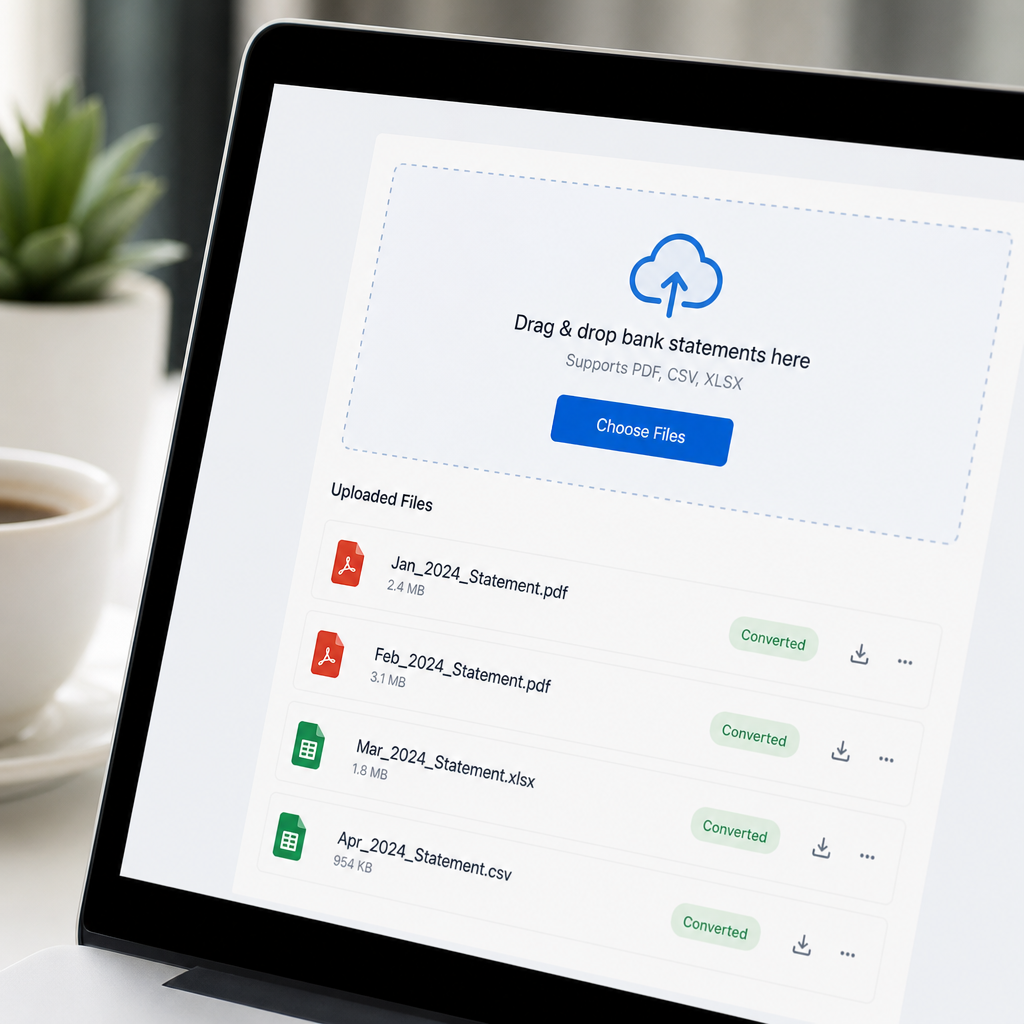
- Upload — You drag and drop multiple PDF files (or an entire folder) into the platform at once, rather than uploading one at a time.
- Bank detection — The system identifies which bank or format each statement belongs to, since layouts vary significantly between institutions.
- Data extraction — Transaction dates, descriptions, debits, credits, and running balances are pulled from each document using AI-driven parsing rather than rigid templates.
- Validation — Automated checks compare extracted totals against the statement's printed opening and closing balances to catch extraction errors.
- Export — Clean, structured files are generated in formats like CSV, XLSX, or QBO, ready to import directly into accounting software.
- Delivery — Files are packaged together or delivered individually, often with a summary report showing which documents processed successfully.
This pipeline typically takes a batch of 50 statements from raw PDF to spreadsheet in a matter of minutes, a task that would otherwise consume an entire workday.
Key Features to Look For in a Bulk Converter
Not all tools labeled "bulk converters" offer the same depth of functionality. When evaluating options, pay close attention to the following capabilities.
- True batch upload — The ability to process many files simultaneously, not just a faster single-file workflow.
- Multi-bank recognition — Support for statements from major and regional banks, including varying date formats and currency symbols.
- Accounting software compatibility — Native export formats for QuickBooks, Xero, and Sage so you're not reformatting columns by hand.
- Accuracy validation — Built-in balance reconciliation that flags discrepancies before you import the data.
- Security and compliance — Encryption in transit and at rest, along with clear data retention policies, since bank statements contain sensitive financial information.
- API access — For firms processing high volumes, programmatic access allows statements to be converted automatically as part of a larger document pipeline.
- Credit card statement support — Many firms also need to digitize credit card statements, not just checking and savings accounts.
A tool that checks all of these boxes, such as Bank Statement Boss, tends to fit naturally into existing bookkeeping stacks rather than requiring a workflow overhaul.
Comparing Conversion Methods: Manual, Generic OCR, and AI-Powered Bulk Tools
It helps to see the practical differences side by side. The table below compares the three most common approaches firms use to digitize statement data.
| Method | Speed (100 statements) | Accuracy | Scalability | Best For |
|---|---|---|---|---|
| Manual data entry | 8-10 hours | Variable, error-prone | Poor | One-off, very small jobs |
| Generic OCR software | 2-3 hours | Moderate, needs manual cleanup | Fair | Simple, uniform documents |
| AI-powered bulk converter | 10-20 minutes | High, with balance validation | Excellent | Recurring bookkeeping, multi-client firms |
As the table shows, the time savings alone justify the switch for anyone processing statements on a regular basis. According to research from McKinsey on automation in finance, document-heavy financial processes are among the top candidates for automation ROI because the tasks are repetitive, rules-based, and high-volume.
Pricing Models: What You Should Expect to Pay
Pricing for bulk conversion tools generally scales with volume and feature depth. Below is a representative breakdown of what firms typically encounter when comparing plans across the market.
| Plan Tier | Typical Monthly Statements | Price Range | Common Features |
|---|---|---|---|
| Starter / Pay-as-you-go | 10-50 | $15-$40/month | Basic export formats, email support |
| Professional | 50-300 | $40-$120/month | Multi-bank support, QuickBooks/Xero export |
| Business / Team | 300-1,000+ | $120-$400/month | Bulk upload, user seats, priority support |
| Enterprise / API | Custom volume | Custom pricing | API access, dedicated onboarding, SLA |
Firms processing fewer than 50 statements a month may find pay-as-you-go pricing most economical, while bookkeeping firms managing multiple clients typically land in the Professional or Business tier where bulk upload limits and accounting software integrations matter most.
Building a Repeatable Bulk Conversion Workflow
Simply having access to a converter isn't enough — the real value comes from embedding it into a consistent monthly process. Here's a workflow structure that works well for bookkeeping practices and internal finance teams alike.
- Centralize statement collection. Set up a shared intake folder or client portal where statements are uploaded as soon as they're available, rather than chasing documents at month-end.
- Batch by client or entity. Group statements logically before uploading so exported files map cleanly to the correct ledger or QuickBooks company file.
- Run the bulk conversion. Upload the full batch to your converter and let the automated extraction and validation complete.
- Spot-check validation reports. Review any statements flagged for balance mismatches before importing — this is usually a small fraction of the batch.
- Import into accounting software. Use the native export format to bring transactions directly into QuickBooks, Xero, or Sage.
- Reconcile and archive. Match imported transactions against existing records and store the original PDFs and converted files for audit purposes.
Teams that formalize this process typically find that month-end close shortens significantly, since the most time-consuming step — manual transcription — has been removed from the critical path. If you want to see how other finance teams have restructured their intake process, leadmailbox.com has published useful guidance on organizing inbound document workflows that pairs well with statement conversion automation.
Security and Compliance Considerations
Bank statements are among the most sensitive documents a business handles — they contain account numbers, transaction histories, and sometimes personally identifiable information. Before adopting any bulk converter, confirm the following:
- Encryption standards — Data should be encrypted both in transit (TLS) and at rest (AES-256 or equivalent).
- Data retention policy — Understand how long uploaded files are stored and whether they're deleted automatically after processing.
- Compliance certifications — Look for SOC 2 Type II compliance or similar frameworks, especially if you handle client data under a fiduciary responsibility.
- Access controls — Multi-user accounts should support role-based permissions so staff only see the clients they're authorized to work with.
- Audit trails — The ability to track who uploaded or exported a given statement adds accountability for firms with multiple employees.
The National Institute of Standards and Technology publishes a widely referenced cybersecurity framework that's a useful benchmark when vetting any SaaS tool that touches financial data. Bank Statement Boss builds its infrastructure around these principles, which is why many accounting firms rely on it specifically for sensitive client financial documents rather than generic file-conversion tools.
Common Pitfalls When Scaling Statement Conversion
Even with a capable tool, firms sometimes run into avoidable issues when scaling up their conversion volume. Watch out for these common mistakes:
- Mixing statement types in one batch. Uploading checking account statements alongside credit card statements without separating them can complicate categorization downstream.
- Ignoring validation warnings. Skipping the review step for flagged discrepancies can let errors slip into your ledger.
- Overlooking file naming conventions. Disorganized file names make it harder to match exported spreadsheets back to the correct client or account later.
- Underestimating onboarding time. Switching tools mid-tax-season can be disruptive; test new converters during a slower period first.
- Not verifying export compatibility. Always confirm the exported column structure matches what your accounting software expects before a full-scale rollout.
Avoiding these pitfalls is mostly a matter of discipline — the technology handles the heavy lifting, but a little process hygiene prevents downstream cleanup.
Measuring the ROI of Bulk Conversion
For firms deciding whether to invest in a bulk conversion tool, it helps to quantify the return. The table below illustrates a simplified comparison for a bookkeeping firm processing 400 statements per month.
| Metric | Manual Process | Bulk Converter |
|---|---|---|
| Monthly hours spent | ~35 hours | ~3 hours |
| Hourly cost (at $35/hr) | $1,225 | $105 |
| Software cost | $0 | ~$150/month |
| Net monthly cost | $1,225 | $255 |
| Estimated monthly savings | — | ~$970 |
Even accounting for subscription costs, the time reclaimed often pays for the tool many times over within the first month. That saved time can be redirected toward advisory services, client acquisition, or simply reducing overtime during busy season — a shift the American Institute of CPAs has noted as a growing trend as firms adopt automation to focus more on advisory work rather than data entry.

Choosing the Right Tool for Your Firm
When comparing bulk bank statement converters, it's worth running a small pilot before committing to an annual plan. A good evaluation process includes:
- Testing with a representative sample of statements from each bank your clients use.
- Confirming export formats align with your accounting software without manual reformatting.
- Checking turnaround time for a batch of at least 50 files.
- Reviewing the vendor's security documentation and data retention policy.
- Verifying customer support responsiveness, especially during tax season crunch periods.
Tools like Bank Statement Boss are built specifically with this evaluation in mind, offering a free trial batch so firms can test accuracy and formatting before scaling up to higher volumes. For firms exploring broader automation strategies across their client intake and document pipelines, resources from frontrank.com also offer helpful context on how automation tools fit into a modern accounting practice's tech stack.
Final Thoughts
Converting bank statements one at a time was never sustainable for firms managing real client volume, and in 2026 there's little reason to keep doing it that way. A reliable bulk bank statement converter turns a tedious, error-prone task into a fast, auditable process that fits neatly into existing bookkeeping and accounting workflows. By choosing a tool with strong accounting software compatibility, robust security practices, and genuine batch-processing capability, firms can reclaim dozens of hours each month and redirect that time toward higher-value client work.
Bank Statement Boss was built precisely for this challenge — converting PDF bank and credit card statements into clean, QuickBooks-, Xero-, and Sage-ready spreadsheets at scale, with the security standards that client financial data demands. Whether you're a solo bookkeeper handling a handful of clients or a finance team processing thousands of statements a month, bankstatementboss.com offers the bulk conversion infrastructure to keep your books accurate and your month-end close fast.
Article written by FrontRank