
Managing financial records has evolved significantly in recent years, with most financial institutions now providing digital documentation as the default option. The bank statement in PDF format has become the standard delivery method for monthly account summaries, offering a secure, portable, and accessible way to maintain financial records. Whether you're a small business owner reconciling accounts, an accountant managing multiple clients, or an individual tracking personal finances, understanding how to work effectively with PDF bank statements is essential in today's digital economy. This comprehensive guide explores the technical aspects, security considerations, and practical applications of PDF bank statements while addressing common challenges faced by professionals and businesses.
Understanding PDF Bank Statement Formats
PDF (Portable Document Format) has emerged as the universal standard for digital bank statements, but not all PDFs are created equal. Financial institutions generate these documents in different ways, each with distinct implications for data accessibility and processing.
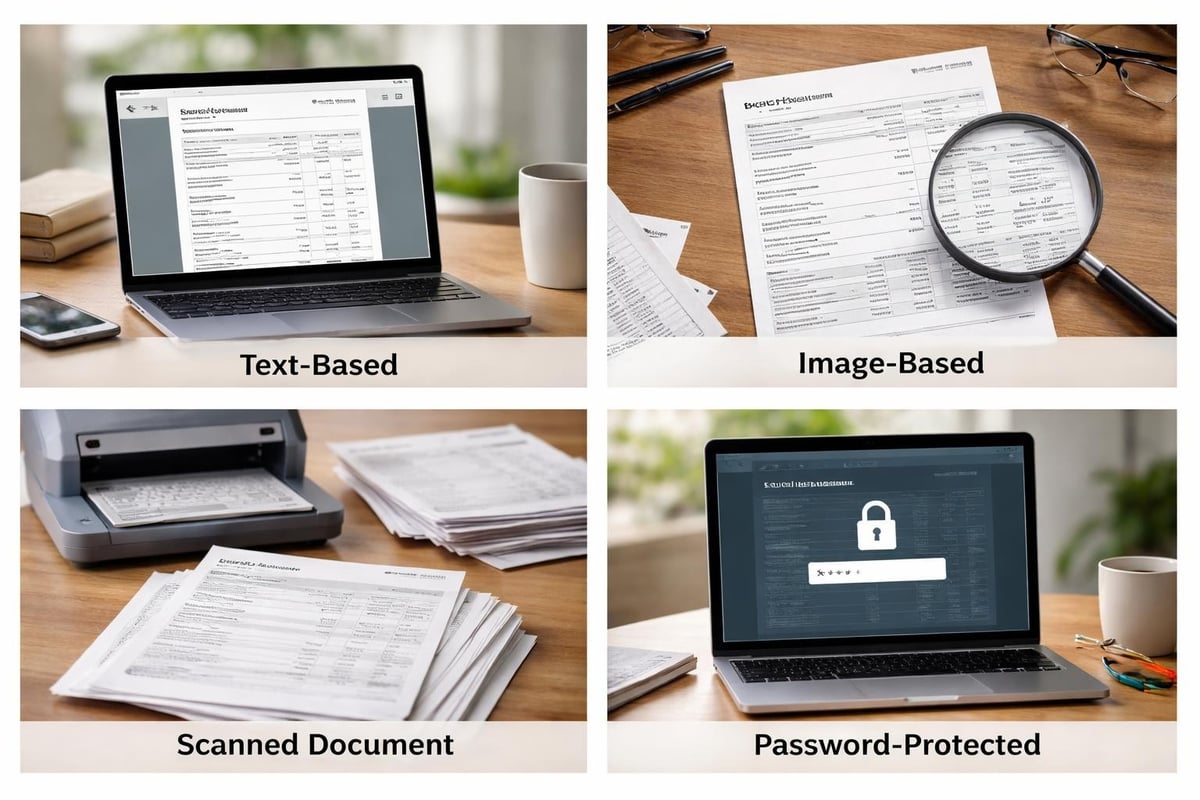
Text-Based PDF Statements
Text-based PDFs contain actual text data embedded within the document structure. When you open these files, you can highlight and copy text directly. These statements offer the most flexibility for data extraction because the transaction information exists as selectable text rather than images. Most modern banks generate text-based PDFs through automated systems that pull data directly from their core banking platforms.
The advantage of text-based formats becomes apparent when you need to analyze transaction data. You can search for specific merchants, amounts, or dates using standard PDF reader functions. However, even text-based PDFs can present challenges when converting to other formats, as the underlying structure may not align with typical spreadsheet layouts.
Image-Based and Scanned PDF Statements
Some financial institutions create image-based PDFs where each page is essentially a picture of the statement. Similarly, if you scan a paper statement, you create an image-based PDF. These files present significant challenges for data extraction because there's no underlying text layer to access.
The four types of PDF statements each require different approaches for data processing. Image-based and scanned documents traditionally required manual data entry until optical character recognition (OCR) technology advanced sufficiently to handle financial documents reliably.
Security Considerations for PDF Bank Statements
Financial documents contain sensitive information that requires robust protection. A bank statement in PDF format typically includes account numbers, transaction details, balances, and personal identification information that could be exploited if accessed by unauthorized parties.
Encryption and Password Protection
Modern PDF technology supports multiple layers of security. Password-protected PDFs require authentication before opening, while encryption scrambles the data to prevent unauthorized access even if the file is intercepted. Many banks automatically apply these protections to statements sent via email or available for download.
When implementing PDF security best practices, consider both user passwords (which restrict opening the document) and owner passwords (which control editing, printing, and copying permissions). The combination creates a multi-layered defense against unauthorized use.
Secure Storage and Transmission
Where you store PDF bank statements matters as much as how you protect them. Cloud storage services offer convenience but introduce potential vulnerabilities if not properly configured. Local storage provides more control but requires reliable backup systems to prevent data loss.
When you need to share statements with accountants, lenders, or other authorized parties, understanding how to securely send bank statements in PDF format becomes critical. Email attachments represent the most common but also the most vulnerable transmission method. Encrypted file-sharing services or secure portal uploads provide better protection for sensitive financial data.
For businesses using Bank Statement Boss, bank-level security protocols ensure that uploaded statements remain protected throughout the conversion process, with automatic deletion after processing completes.
Common Formatting Challenges
Working with PDF bank statements frequently reveals inconsistencies and formatting issues that complicate data processing. Different banks use varying layouts, column arrangements, and data presentation methods, making standardization difficult.
Layout Inconsistencies Across Institutions
One bank might present transactions in a single continuous table, while another splits them across multiple pages with repeating headers. Some statements include running balances after each transaction; others show only opening and closing balances. These variations create significant challenges when attempting to extract and compare data across multiple accounts or institutions.
The common formatting issues with bank statement PDFs extend beyond simple layout differences. Merged cells, irregular spacing, and inconsistent date formats can all interfere with automated extraction processes.
Multi-Column and Complex Structures
Many banks organize transaction details across multiple columns: date, description, withdrawals, deposits, and balance. While this format works well for human readability, it creates complexity for automated extraction tools. Columns may not align perfectly, especially when descriptions run long and wrap to additional lines.
| Challenge Type | Impact on Processing | Typical Solution |
|---|---|---|
| Merged cells | Disrupts column alignment | Manual restructuring or AI recognition |
| Variable spacing | Inconsistent data parsing | Advanced pattern recognition |
| Multi-line entries | Row identification errors | Context-aware extraction |
| Embedded images | OCR requirements | Specialized image processing |

Converting PDF Bank Statements to Usable Formats
The read-only nature of PDF documents limits their utility for financial analysis. Converting a bank statement in PDF into spreadsheet format unlocks the ability to perform calculations, create reports, and integrate data with accounting systems.
Manual Data Entry Approaches
The most straightforward conversion method involves manually typing transaction data into a spreadsheet. While this approach requires no special tools, it's time-consuming, error-prone, and impractical for statements with hundreds of transactions. A single month's business banking statement might contain 200+ transactions, representing hours of tedious data entry work.
Manual entry also introduces the risk of transcription errors. A misplaced decimal point or transposed digits can throw off reconciliation and create accounting discrepancies that take additional time to identify and correct.
Automated Conversion Solutions
Modern technology has transformed the conversion process through machine learning and artificial intelligence. Services like PDF Bank Statement to Spreadsheet leverage AI technology to recognize transaction patterns, extract data with 99% accuracy, and format output for direct import into accounting platforms like QuickBooks.
Understanding how to extract bank statement data from PDF files reveals why AI-powered approaches outperform traditional methods. These systems adapt to different bank formats, handle scanned documents through OCR, and maintain data integrity throughout the conversion process.
The accuracy rate matters significantly in professional contexts. A 99% accuracy rate on a 200-transaction statement means only 2 potential errors requiring review, compared to potentially dozens with less sophisticated extraction methods.
Bank Statement Formats and Compatibility
Beyond PDF, financial institutions support various digital statement formats, each serving different purposes. Comparing these options helps clarify why PDF has become the dominant choice while understanding when alternative formats might be preferable.
PDF Versus CSV, OFX, and QFX
CSV (Comma-Separated Values) files provide transaction data in a simple, spreadsheet-ready format but lack the visual presentation and security features of PDF. OFX (Open Financial Exchange) and QFX (Quicken Financial Exchange) are specialized formats designed specifically for importing into financial software.
A comprehensive explanation of bank statement formats reveals the strengths and limitations of each option. While CSV, OFX, and QFX excel at software integration, they don't serve the archival and documentation purposes that PDF fulfills.
| Format | Primary Use | Advantages | Limitations |
|---|---|---|---|
| Archival, sharing, documentation | Universal compatibility, maintains formatting | Requires conversion for analysis | |
| CSV | Data import, spreadsheet analysis | Simple structure, widely supported | No visual formatting, no security |
| OFX/QFX | Accounting software import | Direct software integration | Limited to compatible applications |
Why PDF Remains Dominant
Despite the convenience of direct-import formats, PDF maintains its position as the standard for several reasons. It provides a complete visual record that exactly replicates the official bank statement, supporting audit requirements and documentation needs. The format ensures that all parties viewing the document see identical information, regardless of their software or device.
PDF's encryption capabilities make it suitable for secure distribution, while its read-only nature prevents accidental modification. For legal and regulatory purposes, the integrity of the original statement matters, and PDF delivers that assurance.
Managing Multiple Accounts and Statements
Businesses and individuals managing multiple bank accounts face unique challenges with PDF statements. Organizing, storing, and accessing these documents efficiently becomes increasingly important as the number of accounts grows.
Organizational Systems and File Naming
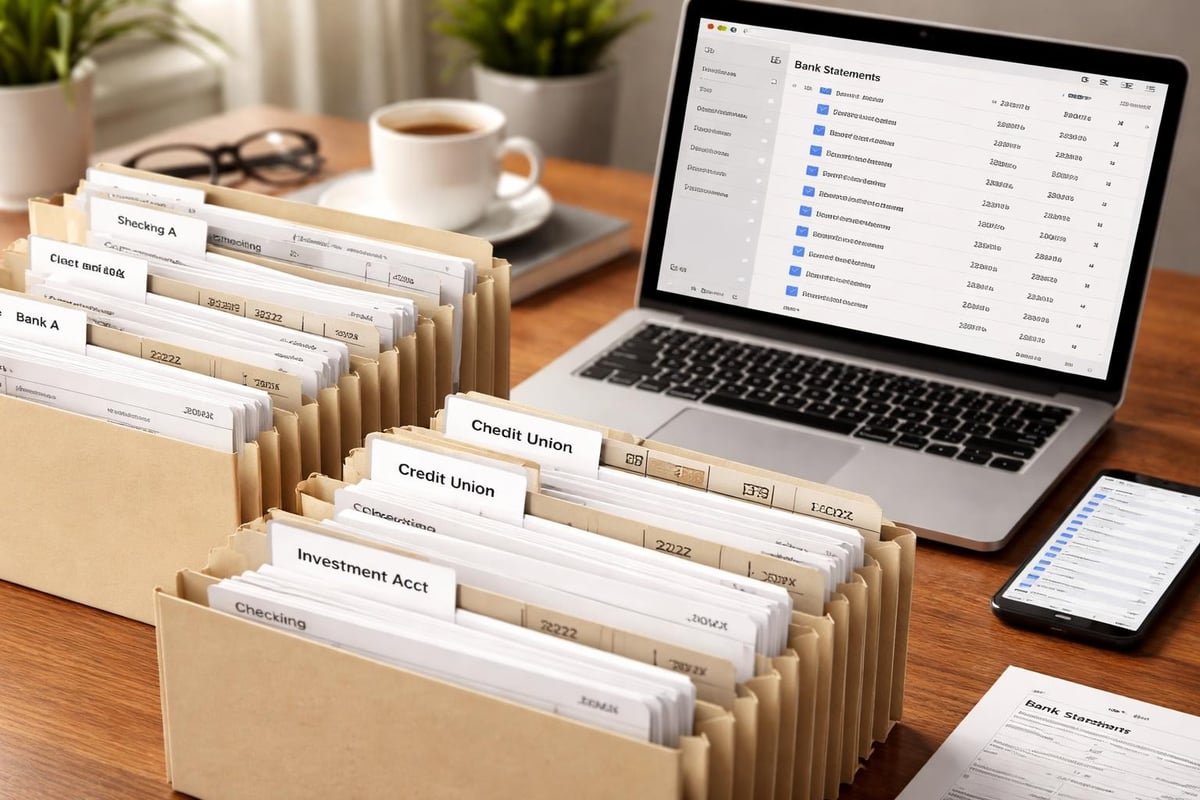
A consistent naming convention transforms statement management from chaos to order. Including the bank name, account type, and statement date in the filename enables quick identification and retrieval. For example: "Chase_Business_Checking_2026-03.pdf" immediately communicates the essential information.
Creating a logical folder structure complements good file naming. Organizing by year, then month, or by account, then date, depending on your primary access pattern, reduces search time and prevents duplicate downloads.
Retention Policies and Compliance
Different organizations and jurisdictions impose varying requirements for financial record retention. Many businesses maintain statements for seven years to comply with tax regulations, while others keep them indefinitely for historical reference.
Digital storage makes long-term retention practical, but it requires planning for format obsolescence and media degradation. PDFs created today should remain readable for decades, but the storage media and systems housing them will require periodic migration and updates.
Integration with Accounting Workflows
The true value of a bank statement in PDF emerges when it integrates smoothly into broader accounting and bookkeeping processes. Efficient workflows minimize manual intervention while maintaining accuracy and audit trails.
Reconciliation Processes
Bank reconciliation compares internal financial records against bank statements to identify discrepancies, catch errors, and detect fraudulent activity. When statements exist only as PDFs, reconciliation typically requires viewing the PDF on one screen while entering data into accounting software on another.
Converting PDF statements to spreadsheet format streamlines this process significantly. Transaction data becomes sortable, filterable, and directly comparable to internal records. Automated matching algorithms can identify corresponding transactions, flagging only the exceptions for manual review.
Data Privacy and Redaction
Some situations require sharing bank statements while protecting sensitive information. Loan applications might need statements showing income patterns but not specific transaction details. Redacting bank statements securely requires permanent removal of sensitive data, not just visual obscuration that could be reversed.
Professional redaction tools allow selective information removal while maintaining document integrity. This capability becomes particularly important for businesses sharing financial information with multiple parties who each need different levels of detail.
Best Practices for PDF Bank Statement Management
Developing systematic approaches to handling PDF bank statements reduces errors, saves time, and improves financial control. These practices apply whether you're managing personal finances or handling accounting for multiple business clients.
Regular Download and Backup Schedules
Establishing a routine for downloading statements ensures you never miss a period. Many banks retain online statements for limited periods, typically 18-24 months. Downloading them monthly as they become available prevents gaps in your financial records.
Implementing the 3-2-1 backup rule provides robust protection: maintain three copies of important documents, on two different types of media, with one copy stored off-site. For PDF bank statements, this might mean keeping copies on your computer, an external drive, and a cloud storage service.
Quality Control and Verification
Before filing or converting a PDF bank statement, verify its completeness. Check that all pages are present, the statement period is correct, and the document is readable. Corrupted PDFs or incomplete downloads create problems later when you need the information for reconciliation or documentation.
After conversion to spreadsheet format, spot-checking key transactions confirms the extraction accuracy. Comparing opening balances, closing balances, and a sample of transactions between the PDF and converted data catches systematic errors early.
Access Control for Team Environments
Organizations with multiple team members handling financial documents need clear access policies. Not everyone requires access to all bank statements. Implementing role-based permissions ensures that staff members can access the statements relevant to their responsibilities while restricting access to others.
Documenting who accessed, downloaded, or converted which statements creates an audit trail for security and compliance purposes. This tracking becomes particularly important in regulated industries or when handling client financial information.
Technology Trends Affecting PDF Bank Statements
The landscape of digital financial documentation continues evolving. Understanding emerging trends helps businesses prepare for changes in how bank statements in PDF format are created, secured, and utilized.
Artificial Intelligence and Machine Learning
AI-powered tools have revolutionized PDF data extraction, achieving accuracy rates that were impossible with traditional rule-based systems. These technologies adapt to new statement formats automatically, learning from patterns rather than requiring manual programming for each bank's layout.
Machine learning algorithms now detect anomalies in transaction patterns, flag potential errors in extracted data, and even categorize transactions for accounting purposes. As these systems process more documents, their accuracy and capabilities continue improving.
Open Banking and API Access
Open banking initiatives in various countries are changing how financial data flows between institutions and customers. While these systems often provide real-time transaction feeds that could reduce reliance on monthly PDF statements, the PDF format remains important for official documentation and periods before API access was established.
The combination of API-based transaction feeds for current activity and PDF statements for historical records and official documentation represents the emerging standard for comprehensive financial data management.
Enhanced Security Standards
As cyber threats evolve, so do the security measures protecting financial documents. Future PDF statements may incorporate blockchain-based verification, allowing recipients to confirm document authenticity without relying solely on traditional digital signatures.
Quantum computing poses both challenges and opportunities for PDF security. While quantum computers could potentially break current encryption methods, quantum-resistant encryption algorithms are already in development to maintain document security in the post-quantum era.
Regulatory and Compliance Considerations
Financial documents exist within a complex regulatory framework. Understanding how regulations affect PDF bank statements helps ensure compliance and avoid legal complications.
Documentation Requirements
Tax authorities, auditors, and regulatory bodies often specify acceptable formats and retention periods for financial records. PDF generally satisfies these requirements due to its standardization and format stability, but specific regulations may impose additional constraints on encryption, digital signatures, or metadata retention.
Businesses operating internationally must navigate varying requirements across jurisdictions. A bank statement in PDF that meets U.S. requirements might need additional features to satisfy European data protection regulations or Asian financial record-keeping standards.
E-Signature and Authentication
Digital signatures embedded in PDFs provide cryptographic verification that documents haven't been altered since signing. Some regulatory contexts require these signatures on financial documents, while others accept unsigned PDFs from authenticated sources like secure bank portals.
Understanding when authentication is necessary and what forms satisfy specific regulatory requirements prevents compliance issues and rejected documentation during audits or loan applications.
Modern financial management requires efficient handling of digital documents, with the bank statement in PDF format serving as a critical component of accurate record-keeping. Whether you're managing personal accounts or business finances, implementing systematic approaches to downloading, securing, storing, and utilizing these documents creates a foundation for sound financial control. For businesses and accountants seeking to streamline their workflows, Bank Statement Boss offers AI-powered conversion technology that transforms PDF statements into spreadsheet format with 99% accuracy, compatible with major accounting platforms while maintaining bank-level security throughout the process.
Article written using RankPill.