

Accountants and bookkeepers have a time problem, not a skill problem. The actual accounting work — reconciliation, categorization review, advisory conversations — takes a fraction of the hours most practitioners spend each week just getting raw transaction data out of PDF bank statements and into a usable spreadsheet. Bank statement automation for accountants solves exactly that bottleneck, and the time savings are large enough to change how a practice operates.
This article breaks down what bank statement automation actually does, how much time and money it saves compared to manual entry, how the leading approaches compare, and how to implement it without disrupting your existing workflow.
What Bank Statement Automation Actually Means
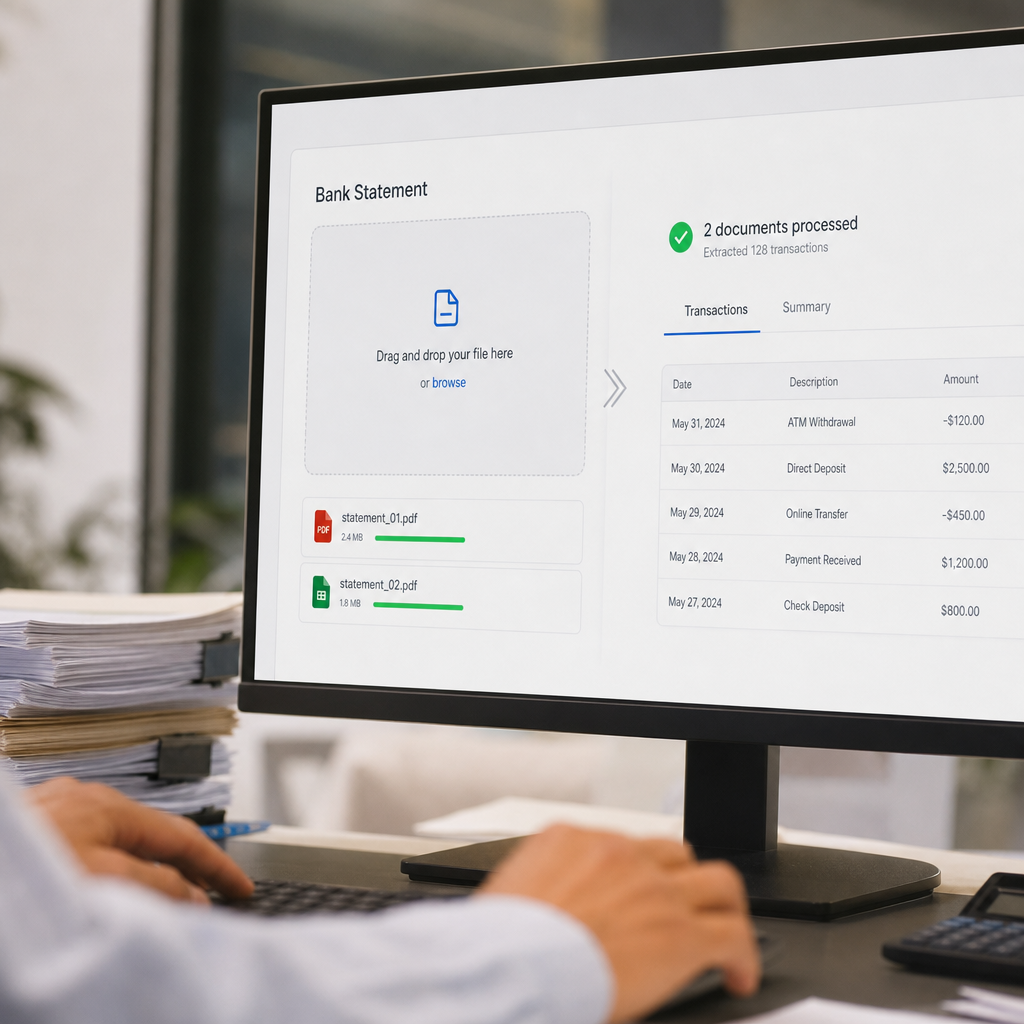
Bank statement automation refers to software that reads PDF (or scanned image) bank and credit card statements and converts them into structured, editable data — typically a spreadsheet (CSV or Excel) or a direct feed into accounting software. Instead of manually retyping transaction dates, descriptions, and amounts, the software extracts that information automatically using optical character recognition (OCR) combined with machine learning models trained specifically on financial document layouts.
Modern tools go further than basic OCR. They:
- Detect and separate columns (date, description, debit, credit, balance) even when statement formats vary by bank
- Normalize dates and currency formatting
- Flag duplicate or ambiguous entries for review
- Export in formats pre-mapped to accounting platforms like QuickBooks, Xero, and Sage
- Apply bank-level encryption and deletion policies to protect sensitive financial data
This is distinct from generic PDF-to-Excel converters, which often struggle with multi-column financial layouts, varying fonts, and statements that span dozens of pages. Purpose-built tools such as Bank Statement Boss are trained specifically on the structure of financial statements, which is why accuracy rates for this category tend to be meaningfully higher than general-purpose conversion software.
Why Manual Bank Statement Entry Is Still So Common — and So Costly
Despite the availability of automation, a surprising number of accounting practices still rely on manual re-keying or basic copy-paste from PDFs. The reasons are familiar: concerns about accuracy, unfamiliarity with newer tools, or simply inertia from workflows built before AI-based extraction was reliable.
The cost of sticking with manual entry is easier to quantify than most practitioners realize. According to research from the American Institute of CPAs, administrative and data-entry tasks remain among the top drains on billable capacity at small and mid-sized firms. Every hour spent transcribing a statement is an hour not spent on reconciliation review, tax planning, or client advisory work — the higher-margin services clients actually value.
Consider the real, measurable costs of manual entry:
- Direct labor cost. A bookkeeper earning $28/hour who spends 45 minutes per statement on a client with six accounts loses over $3,000 a year per client just on data entry.
- Error remediation. Manual transcription error rates in financial documents typically range from 1% to 4% per field, according to studies on manual data entry accuracy — and mistakes often surface weeks later during reconciliation, requiring costly rework.
- Opportunity cost. Time spent on data entry cannot be billed as advisory work, which commands significantly higher rates.
- Client turnaround delays. Manual processes slow down month-end close, which frustrates clients who expect faster reporting cycles.
Time and Cost Comparison: Manual vs. Automated Statement Processing
The table below illustrates the typical difference between manual entry and automated extraction for a bookkeeper handling a standard monthly close for a small business client with three bank accounts and two credit cards.
| Task | Manual Entry | Automated Extraction |
|---|---|---|
| Time per statement (avg.) | 35–50 minutes | 1–3 minutes |
| Statements per client/month | 5 | 5 |
| Total monthly time per client | ~3.5–4 hours | ~10–15 minutes |
| Estimated error rate | 1–4% per field | <0.5% with review step |
| Monthly cost at $30/hr labor rate | $105–$120 | $8–$12 (software cost amortized) |
| Annual cost per client | $1,260–$1,440 | $100–$150 |
Across a book of 25–40 clients, that difference compounds into hundreds of recovered billable hours per year — hours that can be redirected to higher-value services or simply used to take on more clients without hiring additional staff.
How AI-Based Extraction Compares to OCR and Manual Methods
Not all automation is created equal. It's worth understanding the three broad categories of tools accountants currently use, since the differences in accuracy and reliability are significant.
| Method | Accuracy on Complex Statements | Setup Effort | Best For |
|---|---|---|---|
| Manual entry | High (if careful) but slow | None | Very low volume, one-off jobs |
| Basic OCR tools | Moderate; struggles with multi-column layouts | Low | Simple, single-column statements |
| AI-powered extraction (e.g., Bank Statement Boss) | High across varied bank formats | Low to moderate | Recurring bookkeeping, multi-client firms |
Basic OCR software reads text but doesn't understand table structure the way a human — or a model trained on financial documents — does. It frequently misaligns debit and credit columns, or merges transaction descriptions with amounts. AI-powered tools trained specifically on bank and credit card statement layouts handle these edge cases far more reliably, including statements with multiple currencies, foreign transaction fees, or non-standard date formats.
For a deeper breakdown of these methodologies, see this related comparison of manual entry, OCR, and AI extraction approaches, which walks through accuracy benchmarks in more detail.
Key Features to Look for in a Bank Statement Automation Tool
Not every automation tool is built for professional accounting use. When evaluating options, accountants and bookkeepers should prioritize the following:
- Accounting software compatibility. Exports should map cleanly into QuickBooks, Xero, or Sage without manual column reformatting.
- Multi-bank format support. The tool should reliably parse statements from major banks and credit unions, not just a handful of popular formats.
- Batch processing. For firms managing multiple clients, the ability to upload and convert dozens of statements at once saves enormous time.
- Security and compliance. Look for encryption in transit and at rest, clear data retention policies, and SOC 2 or equivalent security practices. The Federal Trade Commission's data security guidance is a useful baseline for what financial SaaS tools should meet.
- API access. Larger firms or fintech-adjacent businesses often need to pipe extracted data directly into internal systems rather than downloading spreadsheets manually.
- Audit trail and accuracy review tools. The best platforms flag low-confidence extractions for human review rather than silently guessing.
Bank Statement Boss was built around these exact priorities — structured exports formatted for popular accounting platforms, encrypted handling of sensitive statement data, and API access on higher-tier plans for firms that want to integrate extraction directly into their own systems.
Step-by-Step: Implementing Automation in Your Workflow
Adopting bank statement automation doesn't require overhauling your entire practice. Most firms can integrate it in a matter of days using this general process:
- Audit your current statement volume. Count how many statements you process monthly across all clients, and estimate current time spent per statement.
- Choose a tool matched to your format needs. If your clients bank with a wide variety of institutions, prioritize a tool with broad format support and strong accuracy, like Bank Statement Boss.
- Run a pilot with 2–3 clients. Test the conversion accuracy against statements you've already reconciled manually to benchmark performance.
- Set a review protocol. Even with high accuracy, establish a quick spot-check process — reviewing flagged or low-confidence transactions before import.
- Integrate exports into your accounting platform. Confirm that CSV or direct-import formats map correctly into QuickBooks, Xero, or Sage chart-of-accounts structures.
- Scale to your full client base. Once validated, roll out batch processing across your book of business.
- Revisit security practices. Make sure statement files are deleted or archived according to your firm's data retention policy and client confidentiality agreements.
This phased approach limits risk while letting your team build confidence in the tool's accuracy before relying on it for every client.
Security and Compliance Considerations
Bank statements contain some of the most sensitive data a firm handles — account numbers, balances, transaction histories, and sometimes personally identifiable information. Any automation tool used in a professional accounting context needs to take data handling seriously.
Key questions to ask any vendor:
- Is data encrypted both in transit (TLS) and at rest?
- How long are uploaded statements retained, and can they be deleted on demand?
- Is the platform compliant with relevant frameworks such as SOC 2, GDPR, or CCPA depending on your jurisdiction and client base?
- Does the vendor have a documented incident response policy?
Guidance from the National Institute of Standards and Technology on data protection frameworks is a helpful reference point when evaluating vendor claims. Firms that handle client financial data have a professional obligation — often a contractual one — to vet these practices carefully rather than assuming all SaaS tools meet the same standard.
Bank Statement Boss addresses this by building secure data handling into its core architecture, which matters particularly for accountants bound by client confidentiality agreements and professional licensing standards.
Real-World Use Cases Across Different Practice Types
Bank statement automation isn't a one-size-fits-all tool — different practitioners use it in different ways:
Freelance bookkeepers managing 10–20 small business clients often use automation to handle monthly reconciliation prep, converting a batch of statements the moment they arrive and feeding clean data straight into their ledger software.
Small accounting firms use batch and API features to standardize intake across multiple staff members, ensuring every bookkeeper on the team works from identically formatted data regardless of which bank a client uses.
Internal finance teams at small businesses use automation to eliminate the monthly scramble of manually reconciling multiple business accounts and credit cards before close.
Fintech and lending businesses sometimes need statement data at scale for underwriting or cash-flow analysis — a case where API access, like that offered through Bank Statement Boss's higher-tier plans, becomes essential rather than optional.
For firms looking to streamline client acquisition alongside operational efficiency, pairing back-office automation with smarter outreach tools — such as those offered by leadmailbox.com — can free up even more time that would otherwise go toward manual administrative work across the business, not just bookkeeping.
Measuring ROI: What to Expect in the First 90 Days
Firms adopting bank statement automation typically see measurable returns well within the first quarter. A reasonable framework for tracking ROI includes:
| Metric | Before Automation | After Automation (Typical) |
|---|---|---|
| Avg. time per statement | 40 minutes | 2 minutes |
| Monthly statements processed per staff member | 40–60 | 150–200+ |
| Client onboarding time (new client setup) | 3–5 hours | 45–90 minutes |
| Billable hours recovered per month (per bookkeeper) | — | 15–25 hours |
| Client-reported turnaround time for monthly close | 7–10 days | 2–4 days |
These figures will vary by firm size and statement complexity, but the directional improvement is consistent across practices that make the switch. The compounding effect — faster close, more capacity, fewer errors — tends to improve client retention as well, since faster and more accurate reporting is one of the most commonly cited reasons small business clients switch bookkeepers.
Common Objections and How to Address Them
Even with clear time savings, some practitioners hesitate to adopt automation. Here are the most common concerns and practical responses:
- "I don't trust AI with sensitive financial data." Reputable tools use bank-level encryption and clear deletion policies — review the vendor's security documentation before onboarding, not after.
- "My clients use too many different banks." This is precisely the problem purpose-built tools are designed to solve; broad format support is a core feature, not an afterthought, for serious bank statement automation platforms.
- "It will take too long to set up." Most tools require no integration work beyond uploading a file and mapping an export format — a process that typically takes under an hour.
- "I'll still need to review everything manually anyway." True, but reviewing flagged, pre-structured data takes a fraction of the time transcription does, and review time shrinks as confidence in the tool grows.
Conclusion
Bank statement automation for accountants is no longer a novelty — it's quickly becoming the baseline expectation for firms that want to stay competitive on turnaround time, pricing, and service capacity. The math is straightforward: hours saved per statement multiply across every client, every month, every year. Firms that make the switch free up capacity for the advisory work that actually grows a practice, rather than the transcription work that merely maintains it.
Bank Statement Boss was built specifically for this shift — converting PDF bank and credit card statements into clean, accounting-ready spreadsheets formatted for QuickBooks, Xero, and Sage, with secure data handling and API access for firms that need to scale. For accountants and bookkeepers ready to reclaim the hours lost to manual data entry, bankstatementboss.com offers a practical, secure, and accurate path forward.
Article written by FrontRank