
Managing financial documents has evolved significantly in the digital age, and the bank account statement PDF has become the standard format for documenting transactions, balances, and financial activity. Businesses and individuals receive these documents monthly, yet many struggle to extract meaningful data from them efficiently. Understanding how to handle, convert, and secure these PDF statements is essential for maintaining accurate financial records, meeting compliance requirements, and making informed business decisions.
Understanding the Bank Account Statement PDF Format
Financial institutions standardized the PDF format for bank statements due to its universal compatibility and document integrity. Unlike editable formats, PDFs preserve the original formatting regardless of the device or software used to open them.
Why Banks Use PDF Format
The banking industry's adoption of PDF technology stems from several critical advantages. PDFs maintain document security through encryption capabilities, prevent unauthorized modifications, and ensure consistent presentation across all platforms. These statements contain sensitive financial information that requires protection against tampering and unauthorized access.
Key benefits of bank account statement PDF format include:
- Universal accessibility across operating systems and devices
- Preservation of official formatting and bank branding
- Built-in security features for password protection
- Reduced file sizes compared to scanned images
- Legal acceptance as official financial documentation
Components of a Standard Bank Statement PDF
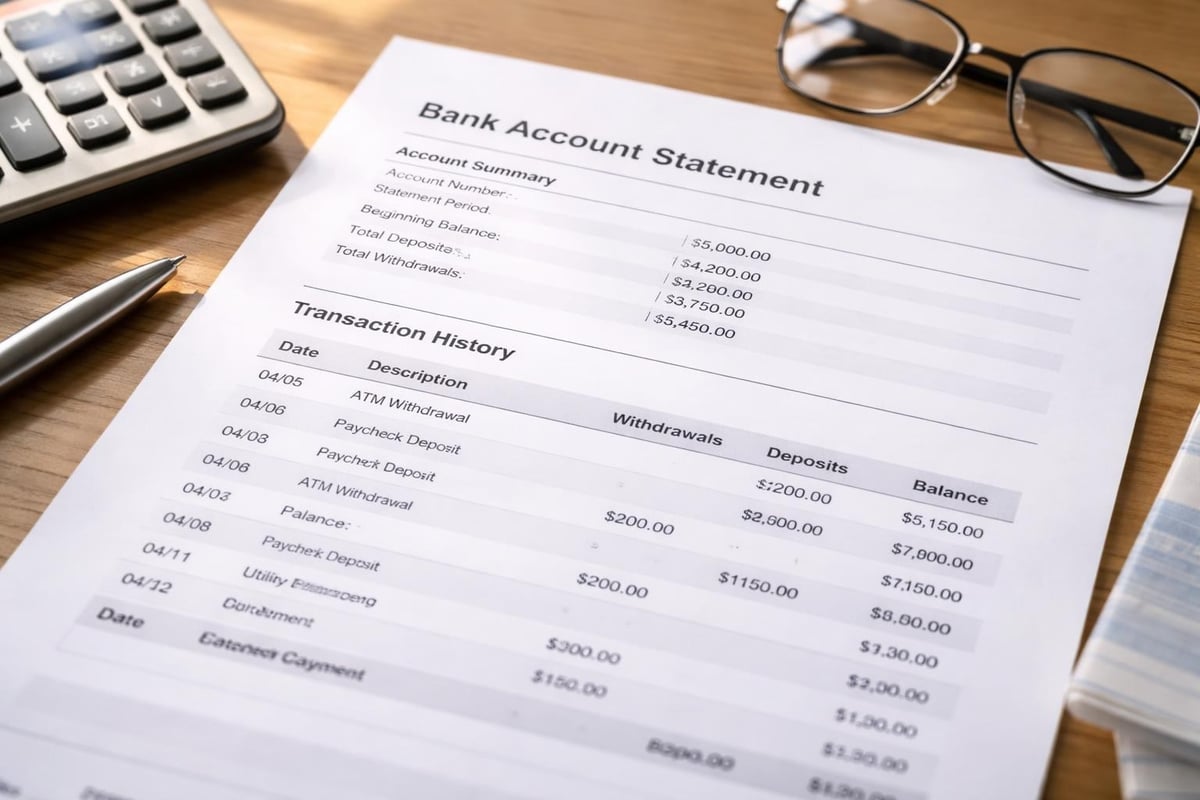
Every bank account statement PDF contains essential elements that document your financial activity. Understanding what information appears on a bank statement helps you verify accuracy and identify discrepancies quickly.
The header section displays your account information, including account number, statement period, and contact details. Transaction sections list debits, credits, and running balances chronologically. Summary sections provide opening balances, closing balances, and totals for deposits and withdrawals.
Common Challenges with Bank Account Statement PDFs
Despite their widespread use, bank account statement PDFs present significant challenges for businesses managing financial data. The static nature of PDFs creates barriers to efficient data extraction and analysis.
Data Entry and Manual Processing Issues
Transferring information from a bank account statement PDF into accounting software traditionally requires manual data entry. This process consumes valuable time and introduces human error. A single mistyped digit can cascade into reconciliation problems and financial reporting inaccuracies.
Finance teams spend countless hours each month copying transaction details, dates, and amounts from PDF statements into spreadsheets or accounting platforms. This repetitive work diverts resources from strategic financial analysis and planning.
| Challenge | Impact | Time Cost |
|---|---|---|
| Manual data entry | High error rate | 2-4 hours per statement |
| Format inconsistencies | Requires custom handling | 1-2 hours per bank |
| Security concerns | Risk of data exposure | Ongoing monitoring needed |
| Reconciliation delays | Slower month-end close | 3-5 additional business days |
Format Variations Across Financial Institutions
Different banks structure their bank account statement PDF documents uniquely. Chase organizes transactions differently than Bank of America, and regional credit unions follow their own formats entirely. Various bank statement formats require businesses to develop separate processes for each institution.
This lack of standardization complicates automation efforts and forces businesses to maintain multiple workflows for statement processing. Companies working with multiple banking relationships face exponentially more complexity.
Security Considerations for Bank Statement PDFs
Protecting the sensitive information contained in your bank account statement PDF documents is paramount. These files contain account numbers, transaction details, and balance information that criminals can exploit.
Best Practices for Secure Handling
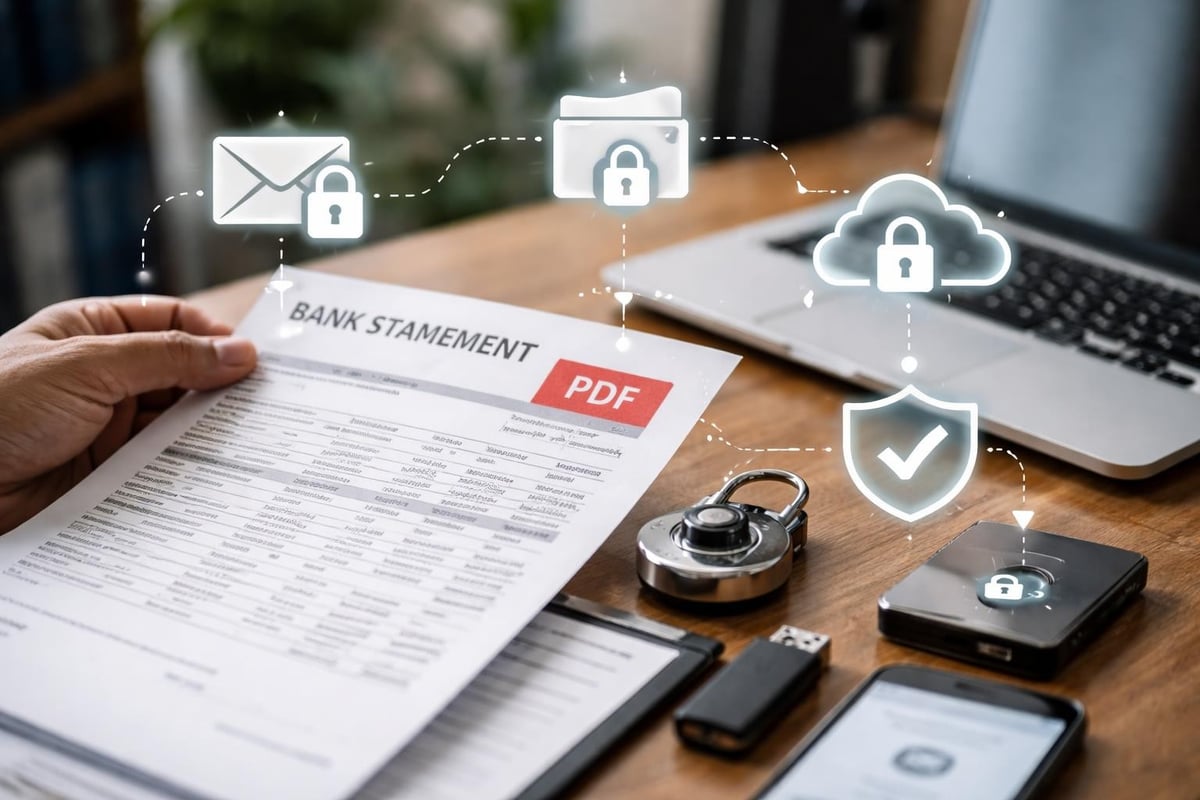
When transmitting financial documents electronically, security must be your top priority. Securely sending bank statements in PDF format requires encryption and secure communication channels.
Essential security measures include:
- Password-protecting all bank account statement PDF files before transmission
- Using encrypted email services or secure file transfer protocols
- Implementing two-factor authentication for financial document access
- Maintaining audit trails of who accesses statement files
- Regularly updating security protocols to address emerging threats
Many professionals wonder about the safety of email transmission. Examining the risks of emailing bank statements reveals that standard email lacks sufficient security for financial documents without additional protection layers.
Redaction and Privacy Protection
Sometimes you need to share a bank account statement PDF while protecting certain information. Redaction techniques allow you to obscure sensitive data before distribution. Properly redacting bank statements ensures compliance with privacy regulations while enabling necessary document sharing.
When sharing statements with third parties like landlords or loan officers, redact account numbers except the last four digits, remove unrelated transactions, and obscure personal identification numbers. Professional redaction tools offer permanent removal rather than simple black boxes that can be reversed.
Converting Bank Account Statement PDFs to Usable Data
The transformation of static PDF documents into actionable data represents one of the most significant pain points for businesses. Traditional conversion methods often fall short of accuracy requirements.
Manual Conversion Drawbacks
Manually transcribing data from a bank account statement PDF into Excel or accounting software introduces multiple failure points. Transcription errors, formula mistakes, and formatting inconsistencies undermine data integrity. For businesses processing dozens of statements monthly, the time investment becomes unsustainable.
The cognitive load of repetitive data entry also leads to fatigue-related errors that increase over extended work sessions. Research shows error rates climb significantly after the first hour of continuous data entry tasks.
Modern Conversion Solutions
Technology has evolved to address these challenges through intelligent automation. Converting PDF bank statements to usable spreadsheets using AI-powered tools eliminates manual entry while maintaining accuracy rates above 99%.
These advanced systems recognize various bank formats automatically, extract transaction data with precision, and organize information into standardized spreadsheet formats compatible with major accounting platforms. The technology adapts to different statement layouts without requiring custom programming for each bank.
Modern conversion tools process a typical bank account statement PDF in seconds rather than hours. They identify columns, categorize transactions, and preserve important metadata like transaction dates and reference numbers. The output integrates seamlessly with QuickBooks, Xero, and other accounting systems.
Analyzing Bank Statement PDF Data
Once you've extracted data from your bank account statement PDF, analysis unlocks valuable insights for financial decision-making. Raw transaction data transforms into meaningful patterns and trends through proper analysis techniques.
Key Metrics and Indicators
Financial analysis begins with understanding what your statement data reveals about cash flow, spending patterns, and account health. Bank statement analysis methods help identify trends, detect anomalies, and assess financial stability.
Critical metrics to track include:
- Average daily balance across statement periods
- Transaction frequency by category
- Recurring payment identification and verification
- Fee analysis and optimization opportunities
- Cash flow timing patterns
Business Application of Statement Data
Businesses leverage bank account statement PDF data for multiple strategic purposes beyond basic bookkeeping. Lenders analyze statement patterns to assess creditworthiness and repayment capacity. Financial planners identify spending optimization opportunities by categorizing and trending expenses over time.
Reconciliation processes match statement transactions against internal records to ensure accuracy and detect discrepancies. Fraud detection systems flag unusual transaction patterns that might indicate unauthorized access or fraudulent activity.
| Analysis Type | Purpose | Frequency |
|---|---|---|
| Cash flow analysis | Predict liquidity needs | Weekly |
| Spending categorization | Budget optimization | Monthly |
| Reconciliation | Accuracy verification | Monthly |
| Fraud detection | Security monitoring | Daily |
| Trend analysis | Strategic planning | Quarterly |

Managing Multiple Bank Account Statement PDFs
Organizations working with multiple banking relationships face unique challenges managing numerous bank account statement PDF files. Effective organization systems prevent lost documents and enable efficient retrieval.
Organization Strategies
Develop a consistent naming convention for all bank statement files. Include the bank name, account type, and statement end date in each filename. For example: "Chase_Business_Checking_2026-03-31.pdf" provides immediate context without opening the file.
Create a hierarchical folder structure organized by year, quarter, and month. Within each month's folder, separate statements by bank or account type. This structure supports both chronological access and institution-specific retrieval needs.
Retention Policies and Compliance
Different industries face varying requirements for how long to retain bank account statement PDF documents. Financial regulations, tax laws, and internal audit requirements all influence retention periods.
The IRS recommends keeping bank statements for at least three years to support tax returns, though some situations warrant seven-year retention. Businesses involved in litigation or regulatory scrutiny may need to preserve statements indefinitely. Implement automated backup systems to prevent accidental deletion and ensure security standards protect archived statements.
Digital Transformation of Statement Management
The evolution from paper to digital bank statements represented just the first step in financial document transformation. Contemporary businesses now seek intelligent systems that not only store bank account statement PDF files but extract, analyze, and integrate the data automatically.
Integration with Accounting Systems
Modern financial management requires seamless data flow between banks, conversion tools, and accounting platforms. APIs and automated workflows eliminate manual transfer steps that historically consumed significant resources.
Businesses implementing integrated solutions reduce month-end close times by 40-60% compared to manual processing methods. Real-time data availability supports better decision-making and faster response to financial challenges. The connection between statement data and general ledger entries becomes transparent and auditable.
Cloud-Based Statement Management
Cloud platforms offer centralized access to bank account statement PDF archives from anywhere with internet connectivity. Team members across different locations access the same documents simultaneously without version control issues.
Cloud solutions provide automatic backup, disaster recovery capabilities, and scalable storage that expands with your document volume. Security features include encryption at rest and in transit, access logging, and granular permission controls that specify who can view, edit, or share specific statements.
Automation and Artificial Intelligence Applications
Artificial intelligence fundamentally changes how businesses interact with bank account statement PDF documents. Machine learning algorithms recognize patterns, extract data, and even categorize transactions based on historical learning.
AI-Powered Data Extraction
Traditional optical character recognition (OCR) technology struggles with the complex layouts and formatting variations in bank statements. Modern AI systems combine OCR with contextual understanding to achieve extraction accuracy exceeding 99%.
These intelligent systems identify table structures, associate transaction details across columns, and handle multi-page statements without losing context. They distinguish between similar-looking characters and validate extracted data against expected patterns to catch errors before they enter your financial systems.
Continuous Learning and Improvement
Advanced conversion platforms improve over time by learning from corrections and new statement formats. When processing a bank account statement PDF from an unfamiliar institution, the AI analyzes the document structure, makes intelligent extraction decisions, and incorporates feedback to handle similar statements more effectively in the future.
This adaptive capability means your statement processing becomes more efficient and accurate over time rather than remaining static or degrading as statement formats evolve.
Common Use Cases for Bank Statement PDFs
Understanding how different stakeholders utilize bank account statement PDF documents helps optimize your handling processes for specific purposes.
Loan Applications and Financial Verification
Lenders require bank statements to verify income, assess spending habits, and evaluate financial stability. Applicants typically submit three to six months of statements demonstrating consistent deposits and responsible account management.
Financial institutions analyze these bank account statement PDF documents to calculate debt-to-income ratios, identify red flags like frequent overdrafts, and verify employment income. The verification process demands clear, complete statements that accurately represent your financial situation.
Tax Preparation and Audit Support
Tax professionals reference bank statements to substantiate deductions, verify business income, and reconstruct missing records. A comprehensive set of bank account statement PDF files provides the documentation trail necessary to support tax positions during audits.
Business owners should maintain statements for all accounts, including business checking, savings, and credit cards. Cross-referencing statement data against accounting records identifies discrepancies before they become audit issues.
Personal Financial Management
Individuals use bank account statement PDF documents to track spending, create budgets, and monitor financial progress toward goals. Regular review of statement details helps identify unnecessary subscriptions, detect unauthorized charges, and understand cash flow patterns.
Organizing personal statements chronologically enables year-over-year spending comparisons and helps identify seasonal patterns in expenses. This awareness supports better financial planning and resource allocation decisions.
Troubleshooting Common PDF Statement Issues
Even standardized PDF formats occasionally present technical challenges that impede efficient processing and data extraction.
Corrupted or Unreadable Files
Sometimes bank account statement PDF files become corrupted during download or email transmission. Symptoms include files that won't open, display garbled text, or show blank pages where content should appear.
Resolve these issues by re-downloading the statement from your bank's online portal, requesting a fresh copy from customer service, or using PDF repair utilities designed to reconstruct damaged files. Always verify file integrity immediately after downloading to catch corruption early.
Password-Protected Statements
Many banks password-protect bank account statement PDF files for security. While this protection serves an important purpose, it complicates automated processing and batch conversion workflows.
Maintain a secure database of statement passwords organized by account and statement period. For automated processing, consider tools that handle password-protected files programmatically while maintaining security standards. Securely emailing bank statements often involves additional password layers that must be communicated separately from the file itself.
Format Compatibility Issues
Occasionally, specialized PDF features like digital signatures, form fields, or embedded fonts cause compatibility problems with conversion tools or older PDF readers. These enhanced features may prevent proper rendering or data extraction.
Converting problematic PDFs to standard PDF/A format often resolves compatibility issues while preserving the document content. PDF/A is an archival standard specifically designed for long-term preservation and universal accessibility.
Future Trends in Bank Statement Technology
The financial services industry continues evolving its approach to account statements, with several emerging trends reshaping how we interact with bank account statement PDF documents.
Real-Time Statement Access
Traditional monthly statement cycles are giving way to on-demand statement generation. Customers increasingly expect the ability to generate a bank account statement PDF for any date range instantly, supporting flexible reporting and analysis needs.
This shift enables more responsive financial management, faster loan processing, and reduced delays in financial decision-making. Real-time access combined with automated conversion capabilities creates unprecedented agility in financial operations.
Enhanced Data Formats
While PDFs remain dominant, financial institutions are exploring supplementary formats that facilitate easier data extraction. Some banks now offer CSV downloads alongside traditional bank account statement PDF documents, though PDF remains the official, legally recognized format.
The emergence of open banking APIs may eventually reduce reliance on statement PDFs for data transfer, though regulatory and archival requirements will likely maintain PDF's central role for the foreseeable future.
Blockchain and Verification Technology
Experimental implementations explore using blockchain technology to create tamper-evident bank account statement PDF documents. Digital signatures and distributed ledger verification could enhance statement authenticity and reduce fraud concerns.
These technologies remain in early adoption phases but represent potential future standards for financial document verification and security.
Managing bank account statement PDF documents efficiently requires the right combination of security practices, organizational systems, and conversion technology. Whether you're processing a single statement or hundreds each month, understanding these documents' structure, challenges, and opportunities helps you extract maximum value from your financial data. Bank Statement Boss transforms this challenge into a streamlined process by converting your PDF bank and credit card statements into spreadsheet formats with 99% accuracy, integrating seamlessly with your accounting platforms while maintaining bank-level security throughout the entire conversion process.
Article written using RankPill.