

Every bookkeeper knows the drill: a client emails over a stack of PDF bank statements, and suddenly your afternoon disappears into manual data entry. An AI bank statement converter promises to eliminate that grind, but pricing varies wildly across the market — from completely free tools to enterprise plans running $99 or more per month. Understanding what you're actually paying for, and what corners get cut at each price tier, is essential before you commit to a workflow that your entire practice will depend on.
This article breaks down the real costs of AI-powered bank statement conversion in 2026, compares the major pricing tiers, and explains which features genuinely matter for small business owners, freelance accountants, and finance teams.
What an AI Bank Statement Converter Actually Does
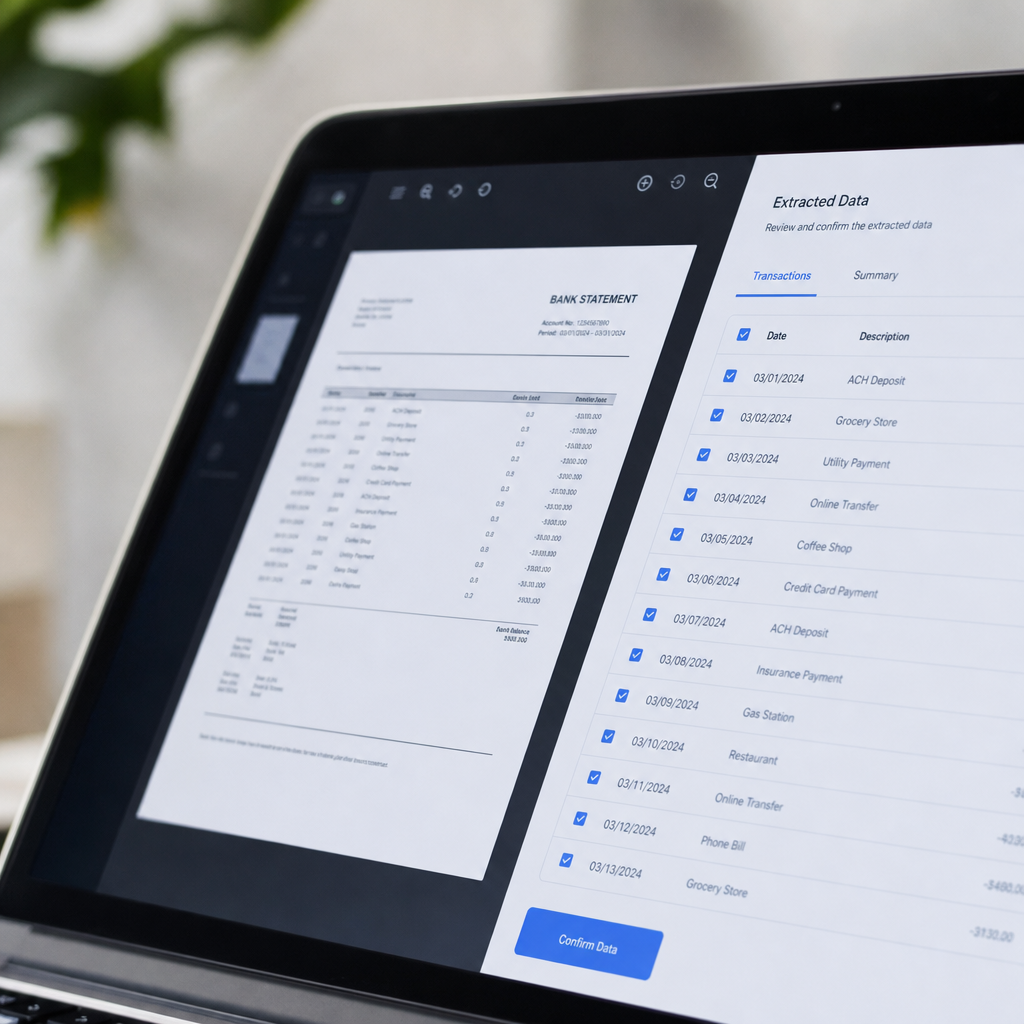
At its core, an AI bank statement converter takes a PDF — often a scanned or digitally generated statement from a bank or credit card issuer — and transforms it into structured, usable data. Instead of manually retyping transaction dates, descriptions, and amounts into a spreadsheet, the software reads the document and outputs clean rows and columns ready for import into accounting software.
The "AI" component matters because bank statements are notoriously inconsistent. Every institution formats its PDFs differently, and older-style optical character recognition (OCR) tools often struggle with multi-column layouts, varying fonts, or statements that were scanned rather than digitally exported. Modern machine learning models trained specifically on financial documents can recognize transaction patterns, categorize line items, and correctly parse even messy or low-quality scans.
Tools like bankstatementboss.com are built specifically around this problem, offering formatting that aligns with the import requirements of QuickBooks, Xero, and Sage rather than generic CSV exports that still require manual cleanup.
Why Manual Entry Is No Longer Viable
Bookkeepers have relied on manual transaction entry for decades, but the economics no longer make sense. Consider the time cost alone: a single 20-page statement with 150 transactions can take 45 minutes to an hour to key in manually, plus additional time for a second reconciliation pass to catch typos. Multiply that across a client roster of even a dozen small businesses, and you're looking at dozens of hours per month spent on work that generates no strategic value.
There's also an error-rate problem. Studies on manual data entry across industries consistently show error rates between 1% and 4% per keystroke-heavy task, according to research compiled by the Data Warehousing Institute, a benchmark that's been widely referenced in data quality literature since the mid-2000s. In accounting, even a small transposition error in a transaction amount can cascade into a reconciliation nightmare that takes hours to untangle.
The American Institute of CPAs has also noted that firms adopting automation for repetitive bookkeeping tasks report meaningful gains in client capacity without adding headcount, a trend documented in ongoing coverage from the Journal of Accountancy. For firms billing by value rather than by hour, this shift directly improves margins.
Free vs. Paid: What You Give Up at Each Tier
Not all AI bank statement converters are created equal, and free tiers typically come with meaningful trade-offs. Here's how the landscape generally breaks down:
| Tier | Typical Price | Pages/Month | Accounting Format Support | Data Security | API Access |
|---|---|---|---|---|---|
| Free | $0 | 1–5 pages | Basic CSV only | Limited or unclear retention policy | No |
| Starter | $9–$19/mo | 50–100 pages | QuickBooks/Xero-ready CSV | Encrypted upload, auto-delete | No |
| Professional | $29–$59/mo | 300–1,000 pages | QuickBooks, Xero, Sage | Encrypted, SOC 2-aligned practices | Limited |
| Enterprise | $79–$99+/mo | Unlimited or custom | All major platforms + custom mapping | Enterprise-grade, audit logs | Full API access |
Free tools are genuinely useful for a one-off statement or a quick test, but they rarely scale. Most cap you at a handful of pages per month, strip out categorization features, and offer minimal support if a conversion goes wrong. For a freelance bookkeeper handling even three or four clients, a free tier is usually exhausted within the first week of a new month.
Paid tiers, by contrast, are built around volume and reliability. The mid-range "Professional" tier is where most small accounting practices land, since it balances page volume with the accounting-software-specific formatting that actually saves time downstream.
Key Features That Justify the Price
When evaluating any AI bank statement converter, price alone tells you very little. The features behind that price are what determine whether the tool saves you real hours or just shifts the busywork elsewhere. Focus on these criteria:
- Accuracy on multi-bank formats — Can it handle statements from major banks and credit unions without manual template setup?
- Accounting software compatibility — Does the output map directly into QuickBooks, Xero, or Sage fields, or do you still need to reformat columns?
- Batch processing — Can you upload dozens of statements at once rather than one at a time?
- Data security and retention policy — Is uploaded financial data encrypted in transit and deleted after processing?
- Categorization intelligence — Does the tool auto-tag transactions (e.g., "office supplies," "payroll") or leave that step to you?
- API access — For firms building internal tools or high-volume pipelines, is programmatic access available?
- Customer support and error correction — If a conversion misreads a column, how quickly can you get a fix or manual review?
A platform like Bank Statement Boss addresses most of these directly by offering secure handling practices alongside export formatting built specifically for accounting workflows, plus API access on higher-tier plans for firms that need to integrate conversion directly into their own systems.
Comparing Popular Approaches to Statement Conversion
Beyond price tiers, it's worth comparing the broader categories of tools available, since "AI bank statement converter" now covers a fairly wide spectrum of products.
| Approach | Speed | Accuracy | Best For | Limitations |
|---|---|---|---|---|
| Manual entry | Very slow | Depends on operator | One-off, single statement | Time-intensive, error-prone |
| Generic OCR tools | Moderate | Inconsistent on tables | Simple, clean PDFs | Struggles with multi-column layouts |
| Spreadsheet macros/templates | Fast once built | Good if format is stable | Repeat statements from one bank | Breaks when bank changes format |
| AI-powered converters | Fast | High across varied formats | Ongoing bookkeeping, multiple clients | Subscription cost |
| Outsourced data entry services | Slow (turnaround delay) | Good but variable | Very high volume, non-urgent work | Higher cost per document, privacy concerns |
AI-powered converters tend to win on the combination of speed and consistency, particularly for firms that receive statements from a wide variety of banks. Generic OCR tools can technically extract text, but they frequently misalign columns when a statement includes multiple transaction types side-by-side, a known limitation discussed in technical overviews from the National Institute of Standards and Technology on document recognition accuracy.
Outsourcing to overseas data entry services remains common in some firms, but it introduces both turnaround delays and data privacy questions, since sensitive financial documents are being handled by third parties outside your direct control. For firms serious about client confidentiality, that trade-off is worth scrutinizing closely.
Data Security: The Cost You Can't See on a Pricing Page
Pricing tables rarely highlight security practices, but for financial documents, this should be a top consideration — arguably more important than the per-page rate. Bank statements contain account numbers, balances, and transaction histories that qualify as sensitive personal and business data under most privacy frameworks.
When evaluating any converter, ask:
- Is data encrypted both in transit (TLS) and at rest?
- Is uploaded data deleted automatically after processing, or retained indefinitely?
- Does the vendor undergo third-party security audits?
- Is there a clear, published privacy policy that addresses financial data specifically?
- Are employees or contractors able to view raw uploaded documents?
The Federal Trade Commission publishes general guidance on data security expectations for businesses handling consumer financial information, and it's reasonable to expect any reputable AI bank statement converter to align with those baseline principles. Tools built specifically for accounting use cases, such as Bank Statement Boss, typically emphasize encrypted handling and limited retention as a core part of their value proposition — not just a footnote in the terms of service.
Real-World Use Cases by Role
Different users in the finance ecosystem apply AI bank statement converters in slightly different ways, and understanding these use cases helps clarify which pricing tier actually fits your needs.
Small business owners typically use converters seasonally — around tax time or quarterly reviews — to catch up on reconciliation without hiring extra help. A Starter or Professional plan usually covers this need without overpaying for unused capacity.
Freelance bookkeepers and accountants managing multiple clients need consistent monthly throughput. For this group, the Professional tier's higher page allowance and multi-format export support are usually worth the incremental cost, since billing efficiency scales directly with client volume.
Finance teams at growing companies often need API access to integrate conversion directly into internal reporting pipelines, which is where Enterprise-tier pricing becomes justified. At this scale, the cost of the tool is trivial compared to the labor hours it replaces.
Tax preparers during peak season face short bursts of extremely high volume. Some opt for pay-per-use or short-term plan upgrades rather than year-round subscriptions, since their conversion needs are concentrated in a few intense months rather than spread evenly across the year.

Hidden Costs to Watch For
Beyond the advertised subscription price, a few hidden costs can quietly inflate your total spend on bank statement conversion:
- Overage fees — Exceeding your monthly page allowance often triggers per-page charges that add up fast during busy seasons.
- Format mismatches — If a tool's export doesn't map cleanly to your accounting software, you'll spend time reformatting columns manually, effectively paying twice for the same task.
- Support delays — Free and low-tier plans often lack responsive support, meaning a misread statement can sit unresolved for days.
- Multi-user access — Some platforms charge extra per team seat, which matters for growing bookkeeping practices.
- Retention and re-upload costs — If a platform doesn't securely store processed files, you may need to re-upload and reprocess statements later, consuming additional page credits.
Firms that specialize in lead generation and workflow automation for professional services, such as leadmailbox.com, often emphasize that the true cost of any software tool includes the operational friction around it, not just the sticker price. That framing applies directly here: a cheaper plan that requires constant manual cleanup isn't actually cheaper once you account for staff time.
How to Choose the Right Plan for Your Practice
Rather than defaulting to the cheapest or most expensive option, match your plan to actual usage patterns:
- Estimate your monthly page volume across all clients or statements you process.
- Identify your required export formats — confirm compatibility with QuickBooks, Xero, or Sage specifically, since generic CSV often isn't enough.
- Weigh security requirements against your firm's compliance obligations, especially if you handle statements for regulated industries.
- Test before committing — most reputable converters, including Bank Statement Boss, offer a trial or low-cost entry point to validate accuracy on your specific bank formats before upgrading.
- Reassess quarterly — usage tends to grow as you onboard more clients, so revisit your tier every few months rather than locking into a plan indefinitely.
For further reading on document automation trends affecting accounting workflows, the Association of International Certified Professional Accountants publishes ongoing research into how firms are adapting technology stacks to reduce manual workload while maintaining audit-ready accuracy.
Final Thoughts
The cost of an AI bank statement converter ranges from free to roughly $99 per month depending on volume, format support, security practices, and API access — but the cheapest option isn't automatically the best value. For small business owners handling occasional conversions, a lean plan may suffice. For bookkeepers and finance teams managing recurring, high-volume statement processing, investing in a Professional or Enterprise tier typically pays for itself many times over in reclaimed hours and reduced reconciliation errors.
Bank Statement Boss was built to remove the guesswork from that decision, offering accurate, accounting-ready conversions with the security and export compatibility that growing practices actually need. Whether you're processing a handful of statements a month or building an automated pipeline through API access, bankstatementboss.com offers a pricing structure designed to scale alongside your workload, not against it.
Article written by FrontRank