

Manually keying in transactions from PDF bank statements is one of the most tedious tasks in bookkeeping. It's slow, error-prone, and pulls skilled accountants away from higher-value work. That's why accounting document conversion software has become a standard part of the modern finance stack — turning static PDFs into clean, categorized spreadsheets ready for QuickBooks, Xero, Sage, or any general ledger system.
But not all conversion tools are built the same. Some handle only simple single-column statements. Others choke on scanned documents or multi-currency accounts. This article breaks down the eight features that distinguish genuinely useful accounting document conversion software from tools that create more cleanup work than they save. Whether you're a solo bookkeeper, a freelance accountant managing multiple clients, or a finance team processing hundreds of statements a month, understanding these features will help you choose a platform that actually fits your workflow.
1. Accurate OCR and Data Extraction Engine
The foundation of any accounting document conversion software is its ability to read a document correctly. This sounds simple, but bank statements vary enormously in layout — different banks use different column orders, date formats, and transaction descriptions. A weak optical character recognition (OCR) engine will misread numbers, merge columns, or drop transactions entirely.
Look for software that:
- Uses AI-based extraction rather than purely rule-based templates, so it can adapt to new statement formats automatically
- Handles both digital PDFs and scanned or photographed documents
- Correctly parses multi-page statements without losing running balances
- Flags low-confidence extractions for manual review instead of silently guessing
According to the National Institute of Standards and Technology, OCR accuracy rates can vary significantly depending on document quality and the complexity of the underlying algorithm, which is why modern tools increasingly rely on machine learning models trained on large, diverse document sets rather than static templates.
2. Compatibility With Major Accounting Platforms
A conversion tool is only as useful as the software it feeds into. The best accounting document conversion software exports directly into formats that popular accounting platforms can ingest without additional reformatting.
| Platform | Preferred Import Format | Common Pain Point Without Conversion Software |
|---|---|---|
| QuickBooks Online | CSV / QBO | Column mismatches, date format errors |
| Xero | CSV / OFX | Duplicate transaction imports |
| Sage | CSV | Manual category mapping |
| Wave | CSV | Limited native OCR support |
Tools like bankstatementboss.com are built specifically to output files pre-formatted for QuickBooks, Xero, and Sage, eliminating the need for manual column reordering or date reformatting before import. This matters because even a small formatting mismatch — like a date written as DD/MM/YYYY instead of MM/DD/YYYY — can cause an entire import batch to fail or post incorrect figures.
3. Security and Compliance Standards
Bank statements contain some of the most sensitive financial data a business holds: account numbers, transaction histories, and sometimes personally identifiable information. Any software that processes this data must meet strict security standards.
When evaluating accounting document conversion software, confirm the vendor offers:
- Encryption in transit and at rest — data should never be transmitted or stored unencrypted
- SOC 2 or equivalent compliance certification — demonstrates independent verification of security controls
- Clear data retention policies — including the option to delete uploaded files after processing
- Role-based access controls — especially important for firms with multiple staff accessing client data
The Federal Trade Commission publishes guidance on safeguarding consumer financial information that's a useful benchmark when vetting any SaaS tool that touches banking data. Reputable platforms, including bankstatementboss.com, publish their security practices clearly rather than burying them in fine print — a transparency signal worth looking for.
4. Speed and Batch Processing Capability
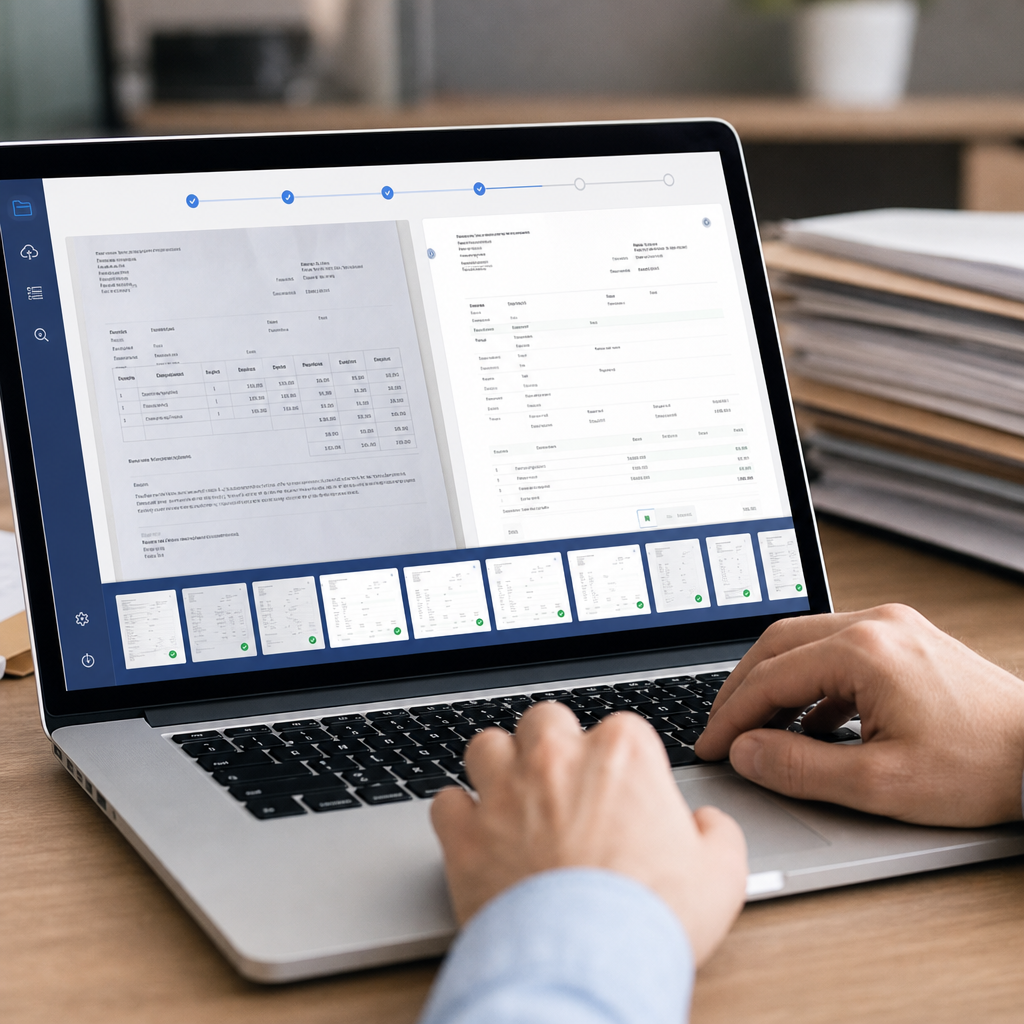
Time savings are the entire point of accounting document conversion software, so processing speed and batch capability matter enormously — especially for bookkeepers managing multiple clients or finance teams closing books monthly.
Consider how the software performs under real workloads:
- Can it process multiple statements simultaneously, or only one file at a time?
- How long does a typical 12-month statement take to convert?
- Does it support bulk upload across multiple client folders?
| Task | Manual Entry | Basic Conversion Tool | AI-Powered Conversion Software |
|---|---|---|---|
| Single 1-month statement | 20–30 minutes | 5–10 minutes | Under 2 minutes |
| 12-month statement history | 4–6 hours | 1–2 hours | 10–15 minutes |
| Batch of 10 client statements | Full workday | 3–4 hours | 30–45 minutes |
These estimates illustrate why firms processing high statement volumes increasingly treat conversion software as essential infrastructure rather than a convenience. A tool like Bank Statement Boss is designed around this exact use case, allowing accountants to upload multiple statements at once and receive structured spreadsheets in minutes rather than hours.
5. Transaction Categorization and Accuracy Checks
Converting a PDF into a spreadsheet is only half the job. Good accounting document conversion software should also help categorize transactions — or at least structure the data so categorization in your accounting platform is fast and error-free.
Key capabilities to look for:
- Automatic separation of debits and credits into distinct columns
- Running balance verification to catch missing or duplicated transactions
- Consistent date formatting across all rows
- Vendor name normalization (so "AMZN MKTP US*2K3F9" reads clearly rather than as a cryptic string)
Balance verification deserves particular attention. If a tool doesn't reconcile the running balance against the sum of transactions, extraction errors can slip through unnoticed until they cause discrepancies during month-end close. The American Institute of CPAs has noted that reconciliation accuracy is one of the most common sources of friction in small business bookkeeping, which is exactly why automated balance checks are worth prioritizing in any tool you adopt.
6. API Access for Scalable Workflows
For finance teams or accounting firms processing high volumes of statements, a user interface alone isn't enough — they need programmatic access. API access allows conversion to be built directly into existing workflows, whether that's a practice management system, a custom client portal, or an internal data pipeline.
Benefits of API-enabled accounting document conversion software include:
- Automatic ingestion of statements as they're uploaded by clients, without manual intervention
- Direct routing of structured data into internal databases or accounting systems
- Reduced dependency on staff to manually upload and download files
- Scalability as statement volume grows, without proportional increases in labor cost
Bank Statement Boss offers API access on its higher-tier plans specifically for this reason — enabling finance teams to automate statement processing at scale rather than relying on one-off manual conversions. For firms handling dozens or hundreds of client accounts, this kind of automation can be the difference between linear and exponential growth in operational capacity.
7. Multi-Bank and Multi-Format Support
Freelance bookkeepers and accounting firms rarely work with a single bank. Clients bring statements from regional banks, national banks, credit unions, and credit card issuers — each with its own PDF layout. Software that only handles a handful of major bank formats will quickly become a bottleneck.
When assessing multi-bank support, ask:
- Does the software support both checking/savings statements and credit card statements?
- Can it handle statements from international banks if you serve clients outside the U.S.?
- Does it adapt to new or unusual layouts without requiring a manual template update from the vendor?

This is an area where AI-driven extraction genuinely outperforms older, template-based OCR tools. Template-based systems require a pre-built template for every bank layout, which means new or uncommon formats often fail outright. AI models trained to understand the general structure of financial documents — rather than matching rigid templates — tend to generalize far better to statements they haven't explicitly seen before. The Consumer Financial Protection Bureau maintains data showing just how fragmented the U.S. banking landscape is, with thousands of chartered banks and credit unions each issuing statements in their own format — a strong argument for flexible, adaptive extraction technology.
8. Pricing Transparency and Scalable Plans
Finally, pricing structure matters as much as functionality. Accounting document conversion software should scale affordably whether you're a solo freelancer converting a handful of statements a month or a firm processing hundreds.
| Plan Type | Typical Use Case | What to Look For |
|---|---|---|
| Free / Trial | Occasional personal use | Statement limit, format restrictions |
| Starter/Solo | Freelance bookkeepers | Per-statement or monthly cap pricing |
| Professional | Small accounting firms | Multi-client support, priority processing |
| Enterprise/API | Finance teams, high volume | API access, dedicated support, custom limits |
A transparent pricing page — one that clearly states limits, overage costs, and what's included at each tier — is a good indicator of a trustworthy vendor. Be wary of tools that require a sales call just to learn basic pricing, as this often signals costs that don't scale well for smaller users.
How to Evaluate a Tool Before Committing
Before adopting any accounting document conversion software long-term, run it through a short evaluation process:
- Test with your messiest statement. Don't evaluate using a clean, simple PDF — upload the worst-formatted statement you regularly deal with.
- Check the output against the original. Manually verify at least one full page of transactions to confirm extraction accuracy.
- Import a sample file into your accounting platform. Confirm the export format actually works with QuickBooks, Xero, or Sage without manual edits.
- Review the security documentation. Confirm encryption standards and data retention policies before uploading real client data.
- Calculate real time savings. Time the manual process once, then time the software-assisted process, to get an honest comparison specific to your workflow.
This kind of structured trial prevents the common mistake of adopting a tool based on marketing claims alone, only to discover gaps once real client data is involved.
Common Mistakes Firms Make When Choosing Conversion Software
Even experienced bookkeepers sometimes pick the wrong tool. A few recurring mistakes are worth calling out:
- Choosing based on price alone. The cheapest tool often lacks balance verification or multi-bank support, leading to hours of manual correction that erase any cost savings.
- Ignoring export compatibility. A tool that produces a generic CSV without proper formatting for your specific accounting platform can create more cleanup work than it saves.
- Overlooking security practices. Uploading client financial data to a platform without clear encryption and retention policies creates real compliance risk.
- Failing to test with real documents. Demo data rarely reflects the messy, inconsistent statements actually encountered in daily practice.
- Not considering future scale. A tool that works for five statements a month may become unworkable at fifty if it lacks batch processing or API access.
Avoiding these pitfalls early saves significant time and reduces the risk of switching platforms later after client data is already in the system.
Final Thoughts
Accounting document conversion software has moved from a nice-to-have convenience to a core part of efficient bookkeeping and accounting workflows. The right tool saves hours of manual entry, reduces reconciliation errors, and integrates cleanly with the accounting platforms firms already rely on. The features outlined above — accurate OCR, platform compatibility, strong security, fast batch processing, reliable categorization, API access, broad bank support, and transparent pricing — form a practical checklist for evaluating any tool on the market today.
Bank Statement Boss was built around exactly these priorities: AI-powered extraction that adapts to varied bank formats, secure data handling, and export formatting ready for QuickBooks, Xero, and Sage, with API access available for teams that need to scale. For small business owners, freelance accountants, bookkeepers, and finance teams looking to eliminate manual statement entry without sacrificing accuracy or security, bankstatementboss.com offers a practical, purpose-built path from PDF to spreadsheet — turning what used to be hours of tedious work into minutes of automated, reliable conversion.
Article written by FrontRank